Online Order Form Template
An order form template lets you collect and manage customer orders online. With a customizable form, you can sell anytime, anywhere—without building a full e-commerce system.
Imagine running a small bakery that just went viral on Instagram. Orders flood your inbox, but managing them through DMs and phone calls quickly becomes chaotic. Customers miss out, and you lose sales.
Now, picture embedding a simple online order form template on your Instagram bio or website. Every order goes straight into your dashboard, you receive instant email notifications, and customers get a seamless experience.
Summary: Moving from scattered messages to a structured order form can transform how you handle demand—organized, reliable, and always available.
What is an Order Form Template in General Forms?
An order form template is a pre-designed digital form that businesses use to collect customer purchase requests online. It replaces manual order-taking methods like paper forms, phone calls, or scattered emails.
In the General Forms category, order form templates serve as versatile tools across industries—retail, restaurants, events, and services. They allow marketers to:
Capture product or service details.
Collect customer contact and delivery information.
Automate confirmations and notifications.
Centralize all orders in one system for easy tracking.
One-sentence definition:
An order form template is a ready-made digital form that lets businesses collect and manage purchase requests online.
An order form template simplifies the sales process, standardizes data collection, and ensures every order is captured without manual follow-ups.
Get started—no credit card needed
Launch an online order form and streamline fulfillment instantly.
Start Your Free Survey Trial on Porsline
Why an Order Form Template Matters?
An order form template removes friction from your purchase flow. Instead of juggling DMs and calls, you collect clean, structured data and fulfill orders faster—every time.
practical benefits:
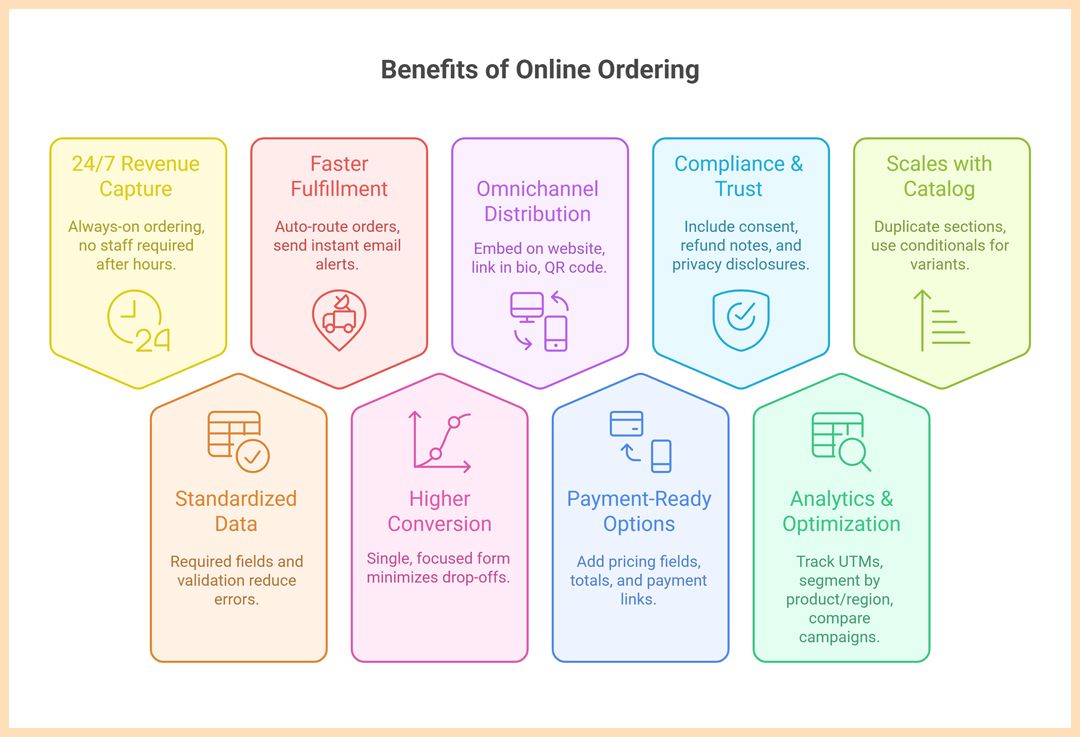
24/7 revenue capture: Always-on ordering—no staff required after hours.
Standardized data = fewer errors: Required fields and validation reduce back-and-forth and mis-typed addresses.
Faster fulfillment: Auto-route orders by category or location; send instant email alerts to the right team.
Higher conversion with fewer steps: A single, focused form minimizes drop-offs versus multi-page checkouts.
Omnichannel distribution: Embed on your website, link in bio, QR at point-of-sale, or share in stories and ads.
Payment-ready options: Add pricing fields, totals, and optional payment links/gateways to confirm paid orders.
Compliance & trust: Include consent, refund notes, and privacy disclosures; keep an auditable trail of every submission.
Analytics & optimization: Track UTMs, segment by product/region, and compare campaigns with consistent fields.
Scales with your catalog: Duplicate sections, use conditionals for variants (size/color), and set stock or order limits.
Order forms turn purchase intent into structured data—fast, accurate, and ready to fulfill.

You get fewer errors, faster turnarounds, and more completed orders—all by channeling demand into one reliable order form template.
Types and Variants of Online Order Form Templates
Every business sells differently—but the backbone of good order collection stays the same: clear options, clean data, and quick confirmation.
Here are common variants of order form templates, each tuned to a specific workflow:
Product Order Form — For retail or e-commerce brands selling tangible goods. Includes product names, SKUs, quantities, prices, and delivery or pickup options.
Food & Beverage Order Form — For bakeries, restaurants, or catering services. Supports daily menus, add-ons, time slots, and allergy notes.
Service Order Form — For freelancers, salons, or maintenance providers. Captures service type, appointment date, and client details.
Event Merchandise Order Form — Used by organizers to pre-sell T-shirts, souvenirs, or bundles. Includes size charts and cutoff dates.
B2B Purchase Request Form — For corporate or wholesale buyers. Often includes tax info, PO numbers, and tiered pricing.
Digital Product Order Form — For templates, PDFs, or subscriptions. Delivers file links or access codes automatically after payment.
Different sectors, same goal: structure every order to reduce friction and capture what matters the first time.
Suggested Questions Inside the Order Form
Good orders start with good questions. A well-structured order form template gathers only what’s essential—clear items, clean contacts, and the details that prevent rework.
| Question | Type | Purpose |
|---|---|---|
| Customer full name | Short Text | Identify the buyer and personalize confirmations. |
| Email address | Send receipts, updates, and delivery details. | |
| Mobile number (optional) | Short Text (Phone) | Enable SMS updates or quick clarifications. |
| Order items | Multiple Choice (Checkbox) | Let customers select products/services. |
| Quantity per item | Number | Capture precise quantities for each chosen item. |
| Variants (size/color/flavor) | Multiple Choice | Handle product options without clutter. |
| Add-ons/extras | Multiple Choice (Checkbox) | Upsell complementary items. |
| Custom notes (allergies/requests) | Long Text | Reduce fulfillment risks and returns. |
| Delivery or pickup | Single Choice | Route orders and set expectations. |
| Preferred date/time | Date + Time | Schedule production, pickup, or delivery windows. |
| Address (if delivery) | Address (multi-field) | Ensure accurate dispatch and shipping. |
| Promo code (optional) | Short Text | Track campaigns and apply discounts. |
| Payment method | Single Choice | Decide gateway, cash on delivery, or invoice. |
| Consent to policies | Checkbox (Required) | Confirm refunds, lead times, and privacy terms. |
| Agree to contact for order updates | Checkbox | Enable transactional email/SMS under consent. |
These fields keep orders accurate, routable, and fast to fulfill—no chasing customers for missing info.
How to Build Online Order Form in Porsline (Step-by-step build guide)
Keep it lightweight and direct. The goal is a single, focused order form template that captures clean data and routes work automatically.
Before you start
Sign up or log in at Porsline. You can either:
Start from a ready-made template – choose Order Form Template from the library, click Use this template, and customize it to match your products.
Build from scratch – create a blank form, add fields one by one, and use logic to shape your flow.
Both paths let you publish instantly—no coding, no installations.
Step-by-step build guide
Start with a clear structure
Page 1: Customer info (name, email, phone).
Page 2: Order details (items, quantity, variants, add-ons).
Page 3: Logistics & consent (pickup/delivery, time slot, address, policies).
Products & variants without clutter
Use a checkbox list for products/services.
Add a follow-up question for quantity that appears only for selected items (logic).
For variants (size/color/flavor), show a single-choice list triggered by each chosen item.
Logic (the engine of brevity)
If “Delivery” is selected → show address fields and delivery notes.
If “Allergies/Notes” is toggled → display a long-text field.
If “Promo code” is entered → reveal “discount applied” info and adjusted total (optional).
Piping for personalization (reduce mistakes)
Pipe the customer’s name into the confirmation page/email: “Thanks, @{Name}—we’ve received your order.”
Pipe the chosen pickup/delivery into instructions to reinforce next steps.
Pipe selected items into the final review so customers self-validate.
Totals & payments (optional, but powerful)
Add price fields to items; use a total/summary field to show the running total.
Adda payment question to collect payments.
Identity vs. anonymity (choose deliberately)
For consumer sales, keep it identified (name, email, phone) to enable updates and prevent fraud.
For B2B purchase requests, add business name, tax ID, and PO/reference fields.
Participation limits & anti-abuse
Limit submissions per email/phone for pre-orders.
Enable OTP/verification if you’re seeing duplicate or spam entries.
Set a maximum orders-per-day if production capacity is tight.
Instant results & routing
Configure email/SMS notifications to the right team based on item category or location.
Add labels/tags for quick filtering (e.g., “Catering,” “Pickup,” “Digital”).
Use dashboards to track status (received → in progress → ready).
Brand theming (trust = conversions)
Upload your logo, set brand colors, and keep backgrounds clean.
Use a concise welcome screen with lead times, cutoff times, and refund/changes policy.
Keep button text action-oriented: “Place Order,” “Confirm Pickup Time.”
Tight logic, clear routing, and light branding turn a basic form into a smooth ordering system—without e-commerce overhead.
Wrapping up: a focused order form beats messy inboxes every time. With one shareable link, customers choose what they need, you collect clean data, and fulfillment moves faster—no DMs to chase, no details lost. Start simple, add logic as you grow, and let a lightweight form do the heavy lifting for sales that actually ship.
Create your free account -Turn DMs into structured orders—fast, reliable, and trackable.
FAQ - Online Order Form
How do I create an online order form?
Start with a form builder like Porsline. Add product, quantity, and delivery fields. Use logic to hide or show sections dynamically, then share your form link.
What should an order form include?
Essential details: customer info, item list, quantities, prices, and policies. Optional: payment options, time slots, promo codes, and consent checkboxes.
Can I take payments through an order form?
Yes. Add price fields or add payment question to confirm orders before processing. Great for prepayments or deposits.
How do I add product variants like size or color?
Use logic. When a customer selects an item, show variant options such as size or flavor. Keep the path short to reduce drop-offs.
What’s the best free order form template?
The best one fits your workflow. Porsline offers ready templates for retail, food, events, and services—customizable in minutes.
How can I track and manage incoming orders?
Enable notifications and labels inside Porsline. Use dashboards to filter by category, region, or status (received, in progress, fulfilled).
How do I reduce errors in customer orders?
Use required fields, predefined options, and real-time validation (email, phone, address). Review submissions via a summary page.
Can I embed an order form on social media or my website?
Yes. Share it via your Instagram bio, embed it on a site, or print a QR code for walk-ins and offline events.


