Registration Form Template
A registration form template is a ready-made online form for collecting sign-ups for events, courses, memberships and services. Customize the fields, share the link, and send each registrant a confirmation email with their details (Pro plan).
Below, you’ll find the main types of registration forms, the questions to include, a sample confirmation email and a step-by-step guide to building your form in Porsline.
What is a Registration Form Template?
A Registration Form Template is a pre-designed, customizable form used to collect information from participants, customers, or members. Instead of creating a form from scratch, you can use a ready-made template to quickly gather essential details such as names, email addresses, phone numbers, and other relevant data.
These templates are often designed to be flexible — allowing you to add custom fields, apply your brand’s visual style, and integrate automated responses. For example, when someone submits the form, you can send them a confirmation email with their details and a unique registration code (Pro plan).
Common use cases include:
- Event registrations: Conferences, workshops, or webinars.
- Course enrollments: Schools, training centers, or online academies.
- Membership sign-ups: Clubs, organizations, or community groups.
- Service bookings: Healthcare appointments, hotel reservations, or demo requests.
Why it matters: Using a template saves time, ensures consistency in data collection, and reduces human error — making it an essential tool for both online and offline registrations.
Why is Using a Registration Form Template Important?
Using a Registration Form Template is more than just a time-saver — it’s a strategic tool that improves efficiency, accuracy, and user satisfaction. Here’s why it matters:
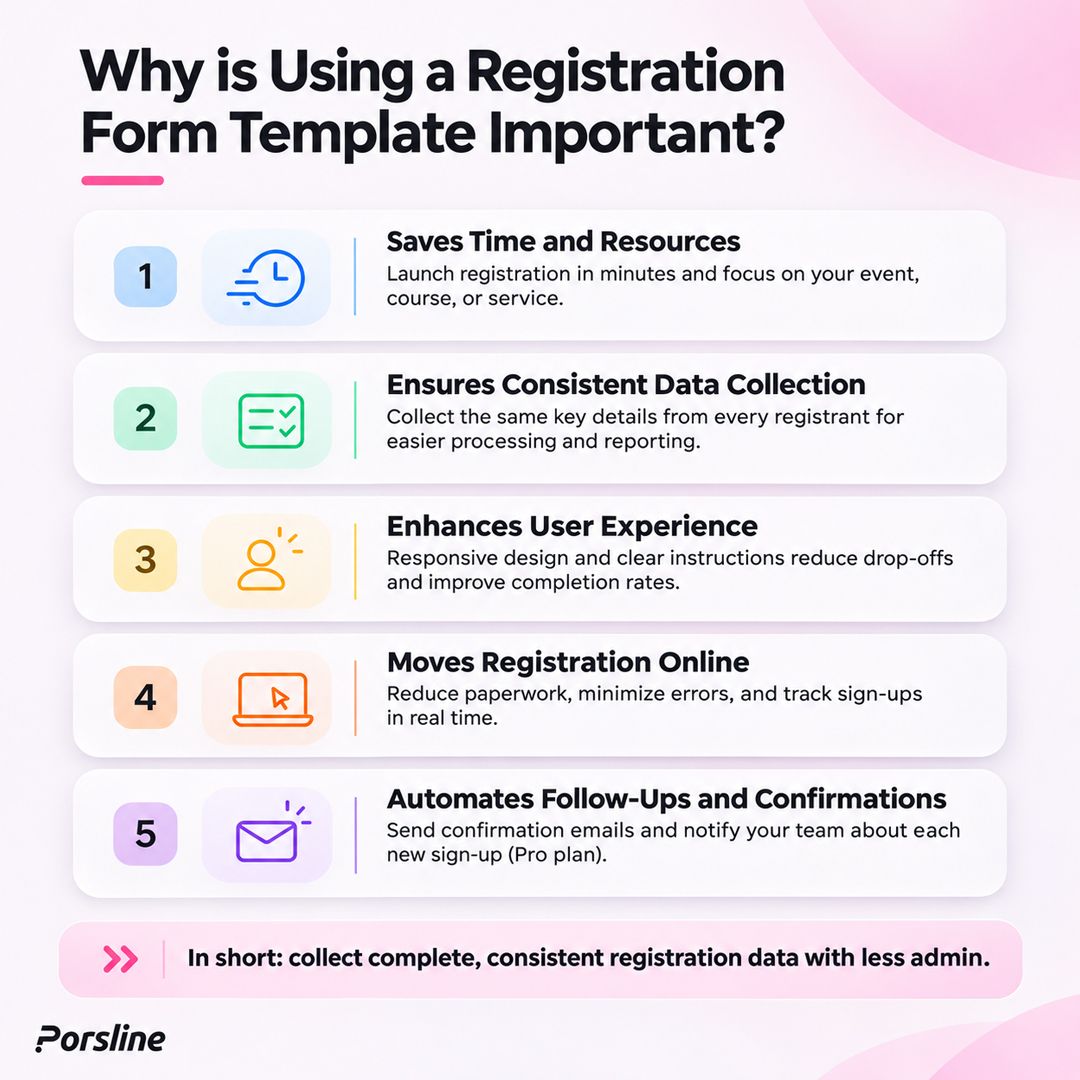
1. Saves Time and Resources
Creating forms from scratch can be time-consuming. A ready-made template allows you to set up your registration process in minutes, so you can focus on the event, course, or service you’re offering instead of technical setup.
2. Ensures Consistent Data Collection
A standardized form ensures that all participants provide the same type of information, making it easier to process, analyze, and store data. This consistency is crucial for reporting, follow-ups, and compliance.
3. Enhances User Experience
Modern registration templates are designed with usability in mind — responsive layouts, clear instructions, and minimal required fields to keep the process smooth and quick. A well-structured form reduces drop-offs and increases completion rates.
4. Moves Registration Online
By moving registration online, you skip manual paperwork, reduce typing errors and see new sign-ups as they arrive.
5. Automates Follow-Ups and Confirmations
Porsline can send a confirmation email to each registrant and notify your team about every new sign-up (Pro plan), so you answer fewer “Did my registration go through?” emails.
In short: a registration form template gets you the same complete details from every registrant, with less admin.
Types of Registration Form Templates
Different events, services, and organizations require different types of registration forms. By choosing the right template, you can ensure your form meets the exact needs of your audience and purpose.
1. Event Registration Form
- Purpose: Collect participant details for conferences, workshops, webinars, or networking events.
- Typical Fields: Name, email, phone number, company name, job title, and session preferences.
- Example Use: A marketing summit registration form with a payment question for ticket fees (Pro plan).
2. Course or Training Registration Form
- Purpose: Enroll students or trainees in classes, workshops, or online programs.
- Typical Fields: Name, email, course selection, preferred schedule, and payment information.
- Example Use: An online language school registration form that sends each new student a welcome email (Pro plan).
3. Membership Registration Form
- Purpose: Sign up members for clubs, associations, or loyalty programs.
- Typical Fields: Name, email, contact details, membership type, and consent agreements.
- Example Use: A gym membership form that collects the membership type and the member’s agreement to the club rules.
4. Service Booking Registration Form
- Purpose: Allow customers to book services such as appointments, hotel rooms, or consultations.
- Typical Fields: Name, email, preferred date/time, service type, and payment details.
- Example Use: A spa booking form where clients choose a service and a preferred time, and get a confirmation email when they submit (Pro plan).
5. Volunteer or Charity Event Registration Form
- Purpose: Register volunteers for community service, charity events, or fundraising campaigns.
- Typical Fields: Name, email, contact number, availability, and skills/interests.
- Example Use: A charity event form where volunteers choose the roles they’d like to help with.
Summary: Selecting the right registration form template ensures that you collect relevant data, minimize unnecessary fields, and streamline your process for both the organizer and the participant.
Recommended Questions to Include in a Registration Form Template
To make your registration form effective, it should capture all the necessary details without overwhelming the user. Below is a suggested structure you can adapt depending on your purpose.
| Question | Type | Purpose |
|---|---|---|
| Full Name | Short text | Identify the participant or registrant |
| Email Address | Send confirmations, updates, or event details | |
| Phone Number | Short Text (Phone field) | Enable quick contact for changes or reminders |
| Organization / Company Name | Short text | Understand the registrant’s professional affiliation |
| Role / Job Title | Short text or dropdown | Segment participants for targeted communication |
| Event / Service Selection | Dropdown or multiple choice | Allow users to choose the session, course, or service |
| Preferred Date / Time | Short text (date pattern) or dropdown of time slots | Schedule bookings or attendance slots |
| Payment | Payment question (Pro plan) | Collect ticket or service fees in the form |
| Additional Comments / Requirements | Long text | Let users share specific needs or preferences |
| Consent & Agreement Checkbox | Multiple choice | Record agreement to your terms and privacy notice |
Tips for Designing the Questions:
- Keep required fields to a minimum to avoid drop-offs.
- Group related questions together for better flow.
- Use conditional logic (Pro plan) to show only relevant fields based on earlier answers.
Well-crafted questions help you collect precise, actionable data while providing a smooth user experience.
Registration confirmation email: what to include
A confirmation email tells people their registration went through and what happens next. Keep it short and include:
- What they registered for, with the date, time and place or joining link
- The details they entered, such as their name and session, so they can spot mistakes
- A registration code, so you can find their entry quickly
- Who to contact if they need to change or cancel
Sample confirmation email
Subject: You’re registered for [Event name]
Hi [First name], thanks for registering for [Event name] on [date] at [time]. Your registration code is [code]. If you need to change your details, contact us at [contact details]. We look forward to seeing you.

In Porsline, email notifications to you and to the registrant are available on the Pro plan. Use answer piping to add the registrant’s name, their choices and their unique respondent ID to the email, so each person gets their own registration code. You can show the same details on a custom thank-you page.
Step-by-Step Guide to Creating a Registration Form Template on Porsline
Creating a professional Registration Form Template on Porsline is quick and highly customizable. Follow these steps to design a form that matches your brand and collects the right data.
Step 1: Sign In or Create a Free Account
Go to Porsline and log in, or create a free account to access the form builder.
Step 2: Choose a Template
From the template library, select “Registration Form” or any similar form. You can also start from scratch if you prefer full customization.
Step 3: Customize the Form Fields
- Add essential fields like Name, Email, Phone, and Service/Event Selection.
- Use Conditional Logic (Pro plan) to display questions only when relevant (e.g., show the payment question only if a paid ticket is selected).
Step 4: Apply Your Brand Style
- Upload your logo and choose brand colors.
- Adjust background, fonts, and button styles to match your visual identity.
Step 5: Set Up Confirmation Emails (Pro plan)
- Turn on email notifications to registrants, and use piping to add their name, choices and registration code.
- Show a different thank-you page for each registration type with logic.
Step 6: Add Logic for Better User Experience
- Skip Logic (Pro plan): Hide irrelevant pages or fields to keep the process short.
- Piping (any plan): Add the registrant’s name to later questions or the thank-you page.
Step 7: Publish and Share
- Share the form link via email, social media, or embed it on your website.
- Add a QR code for offline-to-online registrations at events.
Step 8: Track and Analyze
- Use Porsline’s dashboard to monitor submissions in real-time.
- Export responses to Excel or CSV on any plan. CRM integration, webhooks, Zapier and Make are on the Enterprise plan.
- Get an email notification for every new registration (Pro plan).
With Porsline, you can design, brand and share your registration form in one place, then add confirmations and logic when you need them.
Ready to simplify your registration process and collect sign-ups with ease?
With Porsline’s Registration Form Templates, you can design, customize, and publish professional forms in minutes — no technical skills required.
Start now for free and create your first registration form today.
FAQ – Registration Form Template
How do I create a registration form online?
You can use platforms like Porsline to select a ready-made registration form template, customize the fields, and publish it within minutes. No coding skills are required.
What should be included in a registration form?
A good registration form typically includes: Full name, Email address, Phone number, Event or service selection, and a Consent checkbox. Optional fields can be added depending on the purpose.
Can I add payment options to a registration form?
Yes. On the Pro plan, add a payment question so participants pay when they submit the form.
How do I make my registration form mobile-friendly?
Use a responsive form builder like Porsline, which automatically adapts to mobile and tablet screens for a seamless user experience.
Is it possible to automate confirmation messages?
Yes. Email notifications to registrants are available on the Pro plan, and SMS notifications on the Enterprise plan. With answer piping, each email can include the person’s name, their choices and a unique registration code.
What should a registration confirmation email include?
Include what the person registered for, the date, time and place or link, the details they entered, a registration code and who to contact for changes. Keep it short so it’s easy to find later.


