Rental Application Form Template
An online rental application form centralizes tenant data, automates checks, and shortens the path from inquiry to signed lease.
Paper and email attachments slow leasing. With an online rental application, you capture complete tenant data in minutes, trigger instant checks, and keep everything auditable.
Imagine a small property firm managing 50 units. Their old workflow—emailing PDFs, chasing missing fields, manual ID checks—took 5–7 days per applicant. They switch to an online form that:
validates fields (date of birth, income, references) at entry,
applies conditional logic (only show guarantor questions if income < threshold),
pipes applicant name across pages for a personal feel,
requests file uploads (ID, payslips) with allowed types and size limits,
enforces one submission per email/phone to prevent duplicates,
optionally verifies identity (OTP/email code) before submission,
routes applications to the right manager with instant notifications,
generates a structured dashboard for side-by-side comparisons.
Result: review-ready applications within hours, fewer follow-ups, and a faster, more compliant trail for approvals.
Online forms remove friction: cleaner data in, quicker screening out. Tenancy decisions move from days to hours.
What is an Online Rental Application Form in Real Estate?
An online rental application form is a digital tool for landlords and property managers to collect tenant details, verify eligibility, and streamline leasing.
Unlike static PDFs or paper slips, an online form is:
Interactive — validates required fields instantly.
Customizable — tailored to property type, market, or compliance needs.
Accessible — mobile-friendly for applicants and cloud-stored for landlords.
Secure — supports OTP verification, encryption, and controlled access.
Typical information collected includes:
Personal details (full name, contact, date of birth).
Employment and income verification.
Rental history and landlord references.
Consent for background and credit checks.
Uploaded documents (ID, payslips, guarantor forms).
For property professionals, this form is more than paperwork—it’s a screening system that protects investments and builds a record of due diligence.
An online rental application form digitizes tenant screening, combining speed, accuracy, and compliance in one secure workflow.
build your online rental application form in minutes.
Start Your Free Survey Trial on Porsline
Why Rental Application Form Matters
Moving to an online rental application form isn’t cosmetic—it’s operational. It cuts errors, accelerates decisions, and creates a defensible audit trail for compliance.
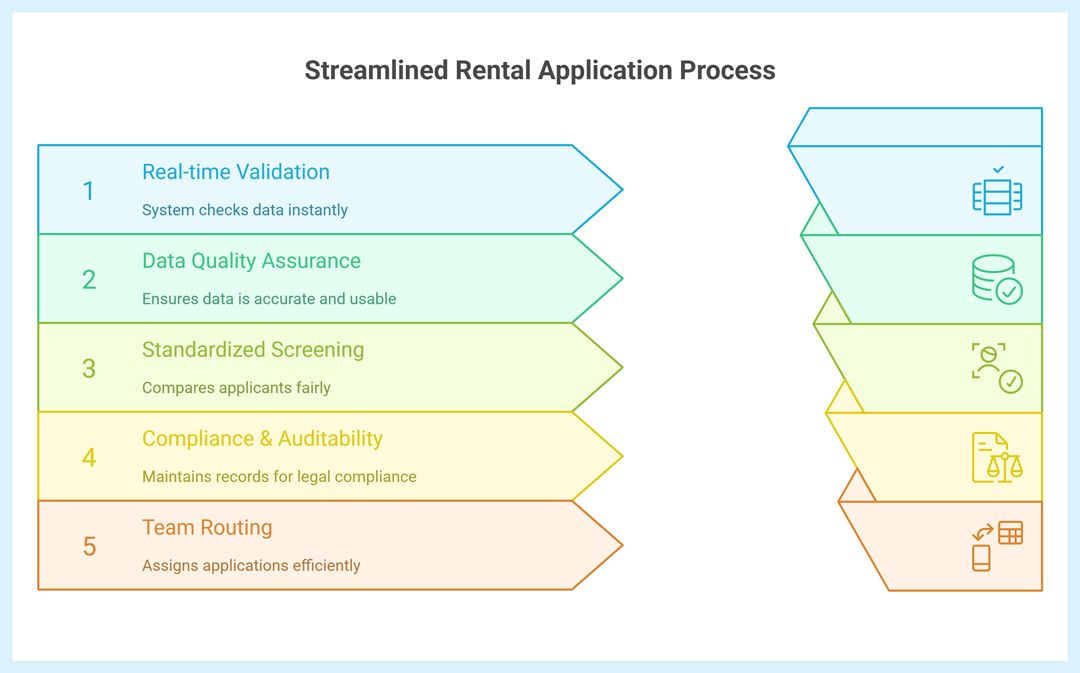
For landlords/property managers
Faster decisions: Real-time validation, required fields, and structured data reduce back-and-forth and shorten time-to-lease.
Higher data quality: Conditional logic prevents irrelevant fields; file-type/size limits keep uploads usable.
Standardized screening: Consistent questions enable fair comparisons across applicants and reduce bias.
Compliance & auditability: Timestamped submissions, consent checkboxes, and verification (email/OTP) support record-keeping and dispute defense.
Team routing: Auto-notifications and assignment rules keep portfolios moving—even across offices and time zones.
For tenants
Mobile-first access: Apply anywhere, save progress, and avoid printers/scanners.
Clarity: Inline help and examples reduce mistakes and rejections.
Privacy controls: Clearly scoped consents and secure uploads build trust.
Risk & compliance angle
Explicit consent capture (credit/background checks, data processing).
Eligibility gates (e.g., income threshold triggers guarantor questions).
Data minimization: Collect only what’s needed for screening.
Retention policy ready: Set deletion/retention windows per market norms.
Online applications standardize screening, lower risk, and speed up approvals—benefits felt by both managers and applicants.
Types Of Online Rental Application Forms
Different portfolios and regulations call for tailored online forms. Below are practical variants you can deploy as separate templates or conditional paths.
1) Single-Unit Standard (Urban flats)
Use when: Solo landlords or small agencies leasing studios/1–2 bed units.
Key fields: ID, income/employment, prior landlord, references, consent for checks.
Logic: Show “guarantor” only if income < threshold.
Note: Keep it 1–2 pages to maximize completion on mobile.
2) Family/House Share (Multi-occupancy)
Use when: HMOs/house shares; multiple adult applicants.
Key fields: Co-applicants, relationship to lead tenant, shared responsibilities.
Note: Route each co-applicant to e-sign consent individually.
3) Guarantor-Heavy Markets (Students/New-to-country)
Use when: Student lets or newcomer applicants (UK/AU/CA).
Key fields: Guarantor ID, income proof, contact, consent.
Note: Separate privacy notices for applicants vs guarantors.
4) Premium/High-Risk Property (Higher deposits, stricter checks)
Use when: Prime locations, furnished, or short-term premium lets.
Key fields: Proof of funds, employment contract, prior tenancy length, pets/smoking disclosures.
Note: Add clear eligibility criteria to reduce unqualified applications.
5) Corporate/Relocation Lets
Use when: Company-paid leases or relocation agencies.
Key fields: Employer letter, HR contact, billing entity, PO/reference.
Note: Add invoice details and compliance contact for audits.
Pick one base form, then branch with conditional logic (guarantor, co-applicants, corporate) to keep the experience short yet thorough.
Suggested Questions Inside the Online Rental Application Form
Every field should serve a purpose: verifying identity, assessing reliability, or meeting compliance. Below is a structured question set for online use.
| Question | Type | Purpose |
|---|---|---|
| Full name (as in ID) | Short text | Ensure legal identity matches supporting documents. |
| Date of birth | Short text (Date) | Confirm eligibility; link to credit/background checks. |
| Email & phone | Short text (Phone) | Primary contact + enable OTP verification. |
| Current address | Short text | Check rental history and stability. |
| Employment status & employer | Multiple Choice | Assess income reliability. |
| Monthly income | Short text (Numeric) | Compare against rent-to-income ratios. |
| Upload ID (passport/driver’s license) | File upload (image/PDF) | Verify legal identity. |
| Upload proof of income (payslip, contract) | File upload | Confirm affordability. |
| Previous landlord reference | Short text + file upload | Evaluate tenancy history. |
| Pets (yes/no; details if yes) | Multiple Choice (Yes/No) + text | Property suitability, insurance, or deposit adjustment. |
| Smoker (yes/no) | Multiple Choice (Yes/No) | Property policy compliance. |
| Guarantor details (if required) | Conditional section | Ensure fallback if applicant fails eligibility. |
| Consent to credit/background check | Multiple Choice (Yes/No) | Legal authorization. |
| Consent to data use (privacy notice link) | Multiple Choice (Yes/No) | GDPR/market compliance. |
A good online form balances thorough screening with user-friendliness: required essentials, conditional extras, and clear consent capture.
How to Build the Online Rental Application Form in Porsline (Step-by-Step)
Using an online form builder, you can set up conditional logic, file uploads, and branded layouts without coding.
Porsline’s builder makes it easy to convert a static rental form into a dynamic, online workflow that screens applicants automatically.
(Step-by-Step)
Start a new form
Log in to Porsline → “Create new survey” → name it Online Rental Application Form.
Add essential fields
Full name, DOB, contact details, employment info, income, references.
Use numeric/date validation to reduce typos.
Enable conditional logic
Example: if monthly income < threshold, auto-display guarantor section.
If pets = yes, show “type/breed” question.
[Help Center — Conditional Logic] [Placeholder]
Set skip logic & page routing
Divide into pages: Personal Info → Employment → Rental History → Documents → Consents.
Skip irrelevant pages (e.g., guarantor) unless triggered.
Use piping for personalization
Carry applicant’s name across pages: “Thank you, {{Name}}, please upload your ID.”
Builds trust and reduces drop-offs.
Configure identity & participation rules
Allow OTP/email verification for each applicant.
Limit to one submission per contact/email.
Add file upload fields
Limit file type (PDF, JPG, PNG).
Cap size per file (e.g., 5MB).
Enable instant results/reporting
Dashboard: view submissions, filter by income, employment, references.
Export to Excel/CSV for screening committees.
Brand the form
Upload property/company logo.
Apply consistent colors and background.
Test before publishing
Submit test data, verify skip logic and uploads.
Share internally for review.
Distribute
Publish via public link, embed on property listing site, or generate QR code for offline viewings.
With Porsline, landlords and agents can build, brand, and automate rental applications in under an hour—no coding required.
Start with Porsline for free — build your online rental application form in minutes.
Collect cleaner tenant data, automate checks, and approve faster.
Start Your Free Survey Trial on Porsline
FAQ — Online Rental Application Form
What is an online rental application form?
It’s a digital form that collects tenant details, documents, and consents, enabling landlords to screen applicants quickly and securely.
How do I fill out a rental application online?
Provide personal details, employment/income proof, rental history, and references. Upload supporting documents and tick consent checkboxes before submitting.
Why should landlords use online rental applications?
They reduce errors, speed up screening, and create a secure audit trail. Landlords get structured data and applicants enjoy a mobile-first experience.
Is an online rental application legally binding?
The form itself isn’t a contract but captures binding consents (e.g., credit checks). The actual lease becomes binding once signed.
Can I get a free online rental application template?
Yes. Use a free template in a form builder like Porsline. Customize fields, logic, and branding before sharing it with applicants.
What documents should applicants upload?
Valid ID, proof of income (payslip, contract), and prior landlord references. Some landlords also request guarantor forms or proof of funds.
How do online forms improve compliance?
They enforce required fields, timestamp submissions, and store consent records—supporting GDPR, tenant law, and local housing standards.
Can multiple applicants apply on one form?
Yes. Add repeatable sections for co-applicants and configure conditional routing so each applicant consents individually.


