Contact Form Template
Need a clean, reliable way for visitors to reach you? This contact form template lets you capture messages, route them to the right team, and stay on top of replies—without code or chaos.
A good contact form is more than just a box to send messages. It’s how your visitors introduce themselves, how leads become conversations, and how your brand shows it’s listening.
Using a ready-made contact form template gives you structure from the start—organized fields, error handling, and privacy controls already built in.
Instead of publishing your email address and drowning in spam, embed a contact form on your website. It filters, routes, and stores inquiries safely while protecting both sides.
For example, a design agency in London used a simple Porsline contact form to sort inquiries by project type—branding, website, or UX—then automatically sent each to the right manager. No emails lost, no mix-ups.
A contact form isn’t a luxury feature; it’s the first step toward organized communication and better response time.
What is a Contact Form Template?
A contact form template is a pre-designed layout of fields, validations, and actions that you can reuse across pages and campaigns. It removes guesswork, so you can publish fast and collect consistent, clean data.
Unlike a blank form, a template includes thoughtful defaults: name and email formatting, required fields, consent text, success messaging, spam protection, and routing rules. You can embed it on your website or blog and share it on social media, then manage all submissions in one place.
Who uses it and why
Sales & BD: qualify leads (company size, budget, timeline) and assign owners automatically.
Support: triage issues by category and urgency without back-and-forth.
HR: separate general inquiries from job applications to protect response SLAs.
Founders/SMBs: keep communication centralized instead of scattering messages across inboxes.
Porsline advantages (high impact features)
Email notifications and conditional routing to the right team.
Piping to personalize confirmations using the visitor’s inputs.
Respondent Authentication and input validation to reduce spam and bad data.
File upload for briefs, screenshots, or RFPs.
Dashboards and exports to analyze trends and response times.
example
A boutique SaaS in Dubai added a “Topic” field (Sales, Billing, Technical) and enabled smart routing; Porsline sent each inquiry to the proper queue and auto-acknowledged receipt. Their first-response time dropped noticeably, and no emails went missing.
A contact form template standardizes how people reach you—so every message lands where it should, with the context your team needs.
Start Your Free Form Trial on Porsline
Why Use a Contact Form (Benefits & Proof)
Contact forms aren’t just “nice to have.” They cut noise, protect privacy, and route messages so teams respond faster. Here’s what you gain—and why it holds up.
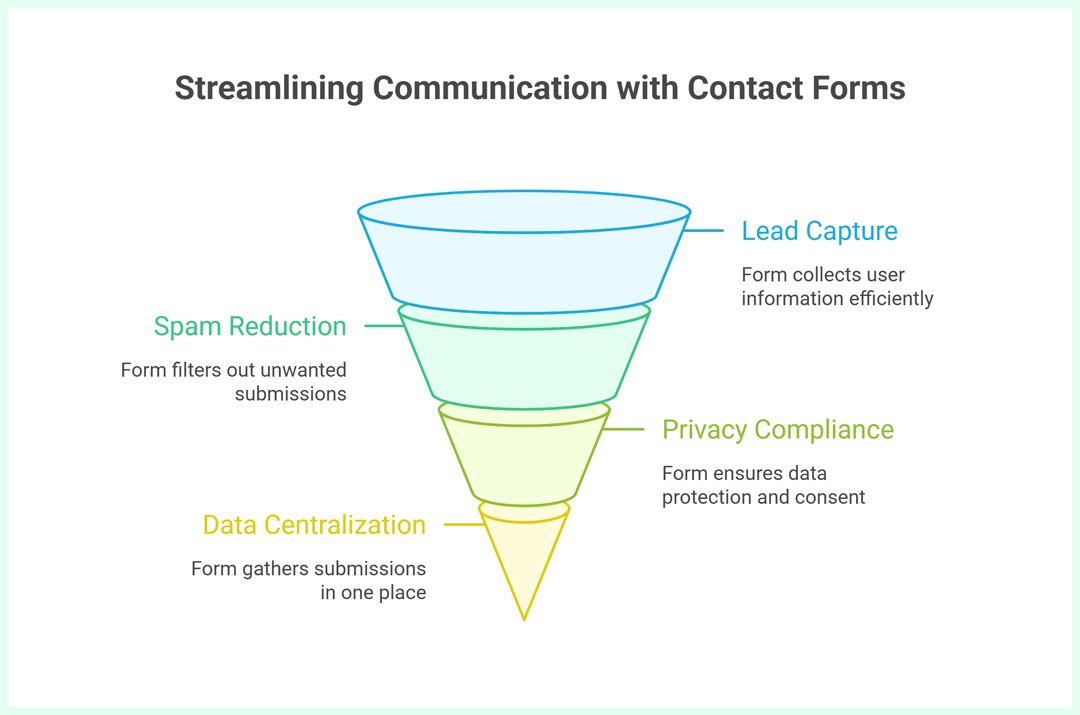
1) Cleaner lead capture, less friction
Short, well-structured forms convert better and reduce user effort when labels, errors, and sequencing follow UX best practices.
2) Lower spam + smarter routing
Publishing an email invites scraping and junk. A form lets you add consent checkboxes, topic dropdowns, and conditional routing so each inquiry lands with the right owner—sales, support, billing—without inbox chaos. (Practical note: keep the form short; only add friction like Respondent Authentication Via Email)
3) Privacy and compliance hygiene
If you collect personal data, you need a lawful basis and informed consent where applicable. Clear consent language, a link to your privacy policy, and the ability to withdraw consent align with ICO/UK-GDPR guidance and common GDPR summaries. (This article is not legal advice; check your counsel.)
4) Centralized data + faster follow-ups
Every submission lands in one dashboard. Add email notifications, owner assignment, and tags to prevent dropped balls. Teams can review trends (spikes in “billing” requests, common regions), then iterate fields or autoresponders accordingly.
Local-ish scenario
A boutique agency opens three routes in its form (Sales, Support, Billing). Porsline’s conditional routing + notifications cut first-response time and kept threads traceable for QA.
A contact form is your organized front door—cleaner data in, faster responses out, and a clearer compliance story.

High-Impact Contact Form Use Cases (with Field Maps)
When visitors reach out, they’re signaling intent. The form’s job is to capture that intent cleanly and send it to the right place—fast. Below are common scenarios with field ideas and smart routing.
1) Sales & Partnerships (Lead Capture)
Fields: Name, Work Email, Company, Country/Time zone, Project Type, Budget Range, Timeline, Message.
Routing: Assign by region or deal size; notify AE + create a “New Lead” tag.
Tip: Keep “Budget” optional to reduce drop-off; use a friendly preset range.
2) Customer Support (Issue Triage)
Fields: Email, Product/Plan, Topic (Billing/Technical/Account), Urgency, Description, File Upload (screenshots).
Routing: Billing → Finance queue, Technical → Support queue; autoresponder with ticket ETA.
Tip: Show a short help link above the form for self-service wins.
3) Media/PR & Speaking Requests
Fields: Outlet/Organization, Audience Size, Region, Topic, Deadline, Links.
Routing: PR owner + calendar link in autoresponder; tag as “PR”.
4) Enterprise RFP/RFQ
Fields: Company Size, Industry, Security/Compliance Needs, Procurement Process, Due Date, Attachment (RFP).
Routing: Enterprise sales + security liaison; flag due-date breaches.
5) Events, Demos & Bookings
Fields: Headcount, Preferred Date, Venue/Online, Use Case, Notes.
Routing: Events/CS team; autoresponder with booking link.
6) Product Feedback & Bug Reports
Fields: Role, Device/Browser, Steps to Reproduce, Screenshot/Video.
Routing: Product Ops + Jira/issue triage email; send thanks + tracking ID.
7) Careers (General Inquiries)
Fields: Role of Interest, Portfolio/LinkedIn, Availability.
Routing: HR inbox; gentle redirect to official careers page in the confirmation.
8) Vendors/Suppliers
Fields: Offering Category, Pricing Model, Regions Served, Compliance Docs.
Routing: Procurement; auto-reply sets expectation on review windows.
Example
An e-commerce brand adds “Topic” + “Order ID.” Technical queries jump straight to Support with the ID in the subject; billing questions hit Finance. First-response time drops, and fewer threads get bounced around.
Contact Form Questions: Fields, Types, and Purpose
Short and clear wins. Start with essentials, then branch with conditional logic when needed.
| Question | Type | Purpose |
|---|---|---|
| Full name | Short text | Personalize replies and confirmations. |
| Work email | Reliable contact + lower spam risk. | |
| Company / Organization | Short text | Qualify B2B context and size later. |
| Topic | Single choice (Sales, Support, Billing, Media, Other) | Route to the right owner instantly. |
| Message | Long text | Capture the actual request in plain words. |
| Country / Time zone | Dropdown | Set handoff owner and reply window. |
| Phone/WhatsApp (optional) | Short text | Offer faster follow-up when urgent. |
| How did you hear about us? | Single choice | Attribute channel and refine campaigns. |
| Priority | Single choice (Low/Normal/High) | Triage and SLA expectations. |
| Consent to contact & privacy | Checkbox | Compliance and expectations. |
| File upload (optional) | File Upload | Briefs, screenshots, RFPs, invoices. |
| Best time to reach you | Single choice or dropdown | Improve connect rate on first attempt. |
keep the core 6 fields above the fold; reveal the rest conditionally based on “Topic” to reduce friction and keep data clean.
Porsline How-To: Create, Personalize, and Monitor Your Contact Form (Step-by-Step)
A template saves time; smart setup saves headaches. Here’s a clean, no-code path from blank to embedded.
Step 1: Start from a ready template
Open Porsline Online Form Builder and sign-up then pick Contact Form Template. Rename it (e.g., “Website Contact — Global”). Add a one-line intro that sets expectations on reply time.
Step 2: Add the essential fields first
Full Name (required)
Work Email (required, validate format)
Topic (Sales, Support, Billing, Media, Other)
Message (long text, 300–800 chars)
Country/Time Zone (dropdown)
Keep it above the fold; everything else can be conditional.
Step 3: Enable logic (smart routing)
In logic, show extra fields only when relevant:
If Topic = Sales → show Company, Budget (optional), Timeline.
If Topic = Support → show Product/Plan, Urgency, File Upload.
If Topic = Billing → show Order/Invoice ID.
Add [page routing / skip] if your form is lengthy (e.g., multi-step).
Step 4: Personalize with Piping
Use piping to echo the visitor’s first name in confirmations and emails (e.g., “Thanks, @{{Full Name}}—we’ve received your message.”). It feels human and improves trust.
Step 5: Set email notifications + owners
In email notifications, create rules:
Topic = Sales → sales@… + AE for EMEA (if Country in EMEA).
Topic = Support → support@… + on-call engineer.
Topic = Billing → finance@…
Prefix subjects with tags (e.g., “[Sales] {{Company}} — {{Country}}”).
Step 6: Add consent & privacy
Insert a short consent checkbox and link to your policy. Keep language plain (“We’ll use your details to reply to your inquiry.”). This supports GDPR hygiene.
Step 7: Brand the form
In Design, set logo, brand colors, and button style. Keep contrast high and avoid busy backgrounds.
You can also upload a custom image for each question and adjust its position within the question to look right on both mobile and desktop layouts.
Step 8: Test and iterate
Run a full test for each Topic path. Check notifications, conditional fields, and autoresponder text. Ask one colleague outside your team to try it—fresh eyes catch friction.
Step 9: Embed and monitor
Use embed options to place the form on your Contact page (and link it from the footer). Track completion rate, top Topics, and first-response time in Results. If drop-off rises, trim fields or reorder them.
Ship the essentials first, then layer routing, piping, and autoresponders. Watch the metrics; prune anything that adds friction without payoff.
A solid contact form does three quiet things exceptionally well: captures the right details, sends them to the right people, and sets the right expectations. Start lean—name, work email, topic, message—then layer routing, piping, and alerts as patterns emerge. That’s how you keep replies fast and data clean.
Try this ready-made Contact Form Template on Porsline. Customize fields, enable smart routing, and embed it on your site in minutes. Spin it up, send yourself a test, and watch how much smoother your inbox feels.
Start Your Free Form Trial on Porsline
FAQs — Contact Form Template
What is a contact form on a website?
It’s a structured way for visitors to share their details and message without exposing your email. Submissions are stored in one place, so teams can route and reply fast.
How do I create a contact form template without coding?
Start from a ready Contact Form Template in Porsline, add core fields (name, work email, topic, message), turn on email notifications, and embed it on your site using the built-in embed options.
What should be included in a contact us form?
Essentials first: name, work email, topic, message. Add optional fields by context—company and budget for Sales, order ID for Billing, screenshots for Support. Keep it short to protect completion rates.
How do I embed a contact form on my website or blog?
From your Porsline form, copy the embed snippet and place it on your Contact page (or use a direct link in your header/footer). Test on mobile and desktop to confirm layout and load speed.
Are contact forms GDPR-friendly?
Yes—when set up correctly. Add a clear consent checkbox, link to your privacy policy, and collect only what you need. Use secure storage, restrict access, and honor deletion/withdrawal requests.


