This set covers identification, informed consent, medical readiness, logistics, and auditability—while keeping optional items truly optional and using logic to stay concise.
School Trip Consent Form Template
School Trip Consent Form—fast, compliant, ready to use.
Build, share, and collect consent in minutes with an editable template that covers medical info, transport, permissions, and e-signature.
With an online form builder such as Porsline, schools can replace paper slips with a secure digital flow that parents complete in minutes.
School trips are exciting for students—and high-stakes for schools. A clear, well-structured School Trip Consent Form protects pupils, secures parental approval, and gives staff the information they need to manage risk. The right template streamlines admin, standardises wording, and reduces last-minute chasing.
A robust consent form covers the essentials in one place: student details, trip summary, activity-specific risks, medical conditions and allergies, medication requirements, emergency treatment authorisation, transport arrangements, photo/video permissions, pick-up instructions, and a verifiable digital signature. It should also include a concise privacy notice that explains how personal data will be used and stored.
Consider a simple example: a Year 6 museum visit. With a digital School Trip Consent Form, the teacher shares one link, collects approvals in hours, auto-flags any medical alerts to staff, and exports a tidy roster for the day. Less paperwork, fewer errors, stronger safeguarding—so the focus stays on learning, not logistics.
What is a School Trip Consent Form?
A School Trip Consent Form is a standard document schools use to obtain a parent/guardian’s permission for a student to join an off-site activity. It captures approvals, medical and emergency details, and any conditions that staff must consider to manage risk responsibly.
A strong consent form typically includes:
Trip overview: destination, date(s), schedule, activities, supervision ratios, costs, transport.
Student details: name, class/year, teacher/trip leader.
Parent/guardian details: legal relationship, contact numbers, email.
Medical & accessibility: conditions, allergies, medications, care plans, emergency treatment authorisation.
Activity-specific risks: e.g., water activities, outdoor terrain, special equipment, swimming ability if relevant.
Permissions: transport acknowledgement, behaviour/code of conduct, photo/video consent (separate from trip consent).
Logistics: pick-up/return arrangements, after-school care, authorised collectors.
Signature & timestamp: typed name/digital signature, date, IP/time for audit.
Digital versions (e.g., built in Porsline) add field validation, logic (show/hide questions based on answers), file uploads (medical plans), and instant exports for staff on the day.
In short, the form secures legal permission and consolidates the information staff need—so the trip is safer, faster to organise, and easier to audit.
Create your School Trip Consent Form now—free and fully editable.
Start Your Free Survey Trial on Porsline
Why does a School Trip Consent Form matter?
It’s more than a signature. A well-designed School Trip Consent Form is a risk, compliance, and communication tool in one place—capturing approvals, medical needs, and parent contacts so staff can make fast, safe decisions off-site.
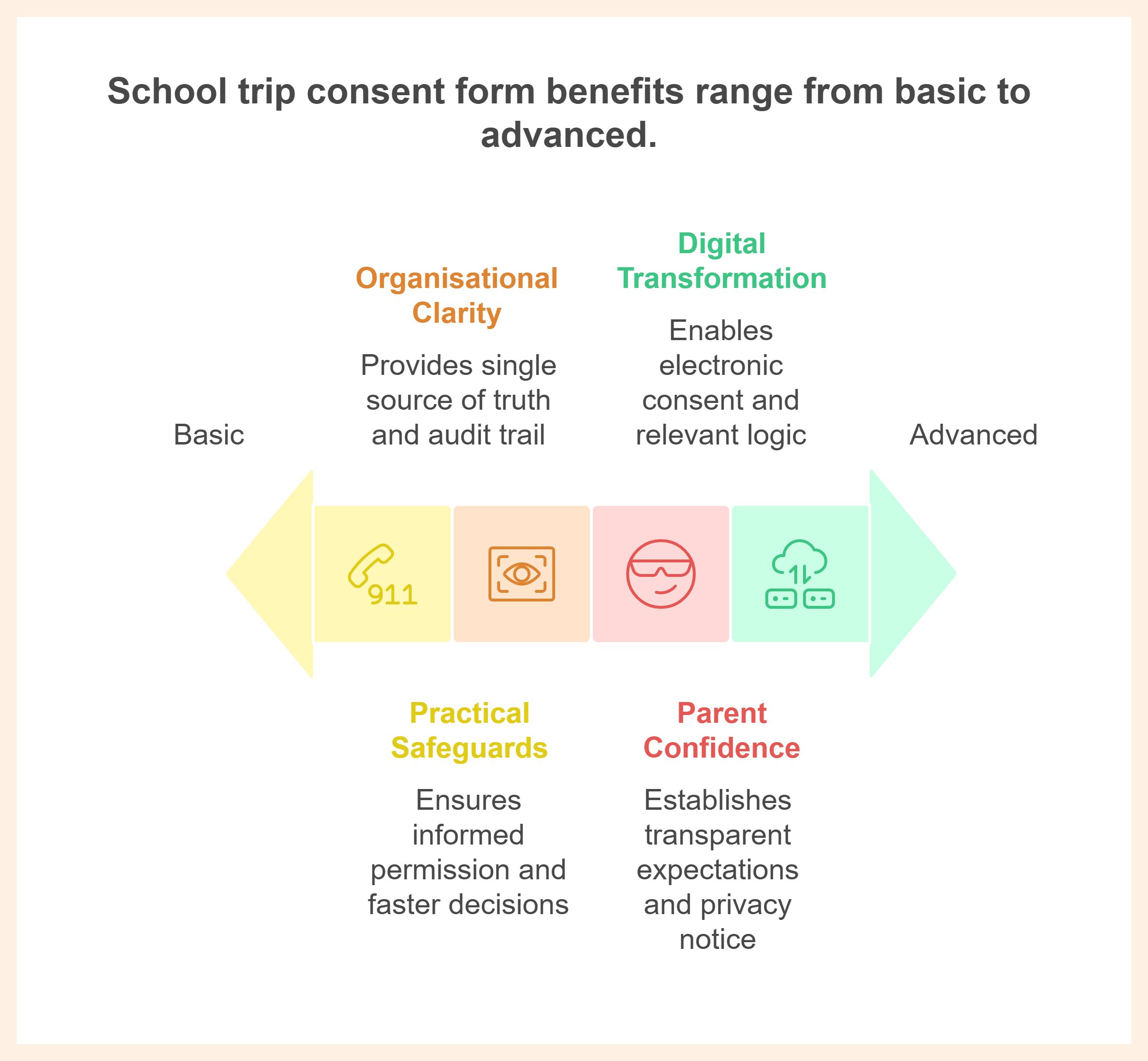
1) Practical safeguards
Informed permission: Parents see the destination, activities, supervision, transport, and costs in one place—then give explicit consent. Many education authorities require written or electronic consent for excursions; policy libraries even spell out when consent is mandatory and what “informed” means.
Faster decisions in the field: Clear medical/allergy data and emergency authorisations reduce delays if treatment is needed. (Guidance recognises written consent for higher-risk/after-hours activities and allows annual/trip-specific models.)
2) Organisational clarity
Single source of truth: One digital record for student details, permissions, and emergency contacts—exportable for staff, coach lists, and venue sign-ins.
Audit trail: Timestamps and respondent IDs support governance reviews and incident reports.
Consistent wording: Templates cut re-work and reduce errors from ad-hoc letters.
3) Parent confidence
Transparent expectations: Behaviour codes, pick-up rules, photo/video options, and transport acknowledgements prevent last-minute friction.
Privacy notice: A concise statement about how the school handles personal data builds trust and meets policy expectations.
4) Digital transformation wins
Electronic consent that sticks: Where permitted, e-consent centralises records and reduces paper handling; official guidance explicitly allows written or electronic consent for school excursions.
logic: Only relevant questions appear (e.g., show “Swimming ability” if water activities are selected).
File uploads: Care plans, medication instructions, and insurance confirmations live with the consent.
A solid consent form reduces risk, speeds coordination, and reassures families—while giving staff the data and audit trail they need to keep students safe.
Key Types of School Trip Consent Forms
Different trips call for different consent models. Picking the right one cuts admin, keeps wording tight, and ensures you’re collecting only what you actually need for safety and compliance.
To choose confidently, match the form to the trip profile: routine vs higher-risk, in-hours vs overnight, water or adventure activities, and frequency. Use the comparison below to select the leanest form that still meets your duty of care.
| Type | When to use | Core clauses to include | Pros | Watch-outs |
|---|---|---|---|---|
| Trip-specific consent | One-off day trips (museum, theatre, sports fixtures) |
| Highly specific; strongest “informed” consent | Re-collect each time |
| Annual (general) consent | Routine local/off-site activities during school hours |
| Less paperwork across the year | Add extra trip-specific info for higher-risk or out-of-hours |
| Overnight / higher-risk consent | Camps, hiking, adventure activities, late returns |
| Covers higher duty-of-care scenarios | Often requires extra approvals and stricter medical details |
| Water-based addendum | Swimming, boating, beach/river activities |
| Targets a common risk category | Must be paired with trip or overnight consent |
| Medical & emergency info form | To maintain up-to-date student health info alongside consent |
| Keeps health data current | Needs periodic refresh; store securely |
| Media/photography consent (separate) | Any trip where photos/video may be taken |
| Clear expectations for families | Keep separate from trip consent to avoid bundling |
Method note
The “best” choice depends on risk level (low vs higher-risk), timing (in-hours vs out-of-hours/overnight), and frequency (one-off vs recurring). In general: trip-specific for clarity, annual for convenience, add specialist addenda where risks warrant it.
Choose the leanest form that still fits the risk. Use trip-specific for clarity, layer annual for routine activities, and add overnight/water clauses when risk increases.
Suggested Questions for a School Trip Consent Form
Keep the form lean and focused on decisions staff must make on the day. Use clear wording, required fields only where necessary, and logic for medical or activity-specific risks.
| Question | Type | Purpose |
|---|---|---|
| Student full name | Short text | Identify the pupil accurately on registers and transport lists |
| Date of birth | Short text (Date) | Disambiguate similarly named students; medical relevance |
| Class / Year group / Homeroom | Dropdown | Grouping for supervision and roll calls |
| Teacher / Trip leader | Dropdown | Route notifications and approvals correctly |
| Trip name & date(s) (info block) | Statement | Ensure informed consent; show destination, timings, activities, costs |
| Parent/guardian full name | Short text | Record the legal decision-maker |
| Relationship to student | Dropdown | Clarify parental responsibility/caregiver role |
| Mobile phone (primary) | Phone | Rapid contact during the trip |
| Send confirmations/receipts and reminders | ||
| Secondary phone (optional) | Phone | Backup contact if primary unreachable |
| Medical conditions or allergies? | Multiple Choice | Trigger risk management; show follow-ups only if “Yes” |
| Medical details (if Yes) | Long text | Provide precise conditions, triggers, signs, actions |
| Medications required on trip? | Multiple Choice | Ensure staff carry/administer correctly; timing/dosage |
| Upload care plan / doctor letter (optional) | File upload | Keep authoritative instructions accessible |
| Dietary needs (optional) | Long text | Plan meals or avoid allergens |
| Activity-specific risks (e.g., water activities) | Multiple Choice | Flag supervision/equipment needs; enable swim ability |
| Swimming ability (if water selected) | Multiple Choice | Allocate ratios and safety gear |
| Transport acknowledgement | Multiple Choice | Confirm coach/public transport/private vehicle arrangements |
| Behaviour/Code of Conduct acknowledgement | Multiple Choice | Set expectations and reduce incidents |
| Photo/video consent (separate decision) | Multiple Choice | Manage communications use independently of trip consent |
| Pick-up/return arrangement | Multiple Choice | Prevent end-of-day confusion; authorised collector |
| Emergency Contact 1 (name/relationship/phone) | Short text (Phone) | Immediate escalation path |
| Emergency Contact 2 (optional) | Short text (Phone) | Redundancy |
| Emergency treatment authorisation | Multiple Choice | Allow timely care if parent unreachable |
| Signature (typed full name) | Short text (required) | Verifiable e-signature paired with timestamp/IP |
FAQ About School Trip Consent Form
What should be included in an excursion consent form?
A complete excursion consent form includes trip overview (destination, dates/times, activities), supervision and transport, medical/allergy details, emergency contacts, medical authorisation for school trips, behaviour expectations, photo/media consent (separate), and a verifiable e-signature.
Is electronic consent for school trips legally valid?
Yes—if your policy allows it and you capture explicit consent (required checkboxes), signer’s full name, date/time, and an auditable record. Pair with a short privacy notice.
Do we need an annual consent for school trips or a trip-specific consent?
Use annual consent for school trips for routine, low-risk activities; switch to trip-specific consent for higher-risk, after-hours, overnight, or water/adventure activities.
Where can I get a free school trip consent form PDF?
Start from a school trip consent form template and export to PDF after you customise fields, logic, and consent clauses.
How do I create an editable school trip permission slip?
Build an editable school trip permission slip in a form builder: add student/parent details, medical logic, transport acknowledgements, separate photo consent, and an e-signature step—then enable email receipts.
Do we need medical authorisation for school trips in the form?
Yes—include an emergency treatment authorisation so staff can seek necessary care if guardians are unreachable.
Should photo consent be separate from the school trip consent form template?
Yes. Keep photo/media consent as a separate decision so families can approve the trip while declining media use.
How do I adapt a field trip permission slip for water activities?
Add a water-specific addendum: location, supervision ratios, required gear, and a swimming ability question shown via conditional logic.

