School Registration Form Template
A ready-to-use school registration form template with document upload, fees, and auto email confirmations.
A school registration form template lets your team move beyond paper and enroll students online—capturing parent and student details, required documents, and fees in one secure, trackable workflow. With Porsline, school admins and parents complete registration in minutes, while confirmations and status updates are sent automatically. The result: fewer errors, faster intake, and a more professional first impression.
Traditional paper forms slow everything down: printing, manual data entry, and the risk of incomplete or lost files. An online approach centralizes data, standardizes fields, and enforces required documents—so you start the academic year with clean records and clear visibility.
Using Porsline, you can collect accurate data, categorize applicants by grade or program, and configure automatic email confirmations for parents. Payment collection (when needed) happens in the same flow, and all submissions are stored safely for easy reporting and follow-up. Beyond saving time and cost, this modern, transparent experience builds trust with families and elevates your school’s brand from day one.
What is a school registration form template?
A school registration form template is a ready-made online form schools use to collect essential student and parent information (full name, DOB, grade, address, contacts), required documents, and—when applicable—fees. It replaces paper with a secure, standardized, mobile-friendly flow that’s easy for families and simple for admins to manage.
Compared to paper, it enables:
Faster admissions and clearer seat allocation
Automatic email confirmations and status updates to parents
Secure document upload (ID, prior transcripts, photos)
Optional fee collection in the same workflow
Centralized data you can search, export, and report on
Fewer errors thanks to validation and required fields
With Porsline, you can add conditional logic, hidden fields, file uploads, email automations, and payments—so the entire intake runs end to end in one place.
Create your school registration form template
Start Your Free Survey Trial on Porsline
Why use an online school registration form?
Switching to an online school registration form template streamlines admissions for families and admins alike:
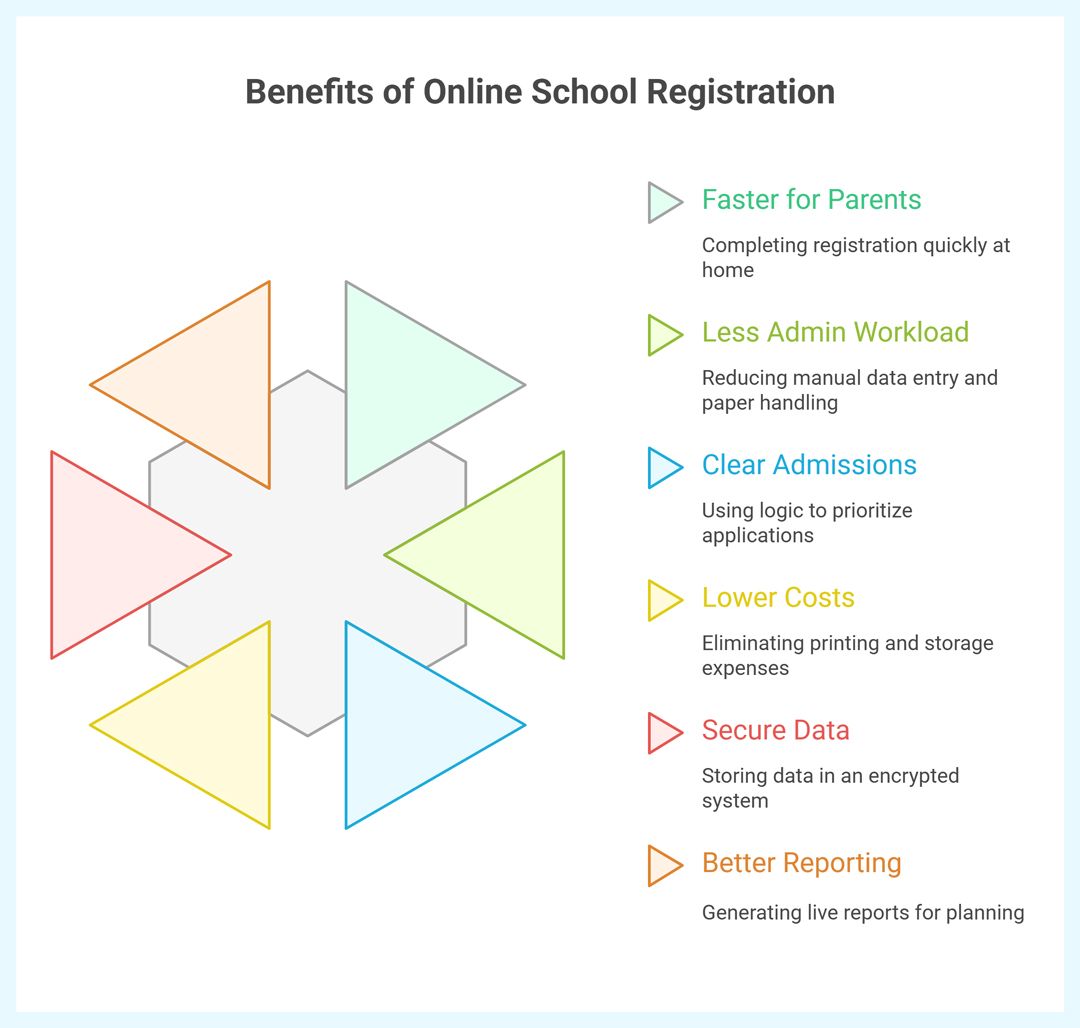
Faster for parents
Complete registration at home in minutes, upload required documents (photo, ID, prior transcripts), and receive instant email confirmation.Less admin workload
Skip manual data entry and paper handling. Submissions are validated, organized, and searchable from one dashboard.Clear, fair admissions
Use conditional logic (rules) to prioritize by grade, age, or criteria—reducing back-and-forth and making decisions transparent.Lower operating costs
Eliminate printing, storage, and archiving costs. Reinvest time and budget in teaching and student services.Secure data by design
Store sensitive student and parent data in an encrypted, access-controlled system—no more misplaced files.Better reporting & planning
Generate live reports on applications, acceptance rates, and demographics to plan staffing, classrooms, and transport.
With Porsline, you can also collect fees in the same flow, trigger automated emails, and manage all submissions centrally.
Types of school registration form templates
Not every school registration form template serves the same job. Needs differ by stage, program, and add-ons like transport or activities. Below are the most common template types and when to use each.
New Student Registration Form
Used when a student joins the school for the first time.
Core fields: student full name, DOB, gender, nationality, grade applying for, previous school, parent/guardian details, address, emergency contacts.
Attachments: photo, birth certificate/ID, previous transcripts.
Options: seat reservation, entrance test booking, application fee.Re-Enrollment (Returning Student) Form
For existing students continuing to the next academic year.
Core fields: student ID, current grade → next grade, updated parent contacts, address changes.
Attachments: updated medical records (if needed).
Options: quick confirmation flow, priority timelines for returning families.Private/International School Admission Form
Adds program/language tracks and screening steps.
Core fields: curriculum/program (IB/IGCSE/American), second language choice, transportation preference, scholarship/aid interest.
Attachments: prior program reports, language certificates, recommendation letters (if required).
Options: application/testing fees, interview scheduling, conditional logic by program/grade.Kindergarten (KG) Registration Form
Tailored for early years.
Core fields: developmental/medical info, vaccination status, allergies/dietary needs, pickup permissions.
Attachments: health card/vaccination record, child photo.
Options: half-day/full-day selection, after-care enrollment.Transport / Activities Registration Form
Standalone or embedded within the main form.
Core fields: bus route/stop, preferred timings, activity selection (sports, arts, clubs).
Attachments: consent forms where required.
Options: transport/activity fees, auto reminders before start dates.
With Porsline, each template can use logic, file uploads, payments, and automated emails so parents see only relevant fields and admins receive complete, validated submissions.

Essential questions to include in school registration form (field type + purpose)
A solid school registration form template captures all critical student/parent details without overwhelming families. Start with the core fields below, then reveal extras with conditional logic only when needed.
| Question | Field type | Purpose |
|---|---|---|
| Student full name | Short text | Official recordkeeping and ID matching. |
| Date of birth | Date | Confirms age placement and eligibility. |
| Gender | Multiple Choice | Reporting and facilities planning where applicable. |
| Nationality | Dropdown | Compliance, reporting, and program eligibility. |
| Grade applying for | Dropdown | Seat allocation and class planning. |
| Previous school | Short text | Academic history and transfer context. |
| Parent/Guardian full name | Short text | Primary point of contact. |
| Parent phone number | Short text (Phone) | Urgent communications. |
| Parent email | Auto confirmations and status updates. | |
| Home address | Long text | Zoning, transport eligibility, mailings. |
| Emergency contact (name + phone) | Short text + Phone | Safety and rapid reach in emergencies. |
| Required documents (photo, ID, prior transcripts) | File upload | Completes the application packet securely. |
| Does the student need school transport? | Multiple Choice | Triggers transport sub-questions if “Yes.” |
| Transport details (route, stop, pickup/drop times) | Dropdown + Short text | Bus planning and capacity management. |
| Medical info / allergies | Long text | Student well-being and care plans. |
| Language of communication | Dropdown | Ensures parents receive info in their preferred language. |
| Consents (policies, media, data) | Statement | Legal compliance and clear authorization. |
| Additional notes from parent | Long text | Capture unique needs or clarifications. |
Pro tips
Use conditional logic to show transport, medical, or program-specific fields only when relevant—raising completion rates.
Add validation (required fields, formats for phone/email) to cut errors from day one.
Capture campaign/source via hidden fields for reporting (e.g., Open Day vs. Website).
How to build school registration form on Porsline (step-by-step)
Follow these steps to launch a high-converting school registration form template for your admissions:
Start from a template (or blank)
Go to Education templates → School Registration or click Create new to start from scratch.
Set branding & language
Add your logo, choose colors, and set the form language.
Enable RTL if you serve Arabic.
Structure the form into sections
Student info: full name, DOB (Date), nationality, grade applying for, previous school.
Parent/Guardian: full name, phone (Phone), email (Email), address.
Emergency contacts: name + phone.
Program/Options: curriculum, second language, transport, activities.
Documents: File upload (photo, ID/birth certificate, prior transcripts).
Consents: policies/media/data (Checkboxes).
Notes: long text.
Choose the right field types
Short/Long text, Date, Dropdown/Single select, Phone, Email, File upload, Checkboxes, Yes/No.
Add logic (show only what’s needed)
If Transport = Yes, show route/stop/time questions.
If Program = IB/IGCSE, reveal language or screening items.
If Grade = KG, reveal medical/allergy questions.
Validate & standardize
Mark required fields, set allowed formats (email/phone), and use dropdowns for grades/programs to reduce typos.
Automate confirmations
Turn on parent confirmation emails and admin notifications.
Customize subject, message, and include a summary or reference number.
Collect fees (when applicable)
If enabled on your plan, add payment in the same flow; otherwise include a secure payment link + conditional “paid” receipt step.
Control access & privacy
Limit to one response per email if needed.
Use hidden fields (e.g., campaign/source, student ID) for tracking.
Add a brief privacy notice and link to your policy.
Publish, test, and embed
Share a public link or QR code, or embed on your admissions page.
Test on mobile, then open the Reports tab to monitor submissions and export CSV when required.
Pro tips
Keep the first page short (name, grade, parent contact) to reduce drop-off, then reveal details via logic.
Use descriptive labels and helper text for required documents.
For re-enrollment, duplicate the form and hide fields you don’t need—keep only updates.
Create your school registration form template — Start free on Porsline
Start Your Free Survey Trial on Porsline
FAQs — School Registration Form Template
What is a school registration form template?
A ready-made, customizable online form to collect student/parent details, required documents, and (optionally) fees—plus confirmations, logic, and reporting in one place.
Can we tailor the form by grade, program, or school type?
Yes. Use Conditional Logic to show/hide fields (e.g., KG → medical/allergies; IB/IGCSE → language/program options) so families only see what’s relevant.
Can parents upload required documents?
Absolutely. Add File Upload fields for photos, IDs/birth certificates, prior transcripts, consent forms, etc.
How do we send confirmations to parents and notifications to staff?
Turn on Automated Emails: instant parent confirmations with a summary/reference, and admin alerts for new submissions.
Can we collect application or registration fees?
You can support fees in the same journey by adding a payment step or linking to a secure checkout page, then capturing status back in the form/records.
How do we prevent duplicates or control who can submit?
Limit to one response per email, use Hidden Fields with personalized (encrypted) links, or require sign-in where appropriate.
Can we generate personal links for each applicant?
Yes. Upload a CSV with student/parent data to populate Hidden Fields and produce unique, encrypted links per applicant for cleaner tracking.
Is the form multilingual and RTL-friendly?
Yes. Forms are mobile-responsive, support multiple languages, and include RTL layout for Arabic.
How do we analyze applications and export data?
Use Reports & Dashboards to filter by grade/program/status, then export CSV/Excel for your SIS/ERP. Hidden fields can capture campaign/source.
Can we embed the form on our website or share via QR?
Yes. Publish as a link, QR code, or embed it on your admissions page.
How is student data kept secure?
Submissions are stored securely in Porsline with access controls for authorized staff. Add consent checkboxes and link to your school privacy policy.
Do you offer an API for integrations?
Yes. Use the Porsline API to pull submissions or push them into your systems.
What’s the fastest way to get started?
Open the Education templates → School Registration Form, apply your branding, add logic, turn on emails (and fees if needed), then publish.

