


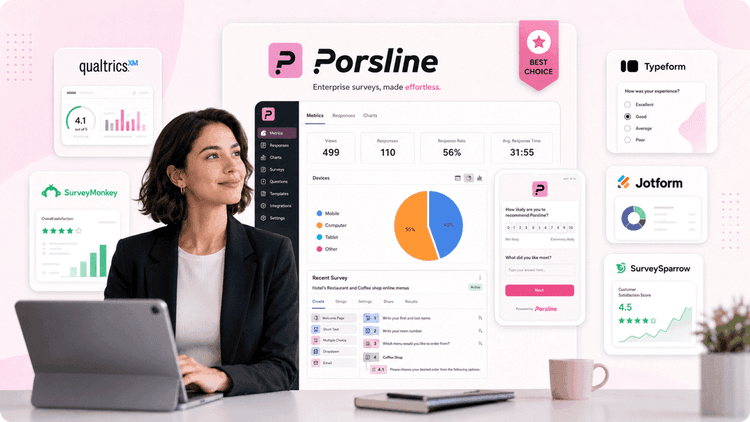
Qualtrics is powerful, but it comes with a price tag and a learning curve that doesn't work for everyone. Whether your budget has changed, your team needs something simpler, or you just want a tool that doesn't require a six-week rollout, there are strong Qualtrics alternatives worth considering.
This guide covers five of the best options in 2026, with breakdowns of features, pricing, and who each tool is built for. We'll also show you why Porsline consistently comes out ahead for teams that want enterprise-grade survey capabilities without the complexity.
Why Companies Look for Qualtrics Alternatives in 2026
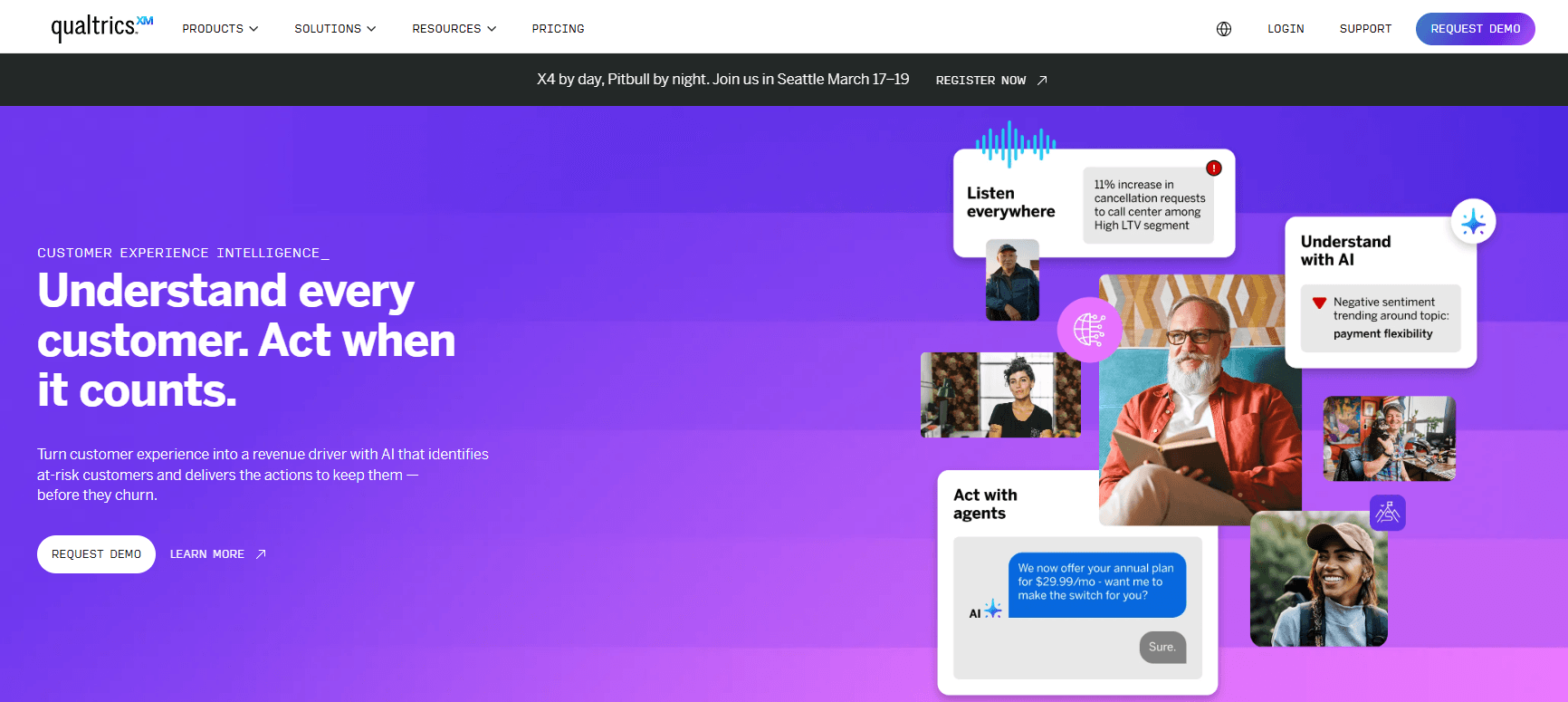
Qualtrics is a comprehensive experience management platform and one of the most widely used solutions for enterprise surveys, but it comes with trade-offs that push many teams toward other survey tools.
Here's what typically drives the switch:
- Pricing is high and hard to predict. Qualtrics doesn't publish standard pricing, and costs scale quickly depending on modules, seats, and response volumes.
- Per-response and per-seat costs add up. The modular pricing model means the bill grows as usage grows, often in ways that are hard to forecast.
- The platform does too much. For teams that need to collect customer feedback and analyze results (not build an enterprise XM program), the feature depth gets in the way.
- The learning curve is steep. Getting up and running takes time, training, and in some cases, dedicated admin support, which is not practical for every team.
- Implementation takes time. Unlike many modern survey platforms, Qualtrics isn't something you spin up in an afternoon.
- Integration and workflow gaps. Teams using leaner tech stacks sometimes find it over-engineered for what they actually need.
If any of those sound familiar, you're in the right place.
What to Look for in Enterprise Survey Software
Before diving into specific tools, here are the key criteria worth checking off as you evaluate your options.
| Feature | Why It Matters |
|---|---|
| Ease of use and templates | Faster setup means faster feedback. Pre-built survey templates reduce the time from idea to launch. |
| Question types and survey logic | Branching, skip logic, and conditional questions keep surveys relevant and improve completion rates. |
| Multilingual support | Essential for global teams running surveys in multiple markets. |
| Respondent authentication | Verifying who's responding protects data quality and prevents duplicate submissions. |
| Real-time reporting and analytics | Instant access to results lets you act on feedback without waiting for exports. Strong analytics and reporting tools are what separate useful data from noise. |
| Integrations and automation | Connecting survey data to your existing tools (CRM, HR systems, Google Sheets) reduces manual work. |
| Security and compliance | GDPR, HIPAA, and data residency requirements matter more as organizations scale. |
| Pricing transparency | Knowing what you'll pay before you sign matters especially for budgeting purposes. |
| File uploads and data collection | Critical for HR applications where employees need to submit documents alongside responses. |
| Team collaboration | Shared access, sub-users, and folder-level permissions keep larger teams organized. |
| Employee and CX survey features | The best platforms cover both employee surveys and customer experience surveys without requiring separate tools. |
| Scalability | Can the platform grow with you without a major price jump or a platform migration? |
Best Qualtrics Alternatives at a Glance
| Tool | Best For | Key Features | Starting Price |
|---|---|---|---|
| Porsline | Full lifecycle employee and customer surveys with advanced logic and analytics | Multilingual surveys, respondent authentication, calculated variables, API, 500+ integrations | Free; paid plans from €23/month |
| SurveyMonkey | Quick surveys and research for individuals and small teams | AI-assisted creation, 1,000+ templates, team collaboration | Free; paid from $39/month |
| Typeform | Conversational surveys with high engagement and strong design | One-question-at-a-time flow, custom branding, integrations | Free; paid from $39/month |
| Jotform | Data collection and forms with strong payment and file upload support | Drag and drop builder, 10,000+ templates, payment integrations | Free; paid from $39/month |
| SurveySparrow | Customer experience management and recurring surveys | Conversational UI, omnichannel distribution, employee pulse surveys | Free trial; paid from $39/month |
5 Top Qualtrics Competitors in 2026
Each of the tools below is a credible Qualtrics alternative. Here's how they stack up on features, pricing, and fit.
Porsline
Porsline is an online survey and form builder that covers the full employee and customer journey, from pre-hiring assessments and employee surveys to customer satisfaction surveys and market research.
HR teams, CX managers, and research teams can easily create, share, and analyze surveys using a wide range of templates and customization tools. No coding or developer help is needed.
Porsline stands out by offering many advanced features without making things complicated. You get advanced logic, score calculations, respondent authentication, custom variables, and multilingual support in one platform. Pricing is not based on the number of users.
Start a free trial now.
Best for
HR managers, CX teams, and organizational leaders who want one platform for the full feedback lifecycle. Well-suited for mid-sized to large organizations running structured review cycles, customer experience surveys, and multi-department surveys without enterprise-level implementation overhead.
Key features
- Survey templates covering customer, employee, HR, academic, and market research use cases
- Conditional logic and smart branching so only relevant questions appear based on department, role, or prior answers
- Automatic score calculation for metrics like job satisfaction index, eNPS, and post-training grades
- Custom variables and formulas for complex scoring models and competency evaluations
- Respondent authentication via OTP, codes, or email to maintain data quality
- Anonymous surveys with access control so you can restrict by personnel ID while protecting anonymity
- File upload fields for CVs, certificates, and documents within forms
- Single-use personalized links to prevent duplicate responses
- Automated employee categorization based on performance scores and competencies
- Advanced reporting with multilevel filters to break down survey data by team or department, surface actionable insights, and share visual reports quickly
- Google Sheets integration, webhooks, and 500+ Zapier integrations for automated workflows
- n8n integration for teams building custom automation pipelines
- Multilingual surveys for global teams
- API access on all plans, including the free tier
Pricing
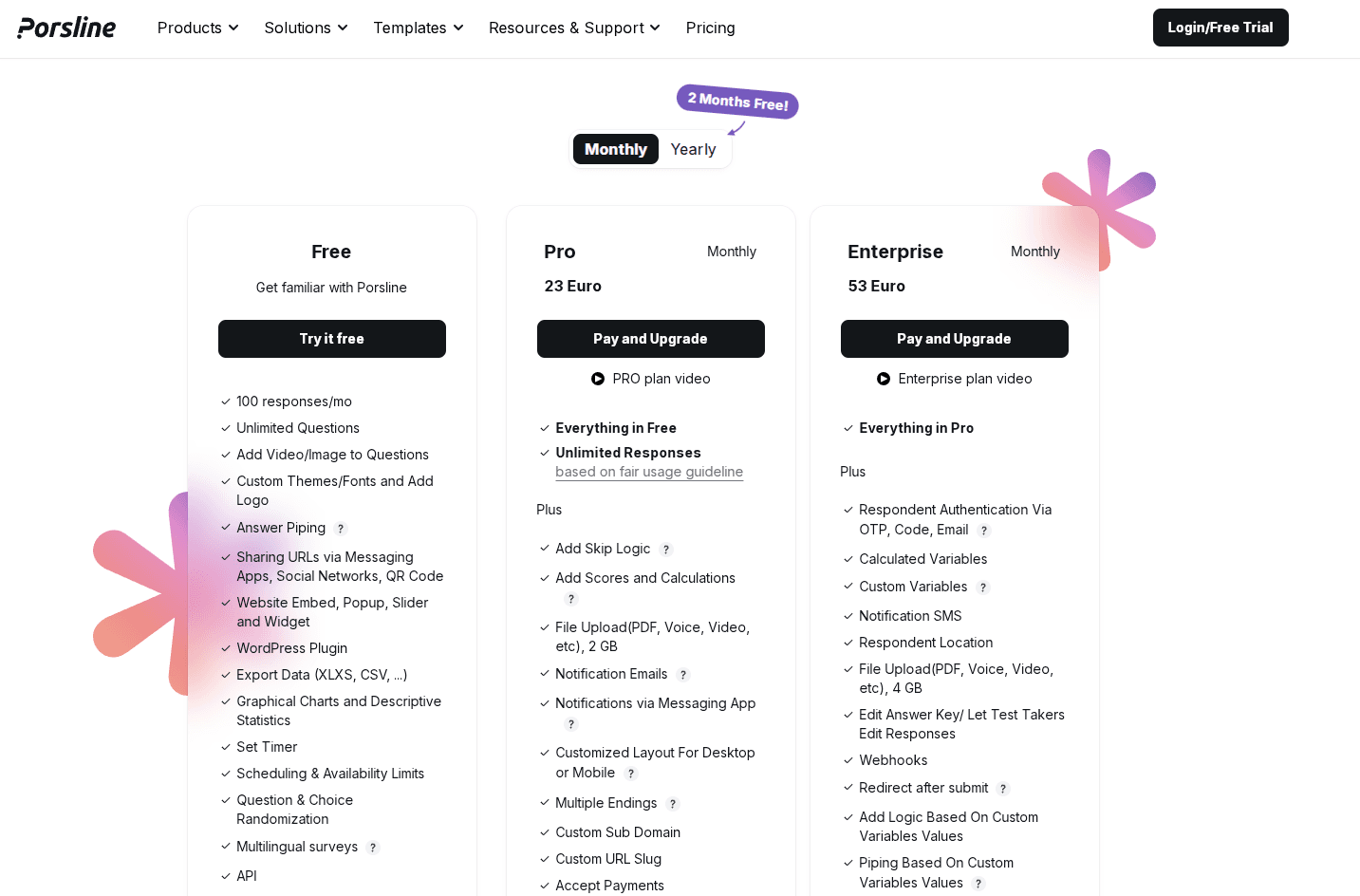
The Free plan gives you 100 responses per month, API access, multilingual surveys, basic analytics, and unlimited questions. This is enough for pilot programs or small feedback cycles.
The Pro plan offers unlimited responses, skip logic, score calculations, and file uploads. It is designed for teams running ongoing HR or CX programs.
The Enterprise plan includes respondent authentication, custom variables, advanced reporting, Google Sheets integration, and over 500 Zapier integrations.
Paid plans offer a Sub-user add-on for managing team access. There is also a Custom plan for organizations with special needs for volume, storage, or support. Paying yearly saves you the cost of two months.
Check the Porsline pricing page for current rates or start building surveys for free.
SurveyMonkey
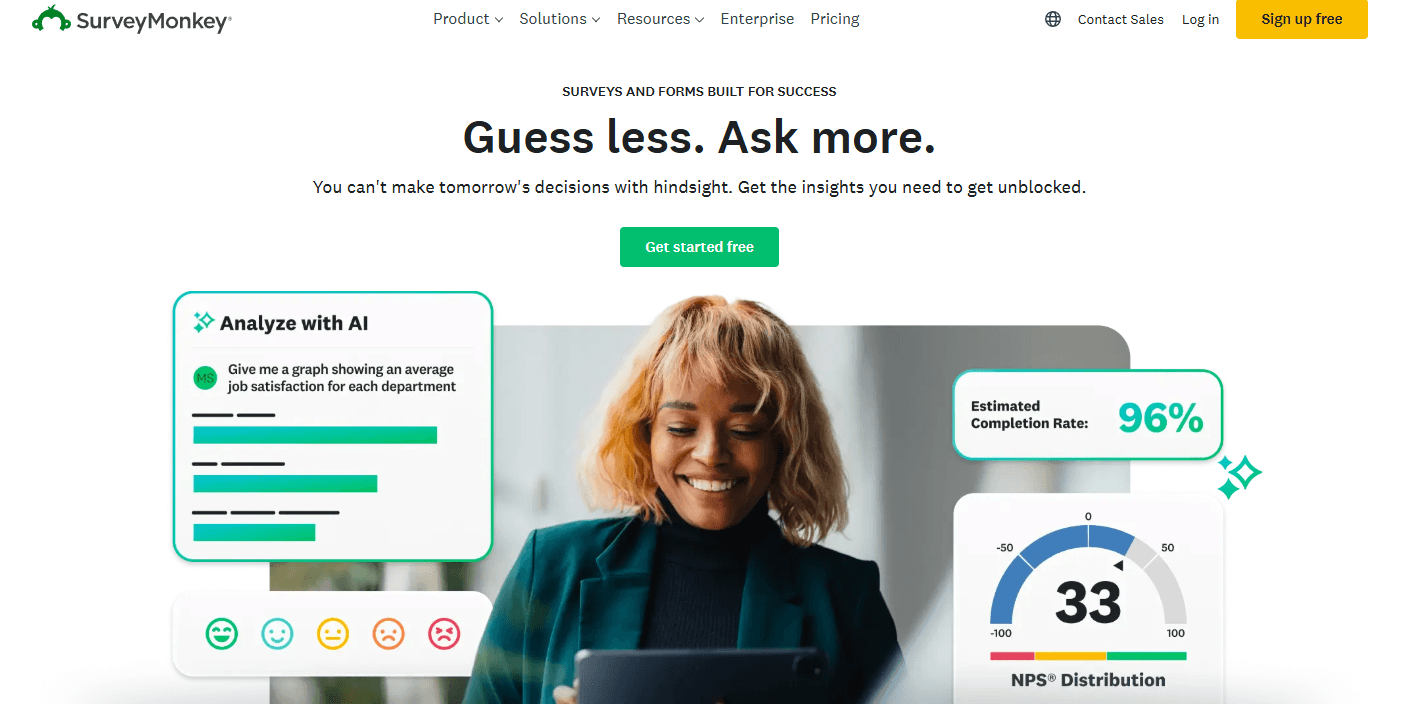
SurveyMonkey is an online survey tool: simple to use, with a huge template library and solid support for basic to mid-level survey needs. It's a reliable starting point for teams that want to collect feedback quickly. That said, it can feel limiting once you need advanced logic, authentication, or deeper analytics, and team plan costs add up fast.
Best for
Individuals, marketing teams, and small to mid-sized businesses looking for a reliable, easy-to-use tool for conducting surveys, polls, and basic research without a steep learning curve.
Key features
- Large template library with pre-built survey templates for most common use cases
- Customizable surveys with your own branding, question types, and logic on paid plans
- Unlimited surveys on all paid plans, with no cap on the number of forms you can run
- AI-assisted survey creation
- Skip logic and question branching on paid plans
- Recurring surveys for longitudinal tracking
- Team collaboration features on team plans
- Integration with Salesforce, Mailchimp, HubSpot, and other external tools
- Basic analytics and data export on lower plans; advanced analytics on Premier
- Mobile apps for survey distribution and response tracking
Pricing
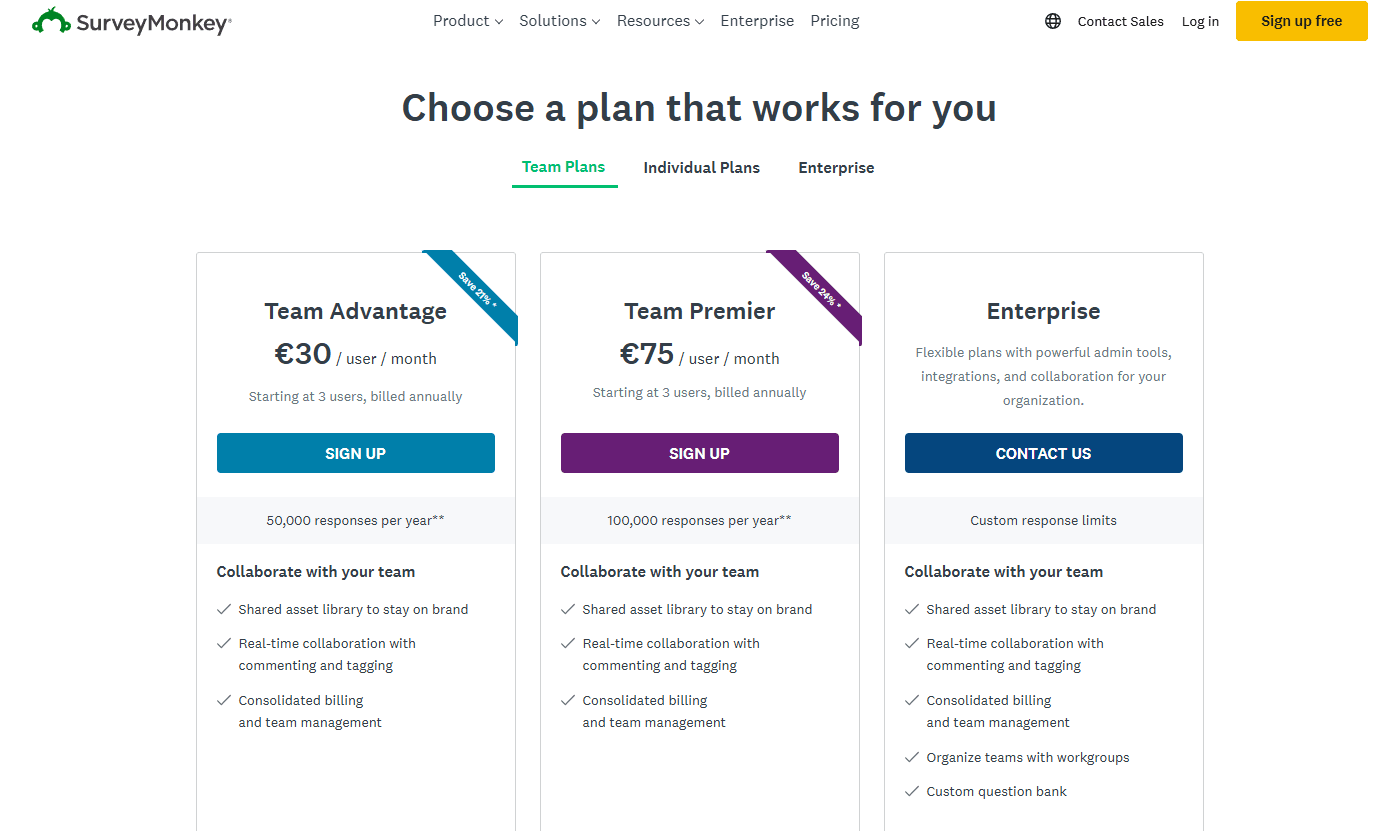
SurveyMonkey offers a free plan with a limit of 10 questions and 40 responses per survey.
Individual paid plans start at $39/month and go up to $99/month for the Premier plan (billed annually).
Team plans start at $30/user/month (minimum three users) with the Team Advantage plan.
Enterprise pricing is available on request.
Typeform
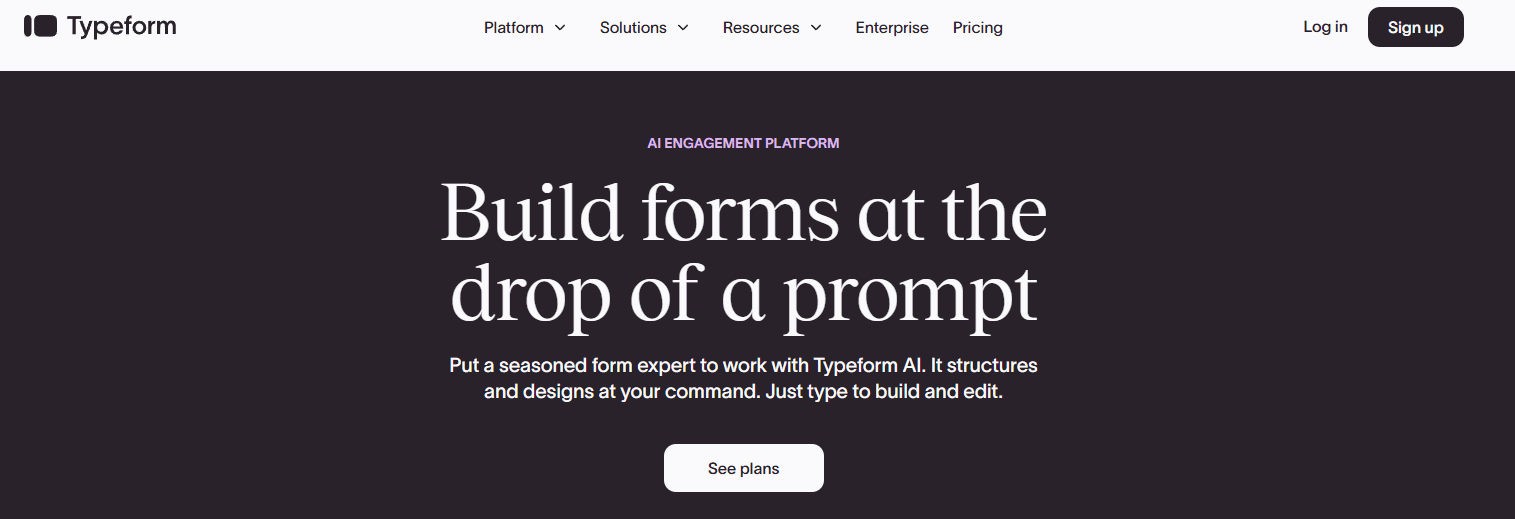
Typeform displays questions one at a time in a conversational format, which consistently improves response rates for customer-facing surveys. It also makes it easier to study user behavior through question-level drop-off data.
The survey design is high-quality and integrates well with most marketing and CRM tools, though response limits on lower plans are tight, and the pricing tiers can get confusing.
Best for
Marketing teams, startups, and product teams that want engaging, beautifully designed customer feedback surveys and lead capture forms where the respondent experience really matters.
Key features
- Conversational surveys with a one-question-at-a-time user interface
- Custom branding and premium design themes
- Logic jumps and conditional branching
- Video questions and AI-powered features on higher plans
- Integrations with HubSpot, Slack, Zapier, and Google Sheets
- Basic analytics with question-level drop-off insights
- Talent-specific plans for HR and hiring workflows
Pricing
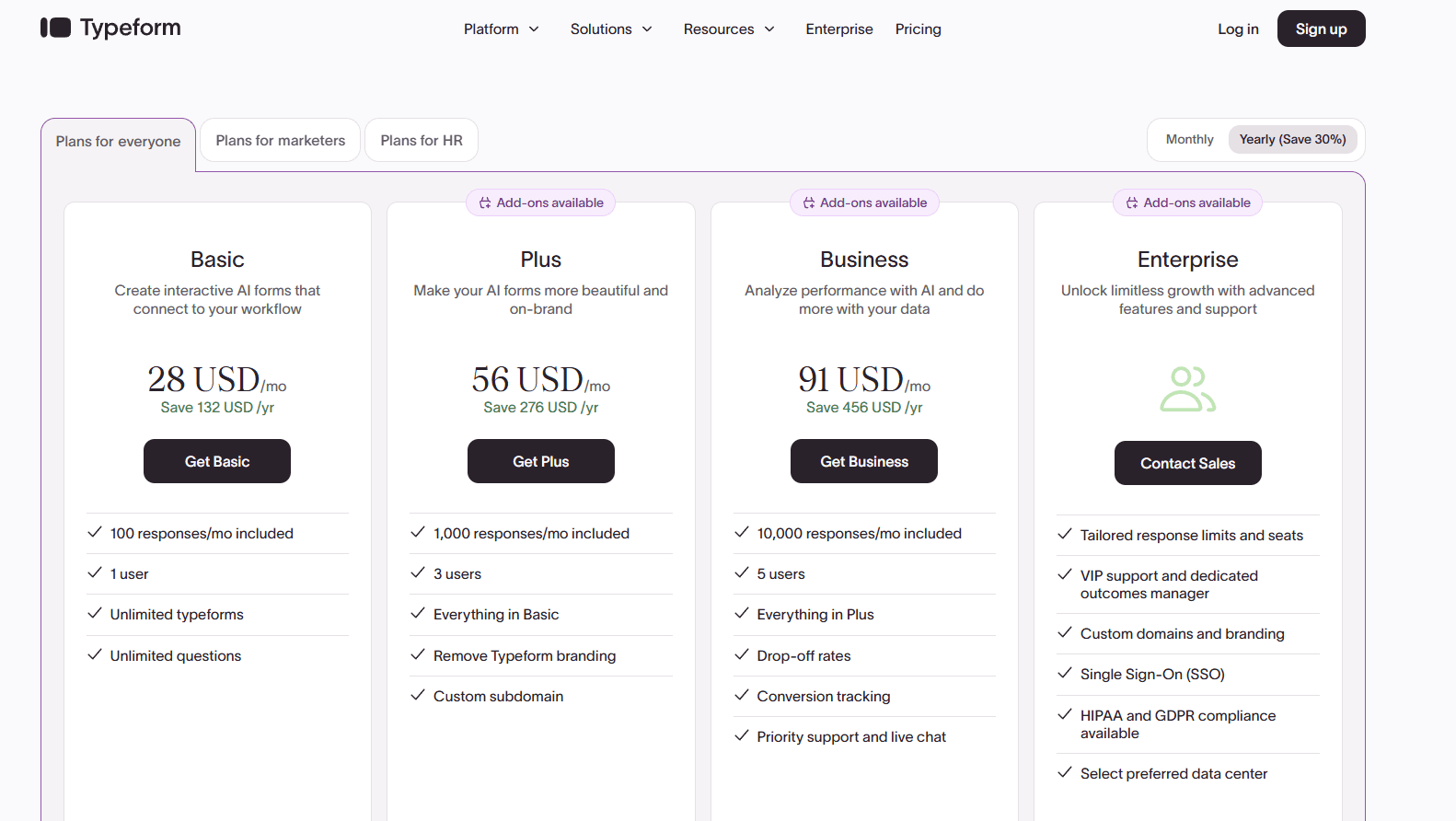
Core paid plans start at $39/month for the Basic plan with 100 responses/month, going up to $129/month for Business.
Growth plans for marketing teams start at $379/month.
Enterprise pricing is available on request.
Jotform
Jotform is primarily a form builder, but its drag-and-drop survey builder handles a wide range of feedback collection and data collection tasks well.
The template library is large, with over 10,000 templates covering everything from registration forms to HIPAA-compliant medical intake forms.
It's useful when surveys involve file uploads, payment collection, or complex conditional logic, though less suited to research or employee feedback programs that need advanced analysis tools.
Best for
Small businesses, healthcare providers, nonprofits, and operations teams that need to collect data through flexible, customizable forms, particularly where file uploads, e-signatures, or payment integrations are involved.
Key features
- Drag and drop form builder with 10,000+ templates
- File upload support for PDFs, images, voice, and video
- Conditional logic for dynamic form behavior
- Payment integrations with Stripe, PayPal, and 30+ other gateways
- E-signature collection
- HIPAA compliance on Gold and Enterprise plans
- Integrations with Google Sheets, Salesforce, Slack, and more
- AI form builder for automated survey creation
Pricing
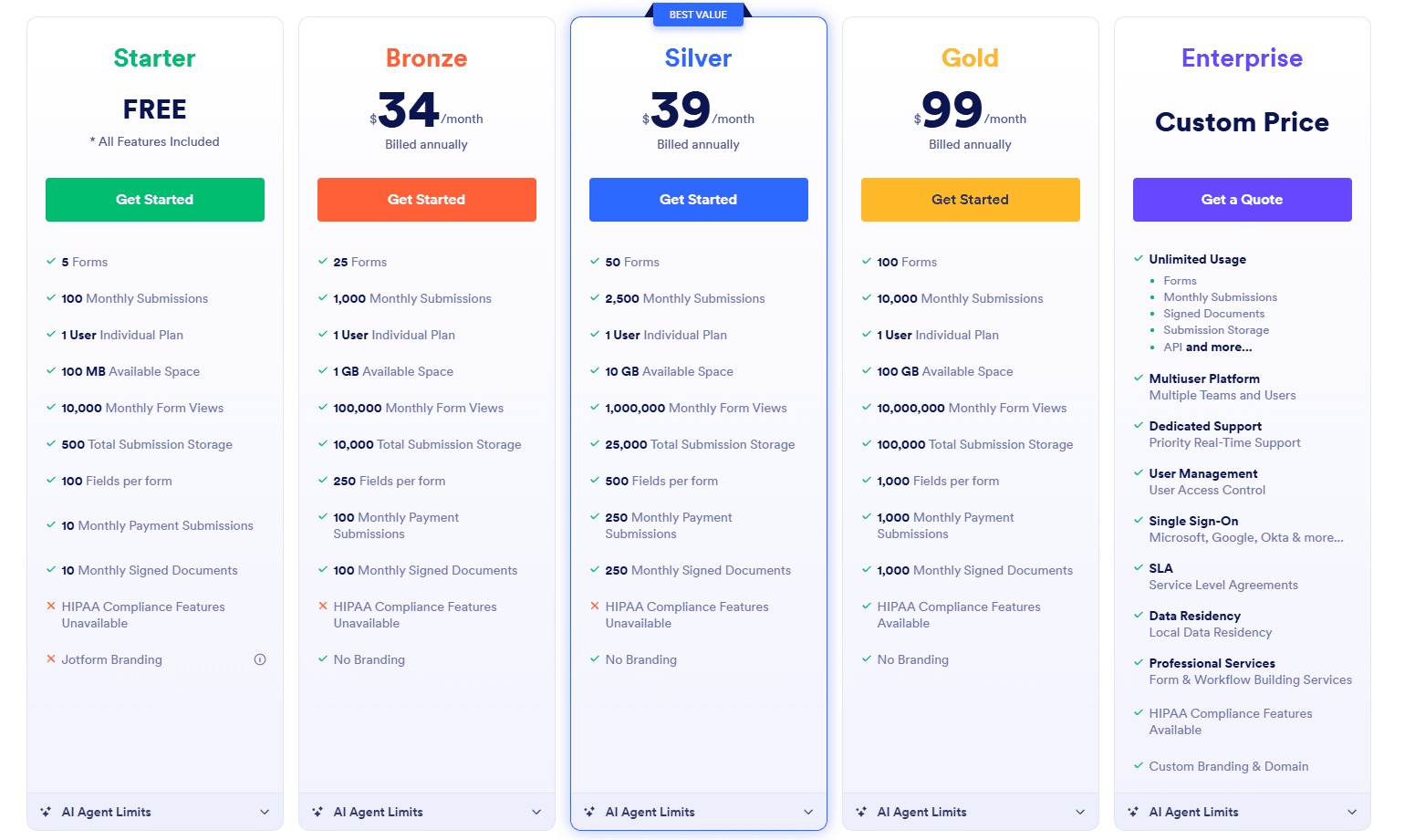
Paid plans begin at $39/month for Bronze (25 forms, 1,000 submissions), $49/month for Silver, and $129/month for Gold.
Enterprise pricing is available on request and includes multi-user access and advanced security.
SurveySparrow
SurveySparrow is a dedicated cx management software that covers both customer experience and employee feedback in one place. It uses a conversational survey format like Typeform but goes further with offline surveys, employee pulse surveys, and 360-degree assessments.
It's useful for gathering actionable user feedback across multiple channels, including customer support interactions, online reviews, and email campaigns.
It’s more capable than SurveyMonkey but lighter than Qualtrics, with some advanced features gated behind higher-tier plans.
Best for
Customer experience teams and HR departments at growing mid-sized companies that want a single platform for customer surveys, employee feedback, and experience tracking, without the full weight of an enterprise XM platform.
Key features
- Conversational surveys and a chat-like survey interface
- Offline surveys and offline data collection for field teams
- Employee pulse surveys and 360-degree feedback
- NPS and customer satisfaction tracking
- Real-time reporting and analytics dashboards
- Recurring surveys for continuous feedback loops
- Custom branding and white-labeling options
- Integrations with Salesforce, HubSpot, Zendesk, and Slack
- Omnichannel distribution including email, web, and mobile apps
Pricing
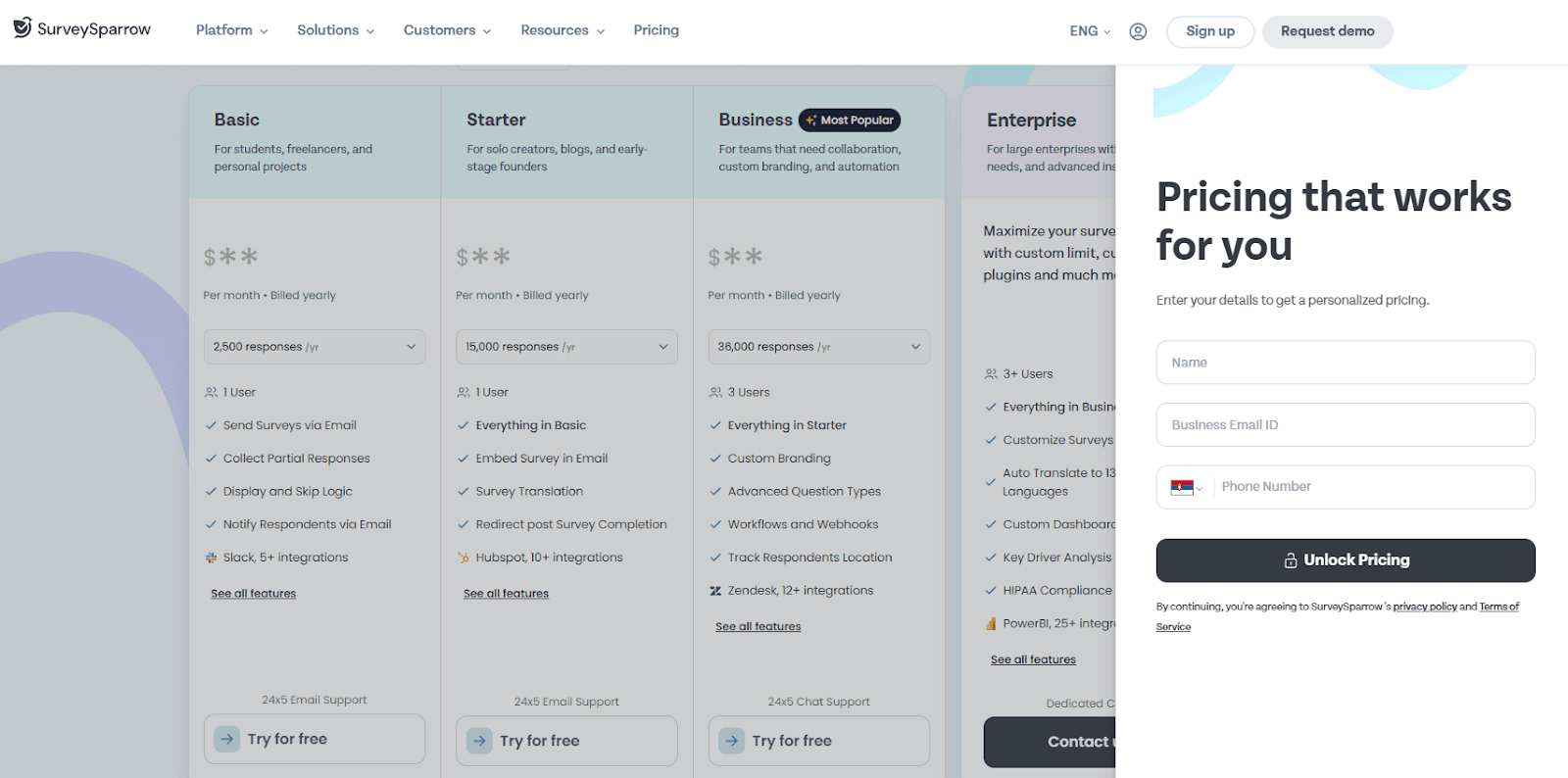
SurveySparrow offers a free trial. Paid plans start at $19/month for 5,000 responses/month, $49/month for 15,000 responses, and $99/month for 100,000 responses.
Business and enterprise plans with expanded features are available on request.
Why Porsline Is the Best Qualtrics Competitor
Many survey tools handle one part of the feedback process well. Porsline handles it all at a price point that doesn't require a procurement conversation. Here's what makes it stand out against the other Qualtrics competitors on this list.
Pricing and accessibility
- No per-seat pricing: Porsline charges a flat rate, so whether you're running surveys across 50 employees or 5,000, the pricing stays predictable.
- API on the free plan: Most platforms gate their API behind paid tiers. Porsline makes it available on all plans.
- Scalable cloud storage: Teams that need more storage can increase their limit without a platform cap, paid, but unrestricted.
Power features without the complexity
- Depth without complexity: You get respondent authentication, calculated variables, advanced branching logic, multilevel filters, and automated workflows as features that typically live at the enterprise tier on other platforms, without a steep learning curve.
- Two response modes: Choose between a conversational one-question-at-a-time flow (the default) or a classic mode that displays all questions on a single page, depending on what works best for your audience.
- Advanced reporting: In the reporting dashboard, define advanced filters to slice and dice your collected data and stay focused on specific segments. Charts can be sorted and color-coded to make results easier to read and share.
- Online testing and quiz mode: For teams running assessments, Porsline includes a full online testing mode that lets you create an answer key, enable automatic grading, schedule grade releases, share answer sheets, define a question bank, and randomize questions. Respondents can also be allowed to edit their responses within a set time window.
- Custom URL slugs: Edit form slugs to create clean, readable URLs. It is useful when sharing surveys externally or embedding them in branded communications.
Employee and customer coverage
- Both employee and customer surveys in one place: Porsline handles employee surveys, CX programs, and market research without needing separate tools. Whether you're tracking customer sentiment through customer satisfaction surveys or managing performance review cycles, the platform has what you need.
- Multilingual from the start: Global teams can run surveys in multiple languages across all plans, with no enterprise upgrade required.
Integrations and notifications
- Real integrations that work: The platform connects with Google Sheets, your ATS, and 500+ apps via Zapier, and also supports n8n for custom automation setups. Porsline's survey design guide is a solid starting point before you launch.
- WhatsApp live chat widget: Add a WhatsApp widget directly to your forms so respondents can reach you in real time while filling out a survey. It’s useful for high-stakes forms where questions come up.
- SMS and Telegram notifications: Get submission alerts sent directly to your phone via SMS or Telegram, without logging in to the dashboard to check results.
For teams that need the power of a comprehensive experience management platform without the enterprise price tag, Porsline is the right survey tool.
Start your free Porsline trial today and launch your first survey in minutes.
Conclusion About Qualtrics Alternatives
Qualtrics is a solid option, but its pricing isn’t clear, setup can be complicated, and many teams end up paying for features they don’t need. Now, there are other platforms that offer powerful survey tools without the extra hassle.
Of the five tools covered here:
- Porsline is the top all-around choice. It’s affordable, powerful, and flexible enough to manage both employee feedback and customer experience in one place.
- SurveyMonkey is a dependable pick if your team needs a straightforward, tried-and-true tool for online surveys.
- Typeform stands out for its design and user experience, so it’s a great fit for customer-facing surveys where engagement is important.
- Jotform is your best bet if you need a flexible form builder that handles file uploads and payments well.
- SurveySparrow is a good match for teams that want a dedicated customer experience platform with built-in employee pulse surveys.
Whatever your use case, the most important thing is finding a tool that actually matches how your team works. The Porsline template library is a good place to see what's possible before committing to anything.
Start your free Porsline trial today and launch your first survey in minutes.
FAQs About Qualtrics Competitors
Who is Qualtrics' biggest competitor?
At the enterprise level, Medallia is usually Qualtrics' main competitor, as both focus on similar customer experience and management needs. For mid-sized and growing teams, SurveyMonkey and Porsline are more practical choices, especially for organizations that want strong survey features without the high cost or complexity of a full experience management platform.
Why is Qualtrics delisted?
In June 2023, Qualtrics became a private company. Silver Lake and the Canada Pension Plan Investment Board (CPP Investments) bought it in an all-cash deal worth about $12.5 billion, including SAP's majority stake. Qualtrics is now privately owned and no longer listed on any public stock exchange.
Which survey platform is best?
Qualtrics is still the top choice for enterprise research teams with big budgets and complex needs. However, for most organizations, especially those doing employee surveys, customer feedback, or market research, Porsline offers a better mix of features, ease of use, and price. It also avoids per-seat fees and complicated setup.
Is SurveyMonkey better than Qualtrics?
SurveyMonkey is easier to use and much cheaper than Qualtrics for simple to mid-level surveys. It has a lower learning curve and can be set up quickly. However, it does not offer the same advanced analytics, data analysis, or enterprise security as Qualtrics. If Qualtrics' support feels slow or expensive, SurveyMonkey is a friendlier option for basic surveys. But if you need advanced analytics or complex logic, you may find SurveyMonkey's limits quickly.
What is a great free survey platform?
Porsline's free plan is one of the best available. It includes 100 responses per month, unlimited questions, API access, multilingual surveys, and basic analytics. This is more than many paid survey tools offer. Google Forms is another truly free option for simple needs, but it does not have logic, authentication, or reporting features. For teams needing more than a basic survey, Porsline's free plan lets you try the platform before making a commitment.
Is Qualtrics or Microsoft Forms better?
Microsoft Forms comes free with Microsoft 365 and is good for internal forms, quick polls, and basic data collection, especially for organizations already using Microsoft products. Qualtrics is a powerful enterprise tool with advanced branching, analytics, and experience management, but it is much more expensive and complex. For most teams, Porsline is a middle ground: it offers more features than Microsoft Forms and is easier to use than Qualtrics.
What is the most popular survey tool?
SurveyMonkey is probably the most well-known survey tool worldwide, with hundreds of millions of users. Google Forms is also very popular, especially in education and small businesses. Zoho Survey is widely used by those in the Zoho ecosystem. For advanced survey platforms, Qualtrics has a strong presence, while Porsline, Typeform, and Jotform have become popular with teams wanting modern and flexible options.
Why is Qualtrics better than Medallia?
Both Qualtrics and Medallia are major enterprise experience management platforms. Qualtrics is usually better for survey creation, research tools, and employee experience programs. Medallia is often stronger in customer experience management for industries such as hospitality, retail, and financial services. Qualtrics also offers a wider range of templates. However, both platforms can be complex and expensive to set up, which is why many organizations are considering easier survey tools like Porsline.