


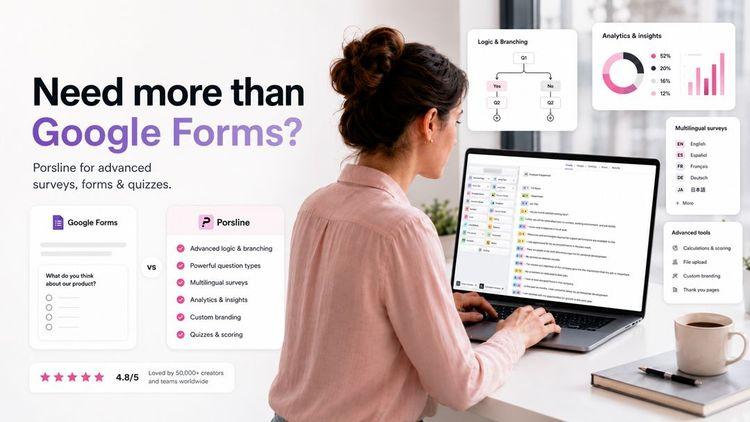
Many Google Forms users find that once they move beyond basic data collection, the platform's limits become a real problem.
If you need detailed feedback, complex logic, or proper branding, you'll hit a wall fast. And when you're running professional online surveys, those limitations directly affect the quality of your results.
For advanced survey needs, the best Google Forms alternatives offer stronger features such as conditional logic, conversational forms, better design, and deeper analytics, giving you the flexibility to create surveys that actually fit your goals.
This guide compares features, pricing, and strengths to help you find the right Google Forms alternative for your specific needs.
Why People Look For Google Forms Alternative
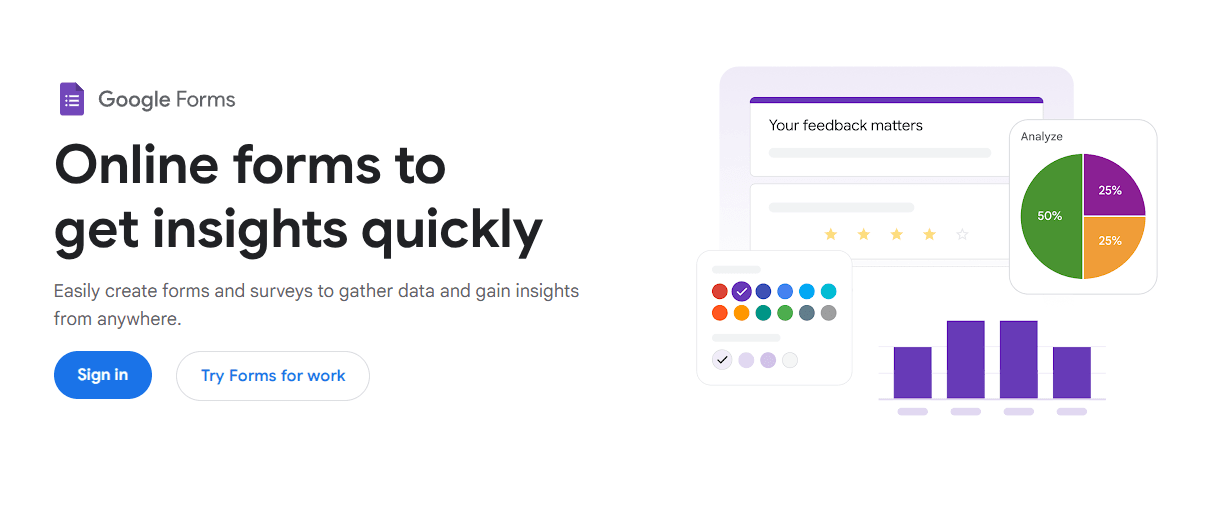
Google Forms works for simple tasks, but its capabilities run out quickly when you need professional online surveys. Here are the most common reasons people start looking elsewhere:
- Design is too limited: Visual appeal takes a back seat; you can't make forms match your brand
- Logic is basic: You can't easily add conditional logic the way other online form builders allow
- Weak analytics: Built-in reports lack real data visualization
- No respondent authentication: No way to verify who's filling out your online form or block duplicates
- No payment collection: Can't accept fees or donations directly
- No multilingual support: Multiple languages require manual workarounds
- Form abandonment risk: Without adaptive logic and polished design, users drop off before finishing
If you've outgrown its basic features, knowing where Google Forms falls short makes it easier to pick the right alternative for form creation and better survey results. Just make sure you also avoid common survey mistakes along the way.
What To Look For In A Google Forms Alternative
The right tool depends on your specific survey goals. Tools like Ninja Forms and Formidable Forms are popular in the WordPress ecosystem, but for a fully hosted form-building experience, dedicated survey platforms offer far more flexibility and control.
Look for an extensive library of templates so you don't have to start from scratch every time. Visually appealing forms improve completion rates and credibility, especially for small businesses that can't afford a designer.
Good customer feedback tools and strong data visualization help you actually make sense of the data you collect and act on it with confidence.
| Feature | Why It Matters |
|---|---|
| Advanced conditional logic | Shows or hides questions based on previous answers |
| Drag and drop editor | Makes form creation faster |
| Template library | Saves time for common survey types |
| Payment processing | Lets you collect money through forms |
| File uploads | Lets people attach documents |
| Real-time analytics | Shows results as they come in |
| Business app integrations | Connects form data to other tools |
Conditional logic helps you build smarter forms that reduce form abandonment, showing each respondent only what's relevant. Payment processing can also turn form submissions into revenue, so look for tools that include it natively.
Effective survey design , combined with the right features, yields cleaner data and smarter decisions.
Best Google Forms Alternatives At A Glance
There's a solid free alternative to Google for almost every use case. Many tools offer a generous free tier or even fully free plans, though most cap submissions or features at some point.
| Tool | Best For | Key Features | Starting Price |
|---|---|---|---|
| Porsline | Multilingual forms with strong analytics | Multi-language support, conditional logic, payment integration | Free (100 responses/month); no limit/charge for response collected; paid from €23/month |
| Microsoft Forms | Microsoft 365 teams | Excel sync, branching logic, quiz scoring | Free (unlimited responses) |
| Zoho Forms | Workflow automation | Approval workflows, offline forms, mobile app | Free (3 forms, 500 submissions/month); paid from $12/month |
| Cognito Forms | Payments and calculations | Payment processing, calculations, file uploads | Free (1 form, 100 entries/month); paid from $19/month |
| Jotform | Templates and visual customization | 10,000+ templates, drag-and-drop, signatures | Free (5 forms, 100 submissions); paid from $34/month |
The free version of each platform below is enough to handle small and medium projects without needing to upgrade right away.
Top Google Forms Alternatives In 2026 (Ranked List)
Each tool below brings something different to online surveys, customer feedback, and data collection. Your choice of survey tools depends on your budget, workflow, and the level of power you need.
- Porsline: Ideal for advanced surveys, quizzes, and online forms, with AI-powered survey creation, strong data visualisation, employee feedback tools, and market research features. A free trial is available.
- Microsoft Forms: Best for Microsoft 365 users who need quick, unlimited forms with Excel sync and real-time collaboration.
- Zoho Forms: Best for small businesses already in the Zoho ecosystem, needing workflow automation and approval flows.
- Cognito Forms: Best for complex payment collection, multi-step calculations, and document generation.
- Jotform: Best for template variety and visual customization across dozens of different form types.
Continue for a detailed overview of each tool's features, pricing, and optimal use cases.
Porsline
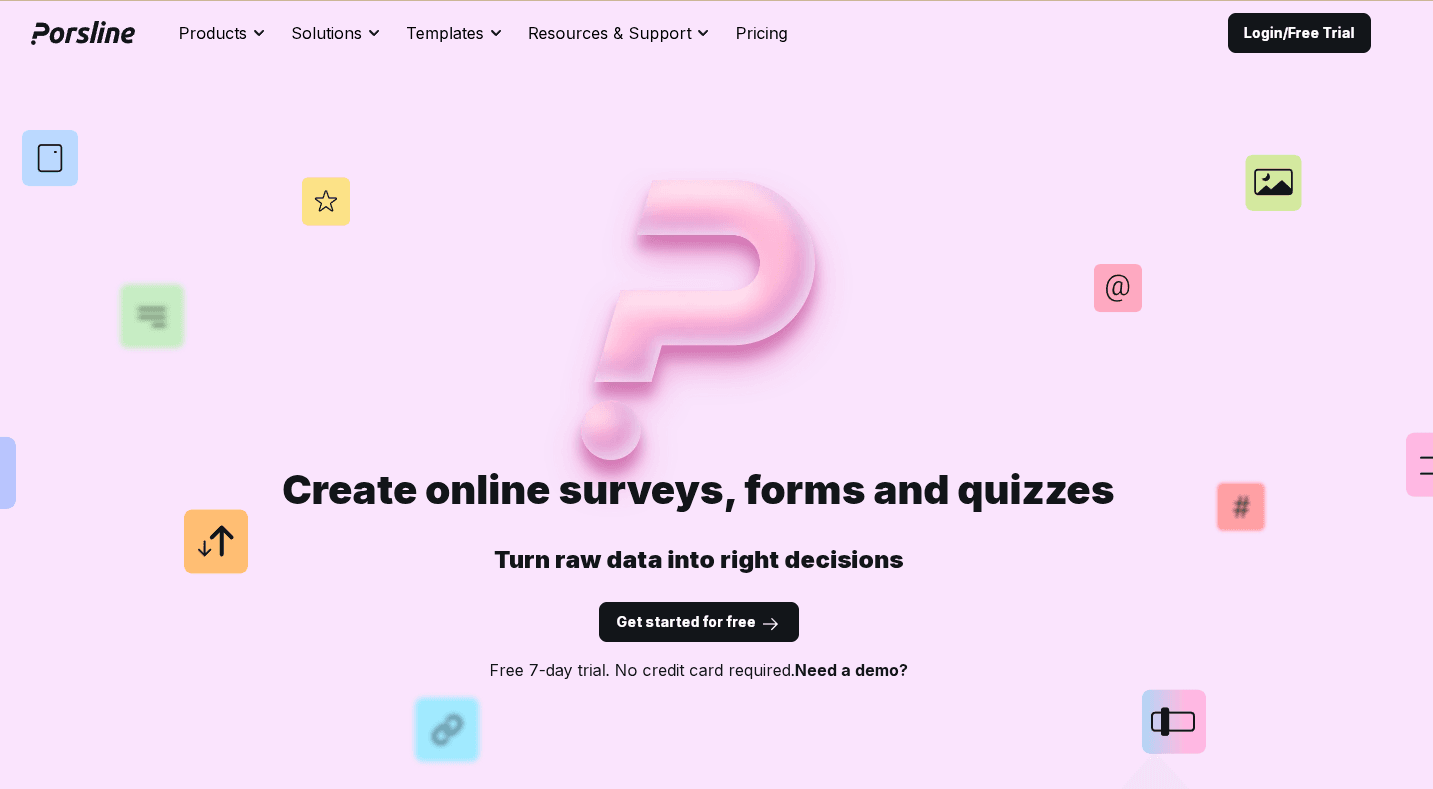
Porsline is a customizable online form builder that makes creating online surveys , forms , and quizzes a breeze, even if you can't code.
Unlike Google Forms, it gives you far more control over the entire form-building experience, and over 50,000 companies trust it to collect data and make smarter business decisions.
You can start from scratch or choose from 200+ customizable survey templates from the extensive library. That saves a lot of time.
Porsline works well for improving customer experience , managing employee feedback , or running market research .
You can tailor surveys to your goals, whether you're in healthcare, education, retail, or any other industry. The platform lets you gather valuable insights at all the key touchpoints in your business.
You get more than 25 question types to collect exactly the data you need, including text answers, file uploads, ratings, or even payment options. It's all there.
You can also choose how respondents see your questions. Display all questions on a single page or present them step by step across separate screens for a more conversational experience.
Porsline also supports multiple languages. You can create forms in Turkish, Arabic, Spanish, and Russian, in addition to English.
Start a free trial to see how it works.
Best for
Porsline fits small businesses, market research teams, HR, and customer support teams that need fast, flexible feedback collection. It's also a strong choice for teams working with international audiences or needing multi-language surveys.
Key features
Form creation and customization
- Generate surveys, forms, and quizzes with AI
- Import survey questions from Word or Excel files
- Create multiple choice forms with no limits on questions
- Choose from 40+ themes with full customization for truly visually appealing forms
- Add images and videos to questions
- Use a custom subdomain and edit URL slugs
- Add logos and custom background designs
Smart features
- Add conditional logic using if-then rules to build smarter forms
- Use built-in calculations and formulas
- Verify respondents using OTP, email, or imported codes
- Set timers and schedule automatic form start or close times
Response management
- No limits on total submissions
- Accept partially completed responses
- Track form views and engagement
- Search and filter response data
- Export data for external analysis
- Add captions to charts for easier data visualization
Integration options
- REST API for data transfers
- Connect with CRM platforms
- Integrate with SMS tools and email marketing services
- Sync data with Google Sheets
- Automate workflows via n8n integration
Pricing
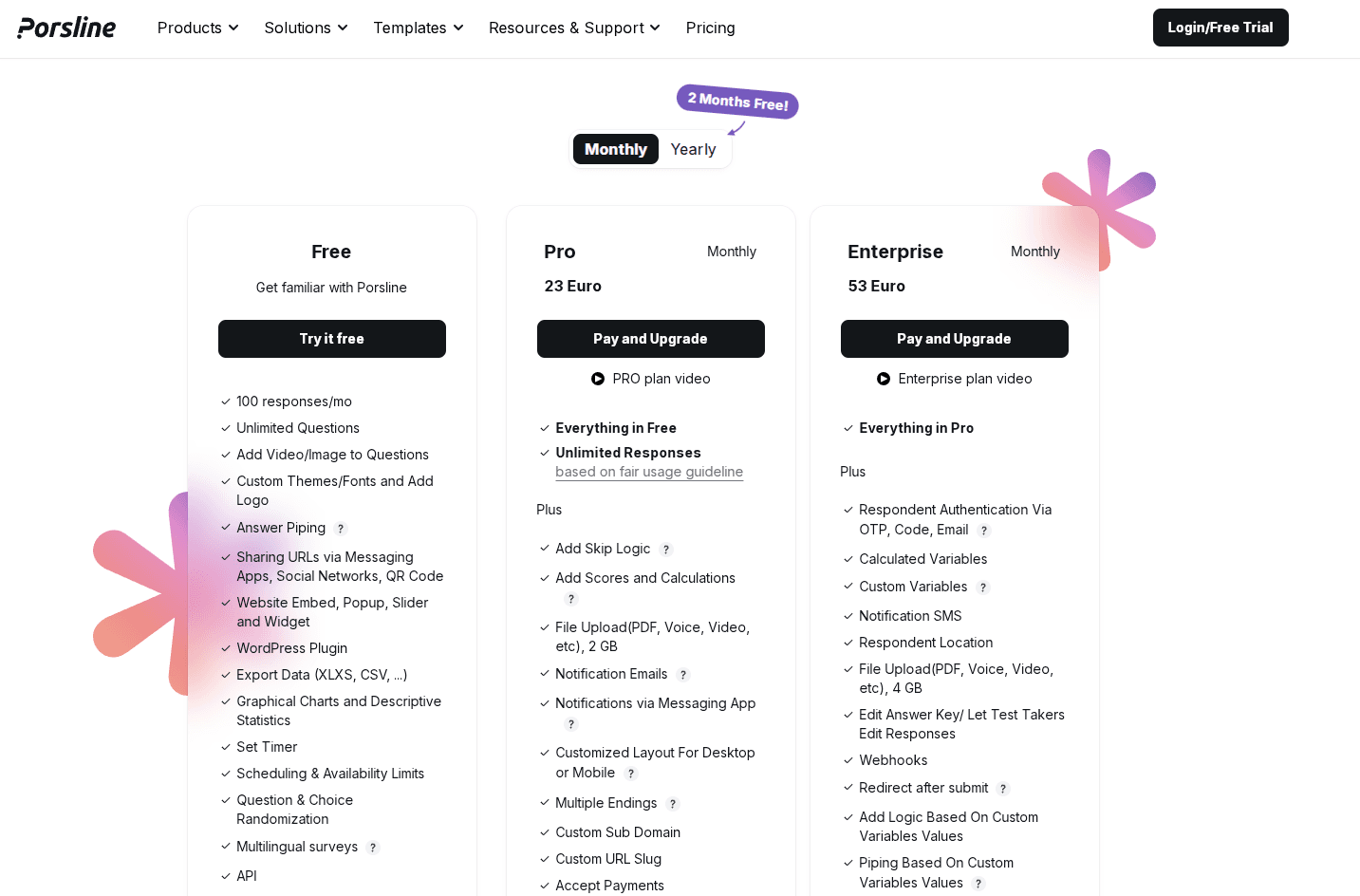
Porsline offers a clear upgrade structure . The free version includes core survey features and up to 100 responses/month. It’s one of the most generous free-tier offerings among comparable online form builders. You don’t need a credit card to start.
The Pro plan starts at €23/month and adds unlimited responses, advanced logic, file uploads, and notifications.
The Enterprise plan includes everything in Pro, plus additional security and control features such as respondent authentication, webhooks, and SMS alerts, making it suitable for larger teams.
Start a free trial to experience the platform.
Microsoft Forms
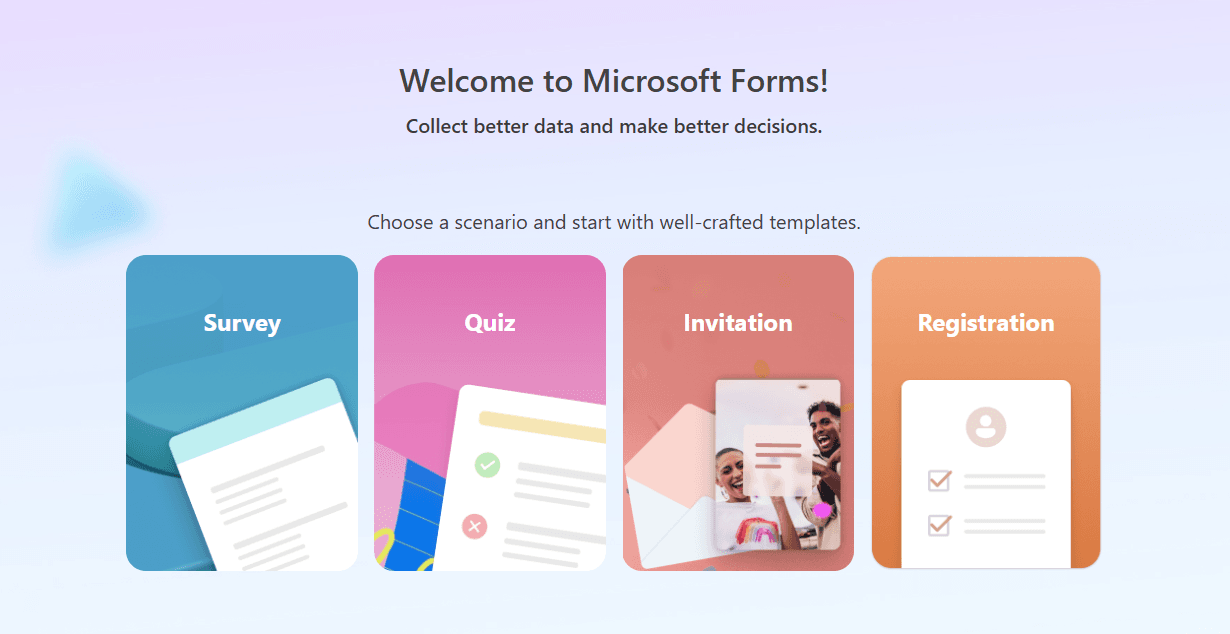
Microsoft Forms is a straightforward survey and form builder, especially if you're already on Microsoft 365. It feels familiar if you use Office apps a lot.
You can make surveys, quizzes, and polls with hardly any setup. Share forms via link or email, or embed them on your website.
Best for
Microsoft Forms works best for users who need basic surveys and already have a Microsoft 365 subscription. Teachers use it for quizzes, small teams for quick polls, and businesses for simple feedback forms.
If you're comfortable in the Microsoft ecosystem, this tool fits right in. It connects naturally with Excel, Teams, and Outlook.
Key features
- Live Excel sync updates your spreadsheet as responses come in
- Quiz mode with automatic grading and point values
- Branching logic shows different questions based on answers
- Real-time response tracking lets you see results as they arrive
- Built-in templates for common survey types
- AI-powered themes adjust your form's look
- Unlimited form fields with no caps on questions per form
- Collaboration tools help you work with team members
- File uploads from respondents
Pricing
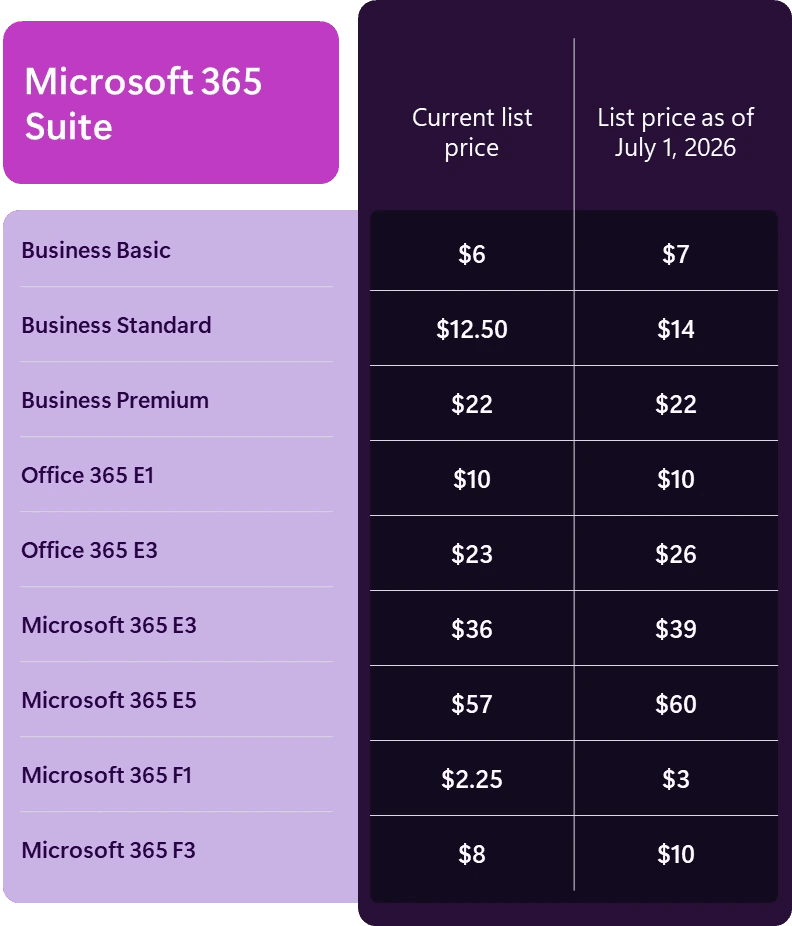
Microsoft Forms basic plan is totally free if you already have a Microsoft 365 account. You get unlimited forms and responses, with no annoying upgrade popups.
Business plans start at $6/user/month.
Zoho Forms
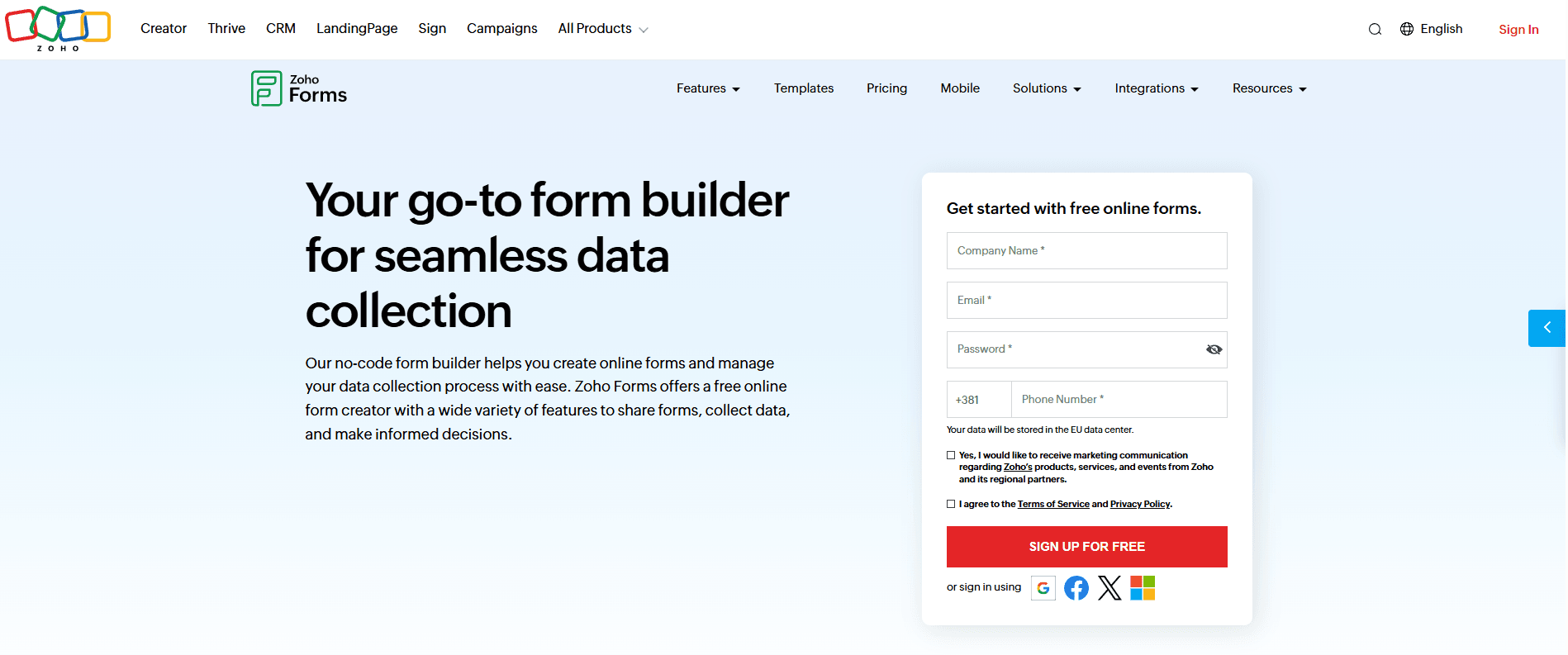
Zoho Forms is a no-code form builder that fits businesses already using Zoho products. You can create custom forms without writing any code.
The drag-and-drop system keeps things simple. You can build both standard forms and card-style forms that show one question at a time.
The card format creates a more conversational experience and helps keep users engaged, reducing form abandonment.
Best for
Zoho Forms works well for small to medium businesses that need reliable data collection. If you already use Zoho CRM or Zoho Analytics, the integration is pretty seamless.
The platform handles customer surveys, registration forms, job applications, and order forms. You can also collect payments through third-party integrations.
Key features
- Drag-and-drop builder with 30+ form templates
- Smart forms in card format show one question at a time
- Conditional logic to show or hide questions based on answers
- Mobile app for offline data collection
- Real-time notifications when someone submits a form
- Integration with Zoho products, email marketing services, and external apps through Zapier
- Custom themes to match your brand colors and fonts for strong visual appeal
- SSL encryption and GDPR compliance for data security
- Multi-level approval workflows for business processes
- Reports and analytics to track form performance
Pricing
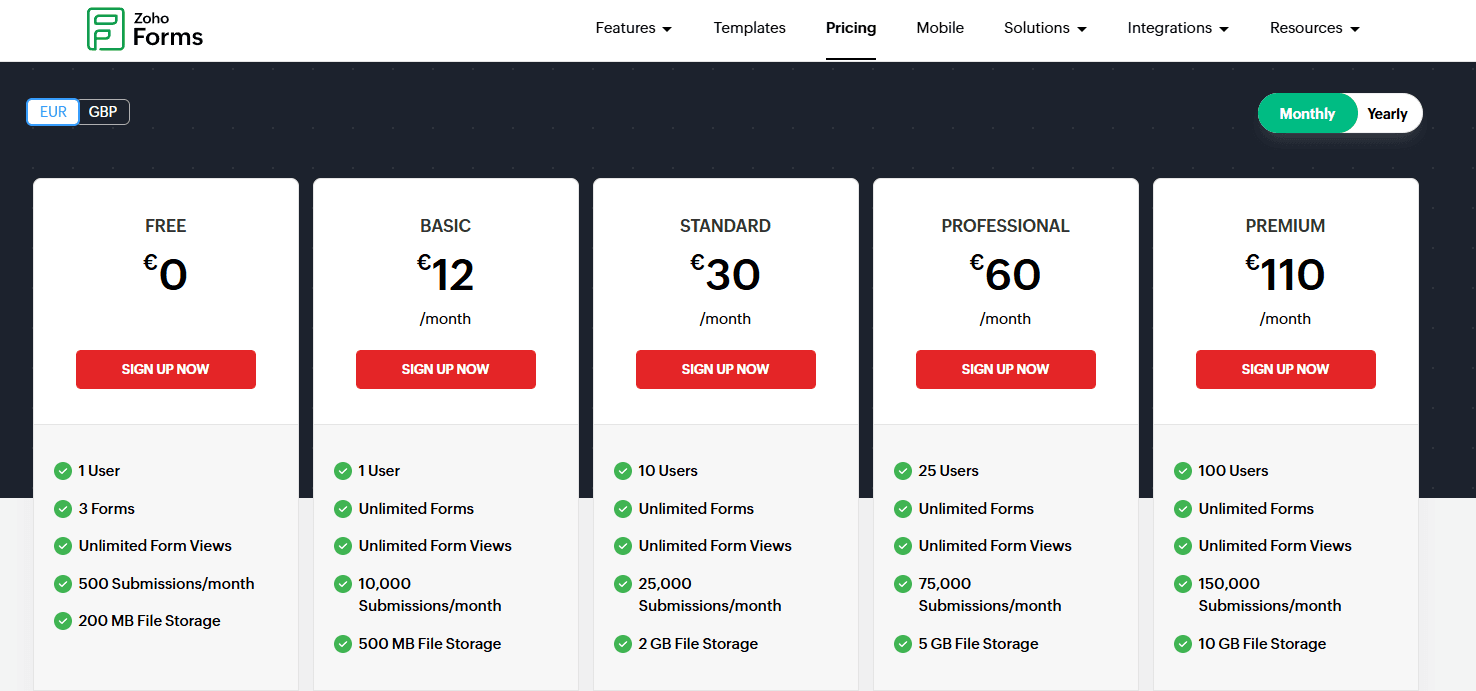
Zoho Forms has a free plan with 3 forms and 500 submissions/month.
Paid plans start at €12/month and scale based on your submission volume and features.
The pricing becomes more attractive if you use several Zoho products together.
Cognito Forms
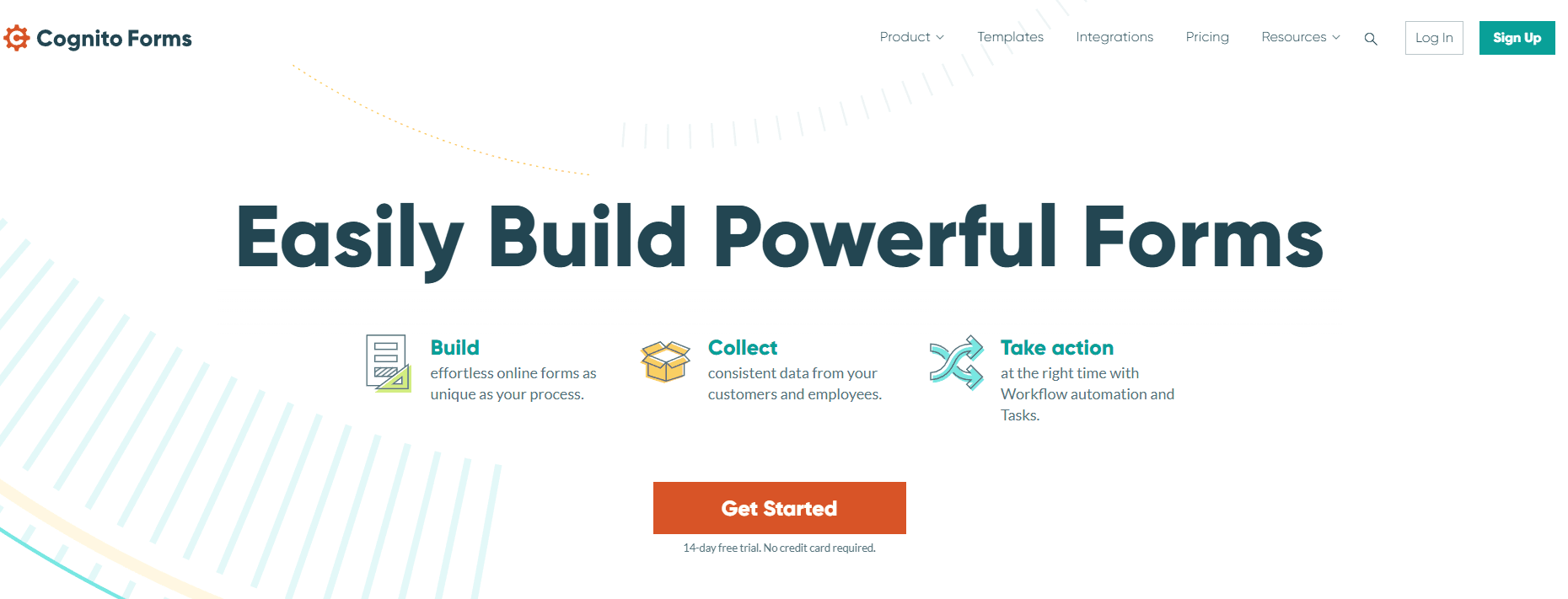
Cognito Forms lets you build complex forms that go beyond basic surveys. It manages complex data collection and workflow automation, triggering automatic actions the moment someone submits a response.
It's great for donation forms, payment collection, document generation, or multi-step approval management.
Best for
Cognito Forms is helpful for small businesses, nonprofits, or healthcare organizations.
If your team needs forms that connect to other software or require legally binding signatures, Cognito's got you covered.
Key features
- Workflow automation triggers tasks and notifications based on form submissions
- Electronic signatures are built right in
- Payment processing through Square, Stripe, or PayPal
- Document generation creates custom PDFs or Word files automatically
- The client portal lets people view past submissions and track progress
- Repeating sections for multiple entries in one form
- Conditional logic to show or hide questions based on previous responses
- Form AI and data lookups for advanced calculations and complex requirements
- HIPAA compliance for healthcare organizations
Pricing
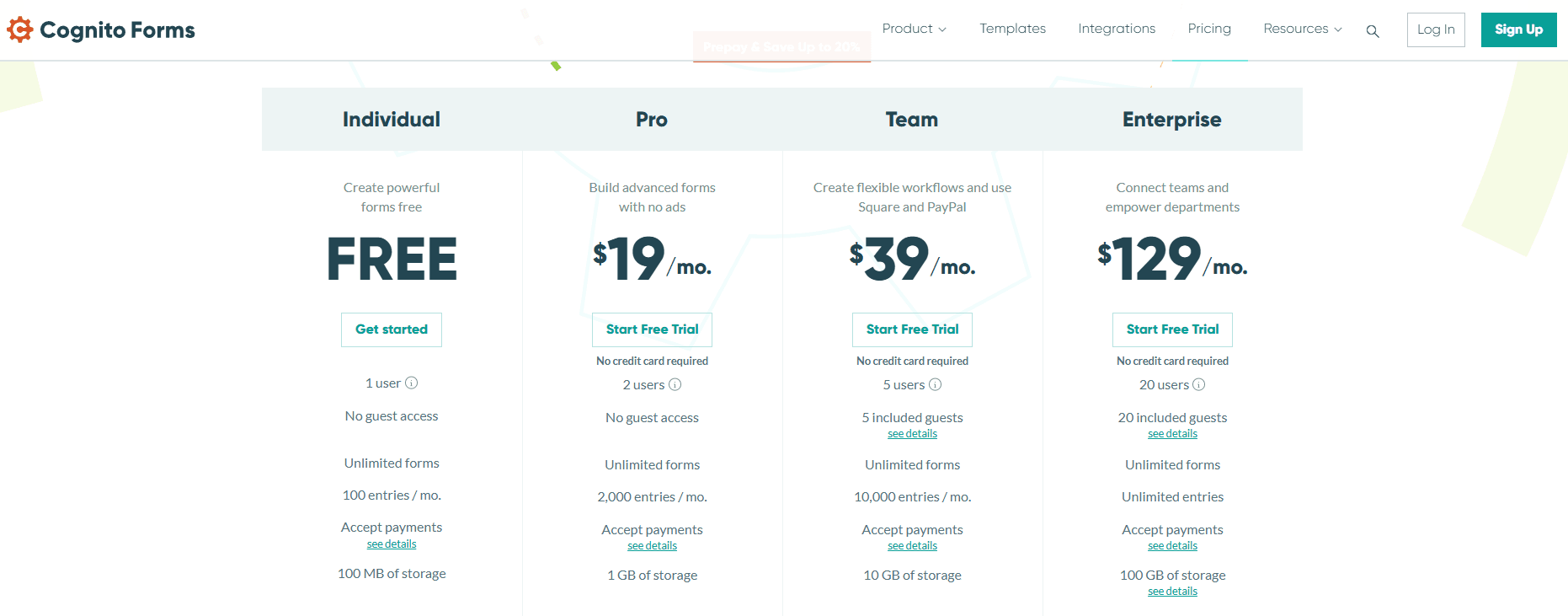
Cognito Forms has a completely free plan with unlimited forms and 100 entries/month.
Paid plans start at $19/month and unlock extras like custom branding, more storage, and advanced workflow features.
Jotform
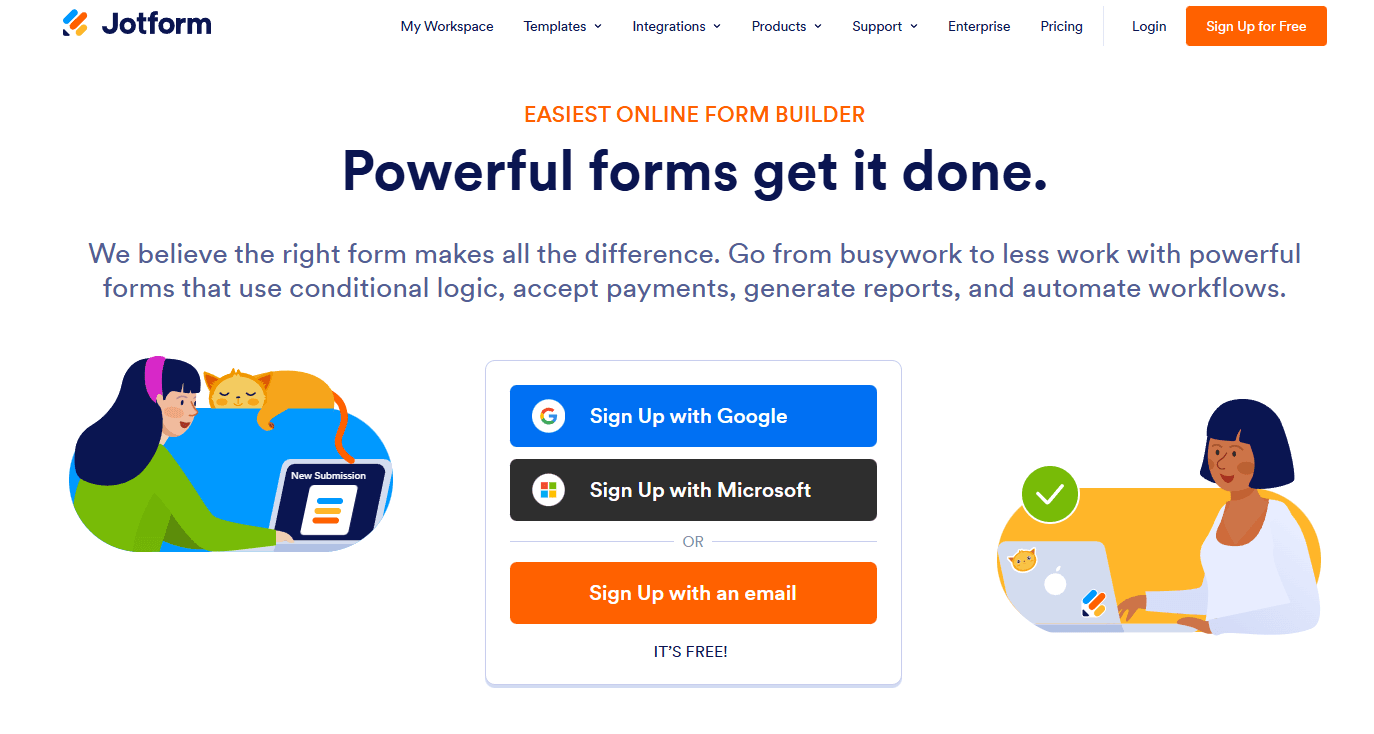
Jotform helps you build custom forms without code.
You can design forms that match your brand, add payment options, and connect them with other apps you use. You can also embed forms in your WordPress site or dashboard.
It works through your web browser or mobile app. Widgets are available for advanced functionality.
Best for
Small businesses that need to collect payments through forms will like Jotform.
Organizations wanting to automate workflows after someone fills out a form will benefit too.
Teams managing contact forms, registrations, orders, or detailed online surveys often pick this platform.
Key features
- An extensive library of ready-made survey templates
- Conditional logic to show or hide questions based on answers
- File uploads and digital signature collection
- Payment processing through multiple providers
- Direct integrations with 150+ business apps
- Custom branding with your own colors and fonts
- Automatic PDF generation from responses
- Report builder for analyzing submissions
Pricing
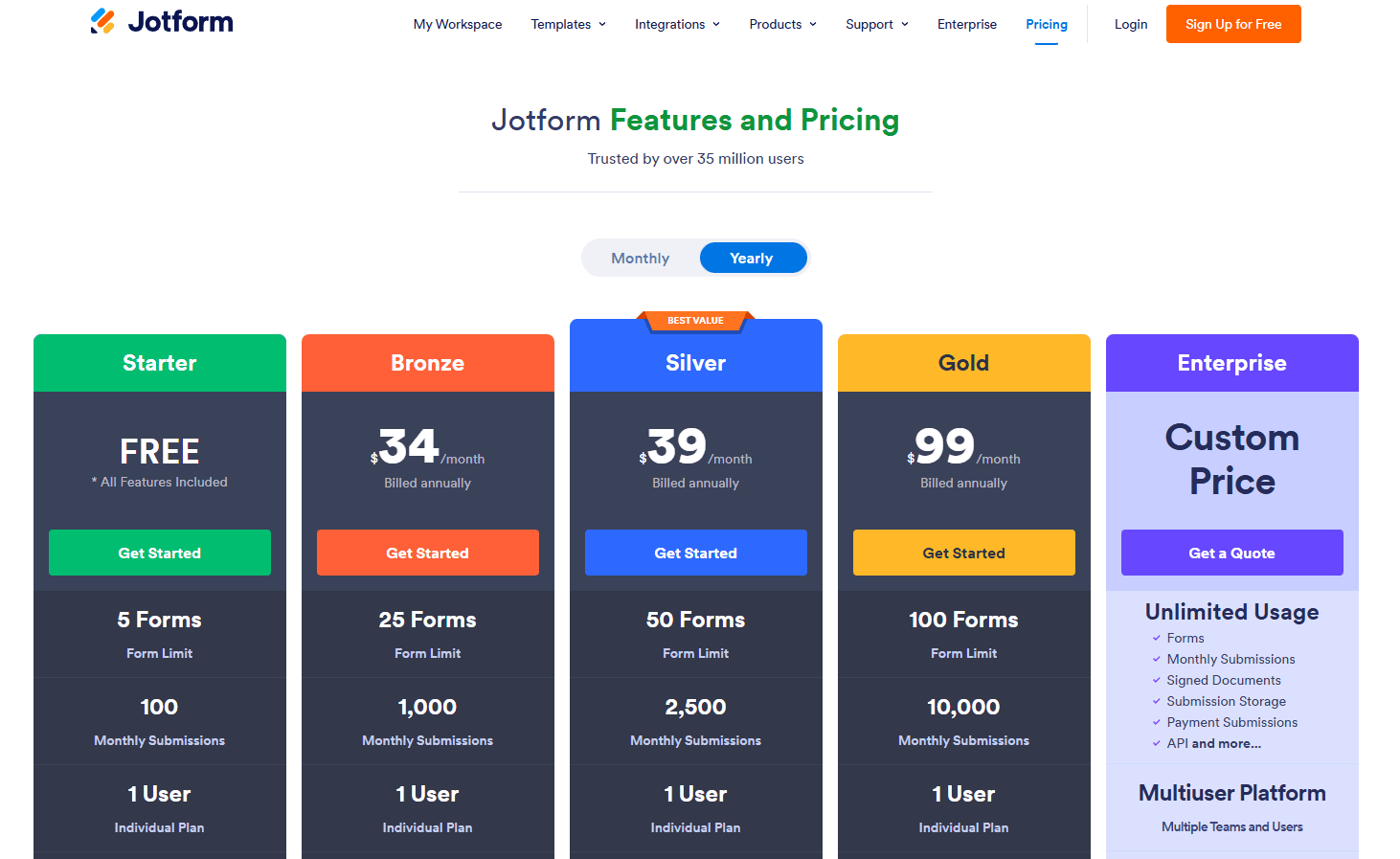
The free plan includes 5 forms, 100 monthly submissions, and 10 payment transactions.
Paid plans start at $39 per month, remove submission caps and unlock advanced features like analytics and more storage.
Why Porsline Is The Best Overall Google Forms Alternative
Porsline stands out as a complete solution for advanced survey needs. While Google Forms capabilities limit how you export or view your data, Porsline gives you unlimited access to all responses in real time. When you export, everything comes in a single Excel file without splitting data into chunks.
Response quality matters. You can use regex patterns to collect responses in any format you need. You can also restrict file types in upload questions. This means cleaner, more useful data from the start.
Porsline handles complex grading through its Calculations feature. You can build everything from simple quizzes to detailed personality tests. Setting timers for individual questions or entire forms helps maintain test integrity.
Security features go beyond the basics:
- Encrypt data passed through survey URLs
- Authenticate respondents via SMS or email codes
- Limit submissions to one per link
- Edit location slugs for cleaner sharing
You can set quotas for specific answer choices, not just total responses. This works well for scheduling appointments or managing registrations with limited spots.
The platform includes built-in WhatsApp integration for live chat with respondents. You can get notifications through SMS or Telegram when new submissions arrive. No need to constantly check your dashboard.
Porsline offers two display modes: a conversational style that shows one question at a time, or a classic view with everything on one page. Your choice depends on your survey goals.
The reporting tools let you filter, sort, and color your data to focus on specific segments. You can automate your survey workflows to connect with other tools you use daily. Cloud storage scales with your needs, though expanded storage requires a paid upgrade.
Ready to create surveys? Start your free trial with Porsline today and see just how easy it is to build professional, visually appealing forms that give you the insights you need.
Conclusion About Google Forms Alternatives
Google Forms works well for basic needs, but when you need advanced survey features, better design control, or stronger data analysis, other tools step up. The alternatives we covered each bring something different to the table.
But if you need a complete solution for advanced surveys, Porsline stands out as the best choice. It combines powerful survey logic, detailed analytics, and professional design options in one platform. You get features like matrix questions, skip logic, and custom branding without hitting the limits you'd face with free tools.
Porsline also makes it easy to analyze your data with built-in charts and reports. You don't need to export everything to another tool just to understand what your responses mean. The interface stays simple even as you build complex surveys.
Ready to create better surveys? Start your free trial with Porsline today.
FAQs About Google Forms Alternatives
What is the best alternative to Google Forms?
For most users, Porsline is the best overall alternative. It combines advanced survey logic, custom branding, multilingual support, and detailed analytics in one platform, without the limitations you run into with Google Forms.
Can ChatGPT create Google Forms?
ChatGPT can't create Google Forms directly. It can help you write questions and plan structure, but you'll still need to build the form yourself. Some builders offer native AI that automatically generates forms, making it a more practical option if speed of form creation matters.
Does Canva have forms like Google Forms?
No. Canva is a design tool focused on visual content, not a form builder. For collecting responses via an online form, use a dedicated tool such as Porsline, Jotform, or Typeform.
Is Microsoft Forms as good as Google Forms?
They're very similar in ease of use. Microsoft Forms is completely free with unlimited submissions and integrates more naturally with Excel and Teams, making it a better fit if you're already in the Microsoft ecosystem. Neither tool, however, matches the depth of dedicated survey platforms like Porsline.
Why is Qualtrics better than Google Forms?
Qualtrics offers advanced branching logic, sophisticated analytics, and research-grade tools built for academic or enterprise use. Google Forms keeps things simple and free, but you'll hit its limits quickly for anything complex. Most of Qualtrics' advanced features require a paid plan, so it's best suited for organizations with serious research needs and the budget to match.