


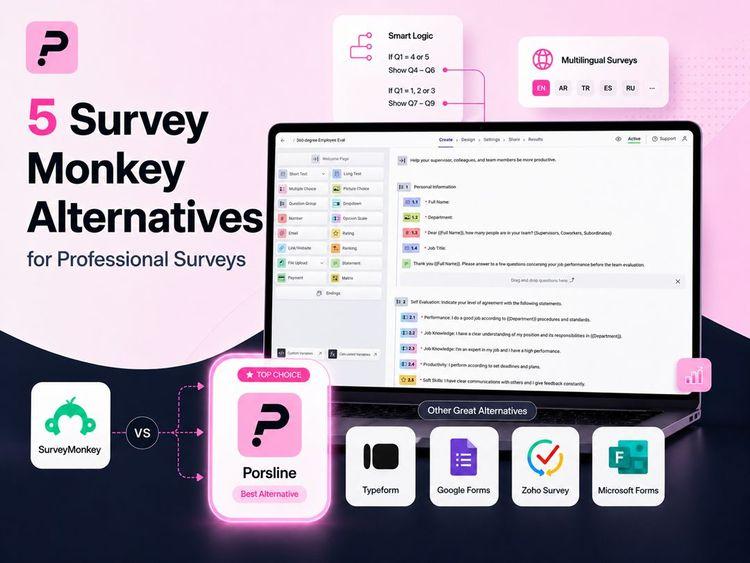
SurveyMonkey is one of the most popular online survey tools. Still, it’s not always the right fit for every business or project.
Plenty of teams search for alternatives, whether it’s due to pricing limits, feature gaps, or a desire for a more modern survey experience.
If you’re looking for something beyond SurveyMonkey, you’re definitely not alone.
There are some excellent SurveyMonkey alternatives out there. Some offer better pricing, advanced capabilities, extensive customization options or even specialized tools for your unique needs.
From conversational surveys to automation and advanced analytics, newer platforms are shaking up how businesses collect responses and analyze survey data.
Let’s dig into the five top SurveyMonkey competitors for 2026 and see what makes them stand out.
Why Look For An Alternative To SurveyMonkey?
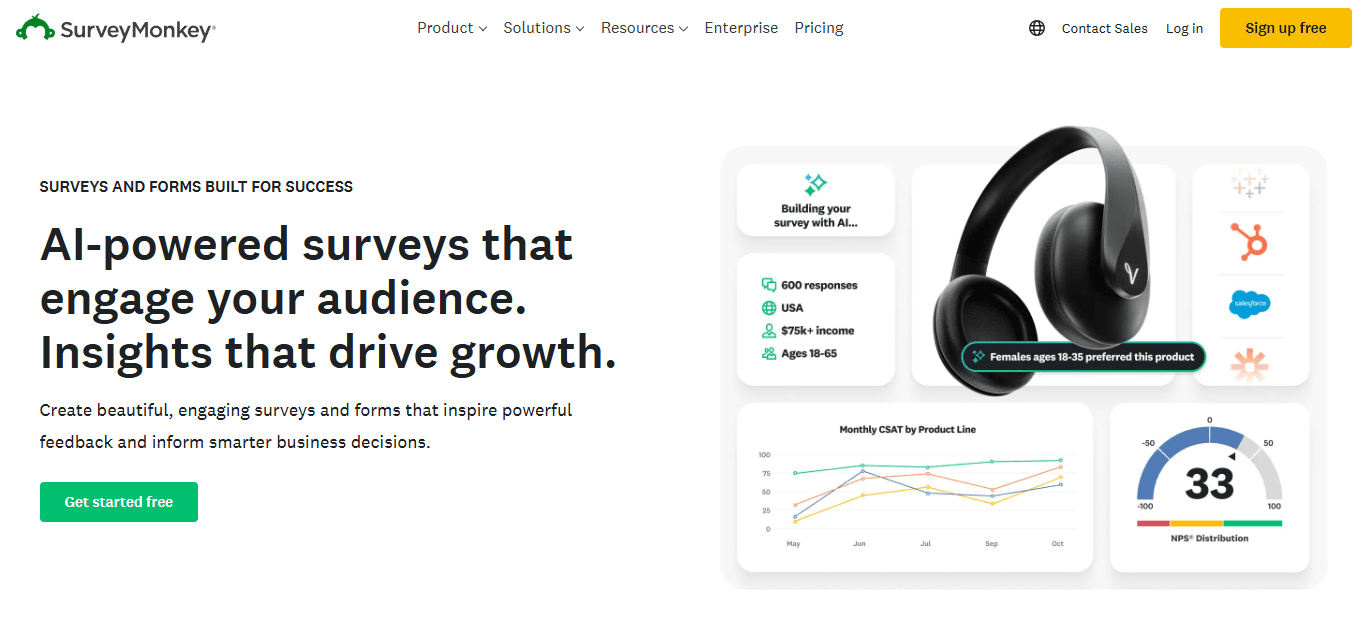
Many teams start looking for SurveyMonkey alternatives once they run into limits with cost, design, or features.
Pricing concerns for growing teams
The Basic and Starter plans include SurveyMonkey branding. With the Basic plan, you can also ask only 10 questions and see only 25 responses.
These plans also limit data exports and advanced survey logic, which often pushes teams to move to higher-priced plans.
The Team Advantage plan includes up to 50,000 responses per user each year. If you go over that limit, extra responses cost about $0.10 each, which can add up for growing teams.
Limited customization options
To create surveys using custom themes, colors, or fonts, you need a paid plan.
Survey templates are already designed for you, but they can look similar to each other.
You can only make small layout changes, and custom CSS is usually only available on top-tier plans. Because of this, some surveys can feel outdated or generic.
It can make it difficult to fully match surveys to your brand.
Logic and branching
Skip logic and branching features support conditional paths, but can feel hard to use and take a lot of time to set up for complex surveys, especially on lower-tier plans.
Reporting depth
Plans include charts, real-time results, and data exports to CSV, PDF, and SPSS.
Some statistical tools are available on paid plans. However, the built-in analysis is limited for advanced insights, which often requires exporting data to external tools for deeper analysis.
AI features, such as survey generation, are available, but they currently offer basic functionality.
Key Features To Compare When Choosing Survey Software
Picking the right survey tool means looking beyond basic online forms. You want software that can handle your current projects and still grow with you.
Here’s what really matters when you compare survey platforms.
| Feature | What It Does |
|---|---|
| Question Types and Logic | Offers an intuitive interface, multiple question formats and conditional logic to create dynamic surveys. |
| Customization and Branding | Allows logos, brand colors, themes, and layout customization for professional survey design with an easy-to-use interface. |
| Response Collection Limits | Sets limits on responses and may include overage fees as usage increases. |
| Data Analysis and Reporting | Provides dashboards, charts, segmentation tools, and data export options so you can streamline data collection. |
| Integration Capabilities | Connects with CRM, marketing, email, and analytics tools to automate workflows. |
| Multi-language Support | Enables surveys to be translated and distributed across regions. |
| Security and Compliance | Supports standards like GDPR, SOC 2, and encrypted data storage. |
| Pricing and Scalability | Shows how costs change as usage, responses, or users increase. |
| Customer Support Quality | Provides help through chat, email, phone, or dedicated support teams. |
| Ease of Use and Interface Design | Includes drag-and-drop builders and easy navigation for fast survey creation. |
| Response Collection Channels | Supports distribution through email, social, embeds, QR codes, and conversational surveys. |
| AI Survey Builder Features | Uses AI to give more advanced features and help generate surveys, questions, and structure. |
| Templates and Survey Design Flexibility | Offers pre-built templates with customization options to create surveys quickly. |
Your ideal survey tool depends on your needs. A user-friendly interface helps teams that aren’t tech-savvy. AI survey builder features can speed things up, and an extensive template library and survey customization options give you control over how everything looks and feels without a learning curve.
Best Survey Monkey Alternatives: Quick Comparison Table
There are so many options out there, it’s easy to feel overwhelmed. The five SurveyMonkey competitors below each bring something different to the table, with features and pricing models for all sorts of requirements.
Here’s a quick look at how these tools stack up.
| Tool | Starting Price | Free Plan | Response Limits | Key Standout Features | Best For |
|---|---|---|---|---|---|
| Porsline | €23 per month | Yes | No limit/charge for response collected | Multi-language support, conditional logic, payment integration | Professionals and organizations needing multilingual forms with strong analytics |
| Alchemer | $55 per user per month | Only for the Professional plan | Annual response limits depend on the plan and start at 75,000 per account | Advanced data integration, API access, workflow automation | Enterprise teams requiring complex data management |
| Survicate | $79/month | Yes, with 25 responses/month | Starts at 100 responses/month on paid plans | Website and in-app surveys, email surveys, seamless integrations | Customer experience tracking across multiple touchpoints |
| Zonka Feedback | Custom pricing | No | N/A | Omni-channel capability, multilingual surveys, AI feedback intelligence | Businesses collecting feedback at physical locations |
| QuestionPro | $99/month | Yes, with 200 responses per survey | Starts at 25K responses/year on paid plans | Advanced question types, conjoint analysis, workforce tools | Research professionals conducting detailed studies |
When picking your tool, consider if you need features like offline access, advanced analytics, or specific integrations with your existing stack.
5 Top Survey Monkey Competitors In 2026 (Ranked List)
Here are the five strong SurveyMonkey alternatives to check out in 2026:
- Porsline: Gives you a full solution with advanced features for building an unlimited number of forms, quizzes, and surveys. The analytics are strong, too. Start a free trial now.
- Alchemer: Well-known for advanced logic and branching, it's good for market research and offers detailed reporting that goes beyond the basic surveys.
- Survicate: Works for collecting customer feedback directly on your website or app. The seamless integrations make deployment quick and painless.
- Zonka Feedback: Specializes in real-time feedback collection across multiple channels. If you need instant, valuable feedback from customers, this is worth a look.
- QuestionPro: Built for researchers who need advanced question types like conjoint analysis and max diff. You also get 24/7 live chat support, which is a lifesaver sometimes.
Each of these platforms brings something unique. Some focus on ease of use, others on customer data, advanced features or survey customization.
Many offer better free plans than SurveyMonkey, and most have clearer pricing. The right tool depends on your budget, tech needs, and the types of surveys you want to run. No single answer fits everyone.
Porsline
Porsline is a customizable online survey tool that makes creating online surveys, forms and quizzes a breeze, even if you can’t code. Over 50,000 companies trust it to collect data and make smarter business decisions.
You can start from scratch or grab one of 200+ customizable survey templates from the extensive template library. That saves a lot of time.
Porsline works well for improving customer experience, managing employee feedback, or running market research.
You can tailor surveys to your goals, whether you’re in healthcare, education, retail, or any other industry. The platform lets you gather valuable insights at all the key touchpoints in your business.
You get more than 25 question types, so you can collect exactly the form data you need.
ant text answers, file uploads, ratings, or even payment options?
It’s all there.
Porsline also supports multiple languages. You can create forms in Turkish, Arabic, Spanish, and Russian, in addition to English.
Start a free trial to see how it works.
Best for
Porsline fits small businesses, market research teams, HR, and customer support teams that need fast, flexible feedback collection. It’s also a strong choice for teams working with international audiences or needing multi-language surveys.
Key features
Form creation and customization
- Create unlimited forms with no limits on questions
- Choose from 40+ themes with full customization
- Add images and videos to questions
- Use a custom subdomain and edit URL slugs
- Add logos and custom background designs
Smart features
- Build advanced workflows using if-then logic rules
- Use built-in calculations and formulas
- Verify respondents using OTP, email, or imported codes
- Set timers and schedule automatic form start or close times
Response management
- No limits on total submissions
- Accept partially completed responses
- Track form views and engagement
- Search and filter response data
- Export data for external analysis
- Add captions to charts for easier data interpretation
Integration options
- REST API for data transfers
- Connect with CRM platforms
- Integrate with SMS tools and email service providers
- Sync data with Google Sheets
Pricing overview
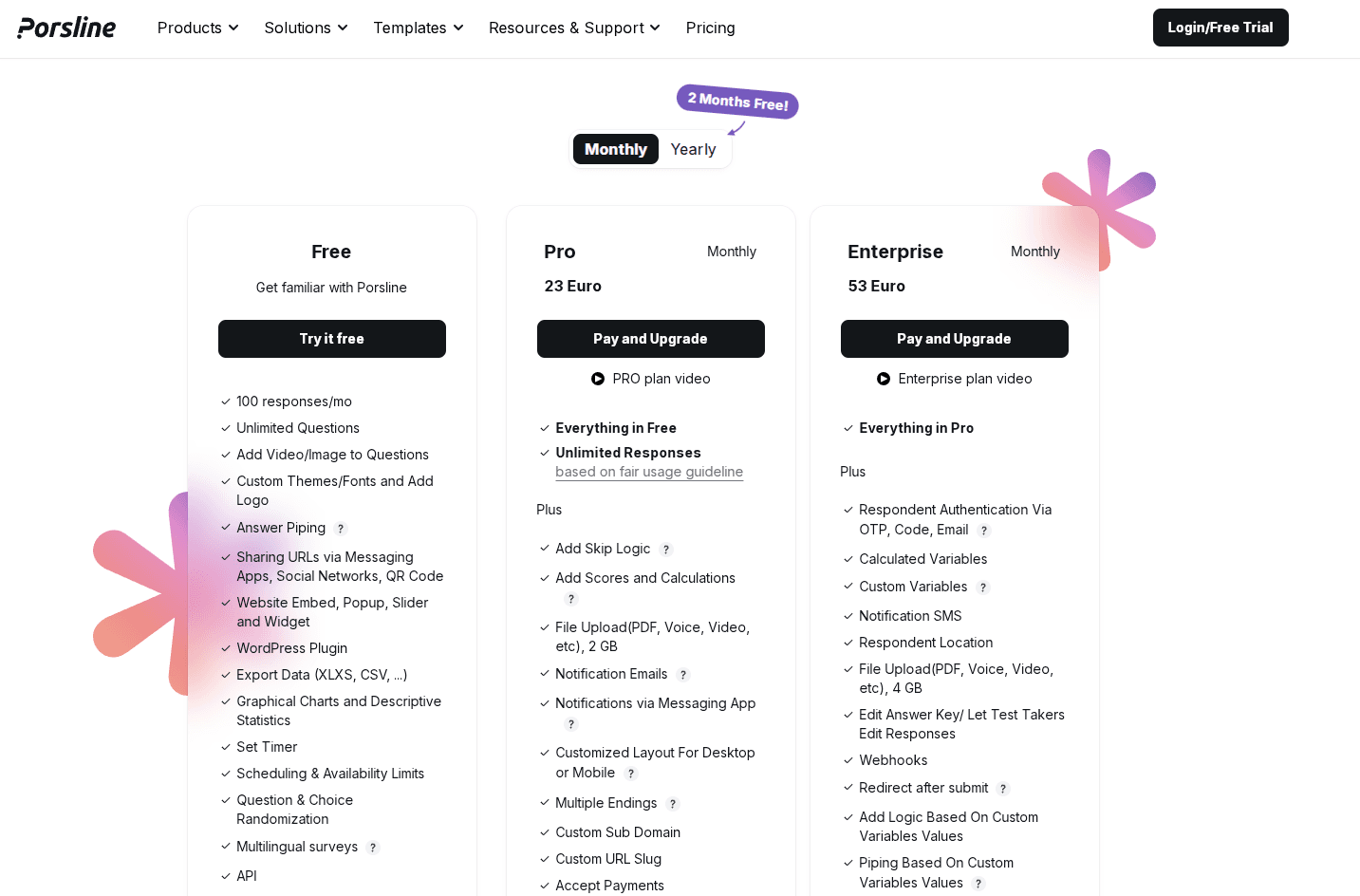
Porsline offers a clear upgrade structure. The Free plan includes core survey features. The Pro plan starts at €23 and adds unlimited responses, advanced logic, file uploads, and notifications.
The Enterprise plan includes everything in Pro, plus additional security and control features such as respondent authentication, webhooks, and SMS alerts, making it suitable for larger teams.
Start with a free trial to experience the platform.
Alchemer
Alchemer, previously known as SurveyGizmo, is a strong survey platform built for teams that want more than just the basics. You can dive into creating online surveys with advanced features, but the interface stays friendly enough for people who aren't tech wizards.
The quick survey creation process really stands out. Most teams jump in and start collecting survey responses within hours, not weeks. IT support? Usually not needed.
Best for
Teams looking for advanced features and actionable insights without the hassle or the price tag of enterprise tools.
Key features
- 43 question types for survey customization
- Conditional logic and smart workflows
- Unlimited surveys and questions on paid plans
- Custom branding and survey design control
- Multiple report types and data visualization
- Over 240 software integrations
- Response caps instead of per-response pricing plans
- AI-powered analysis tools for valuable insights
- In-app feedback collection options
Pricing overview
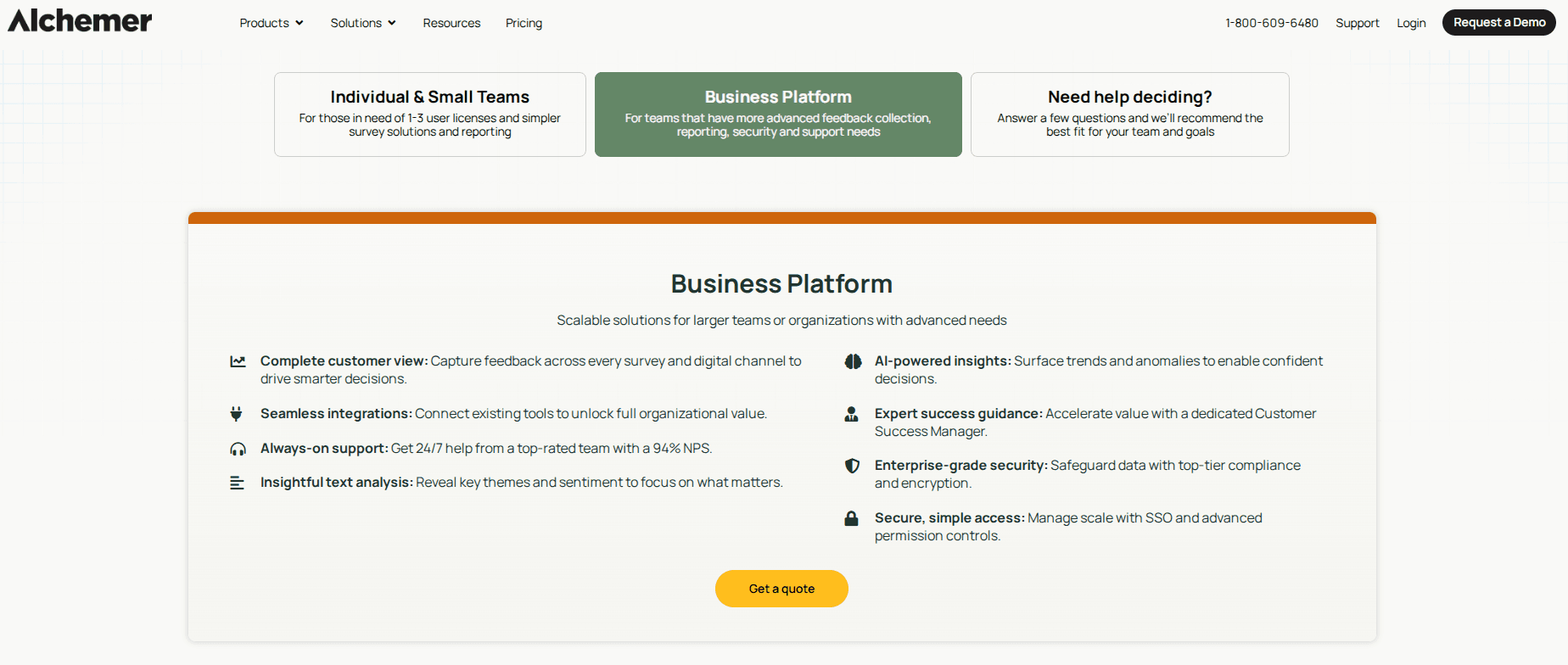
Alchemer delivers a full-featured solution for larger teams and organizations with advanced needs.
Instead of highlighting low entry pricing, it emphasizes value through features like advanced analytics, integrations, security, and dedicated support.
Pricing is not fully transparent since teams need to request a quote, which can make it harder to quickly compare costs or plan budgets early.
Survicate
Survicate is a customer feedback platform that helps you gather feedback across the entire customer journey. You can use the AI survey builder, pick from customizable survey templates, or start from scratch.
Surveys reach users through your website, email, mobile app, and even social media.
This multi-channel approach is what makes Survicate interesting. Place surveys at key touchpoints, and you'll get a clearer picture of what users think as they interact with your product or service.
Best for
Survicate works for digital businesses that need to reach users wherever they are: on your site, in your app, or through campaigns. If you want personalized surveys tied to specific actions, it's a solid choice.
Key features
- AI survey generation and extensive template library
- Multi-channel survey distribution (web, email, mobile, social)
- Custom branding options like logos, colors, domains
- AI analysis for open-ended responses
- Skip logic and conditional questions
- Research Assistant for automated insights
- Multi-language support with auto-translation
- Native integrations with popular tools
- Real-time analytics and custom dashboards
Pricing overview
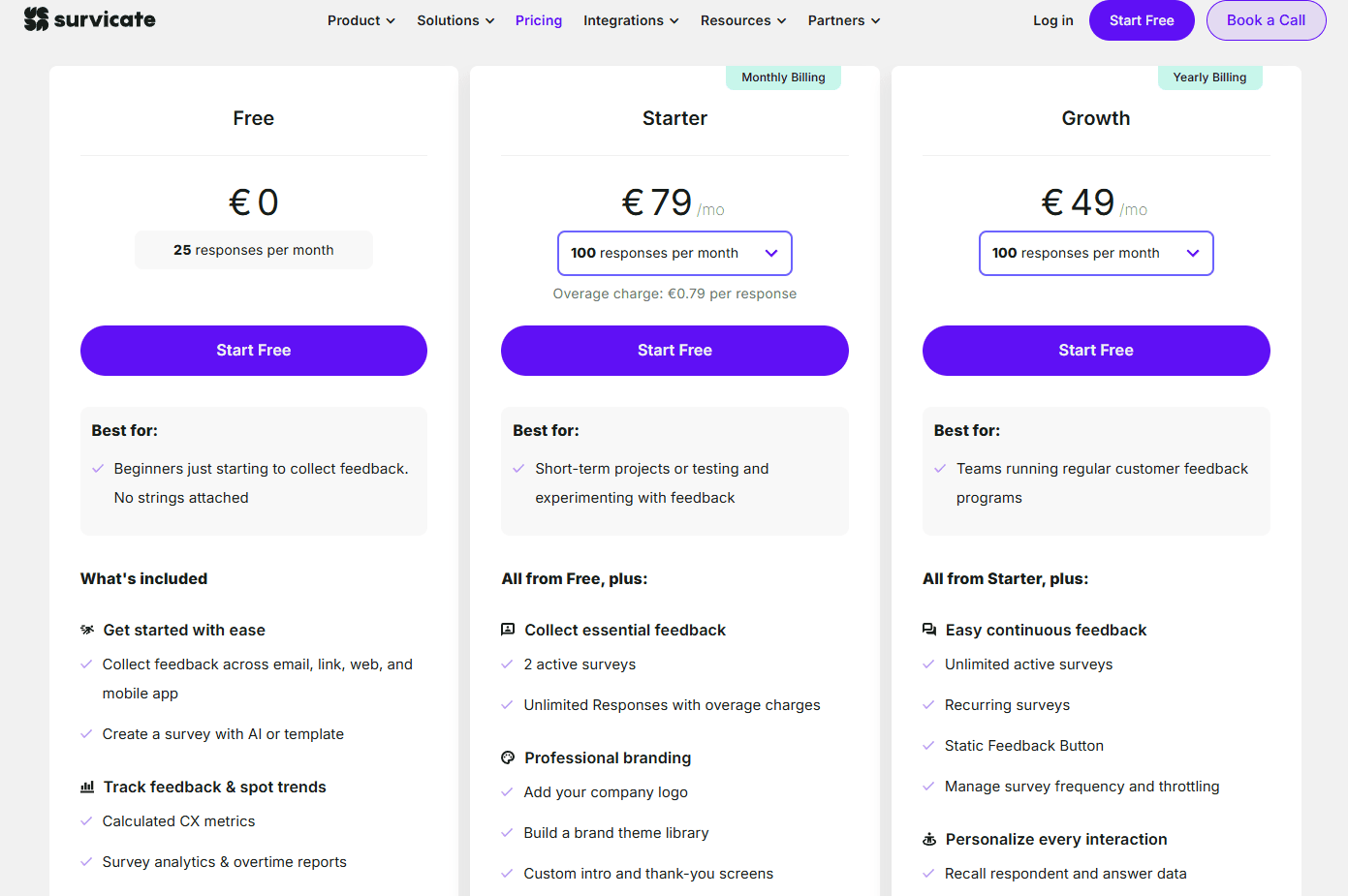
Survicate supports teams as they grow, starting with a free entry option and moving into paid plans that add more responses, active surveys, branding, and automation features.
The tiers clearly separate use cases, from basic feedback collection to continuous customer feedback programs.
Response limits on lower tiers are relatively low, which can push teams to upgrade sooner if feedback volume increases. Overage charges on some plans can make monthly costs less predictable, especially for teams running multiple surveys or scaling feedback programs.
Zonka Feedback
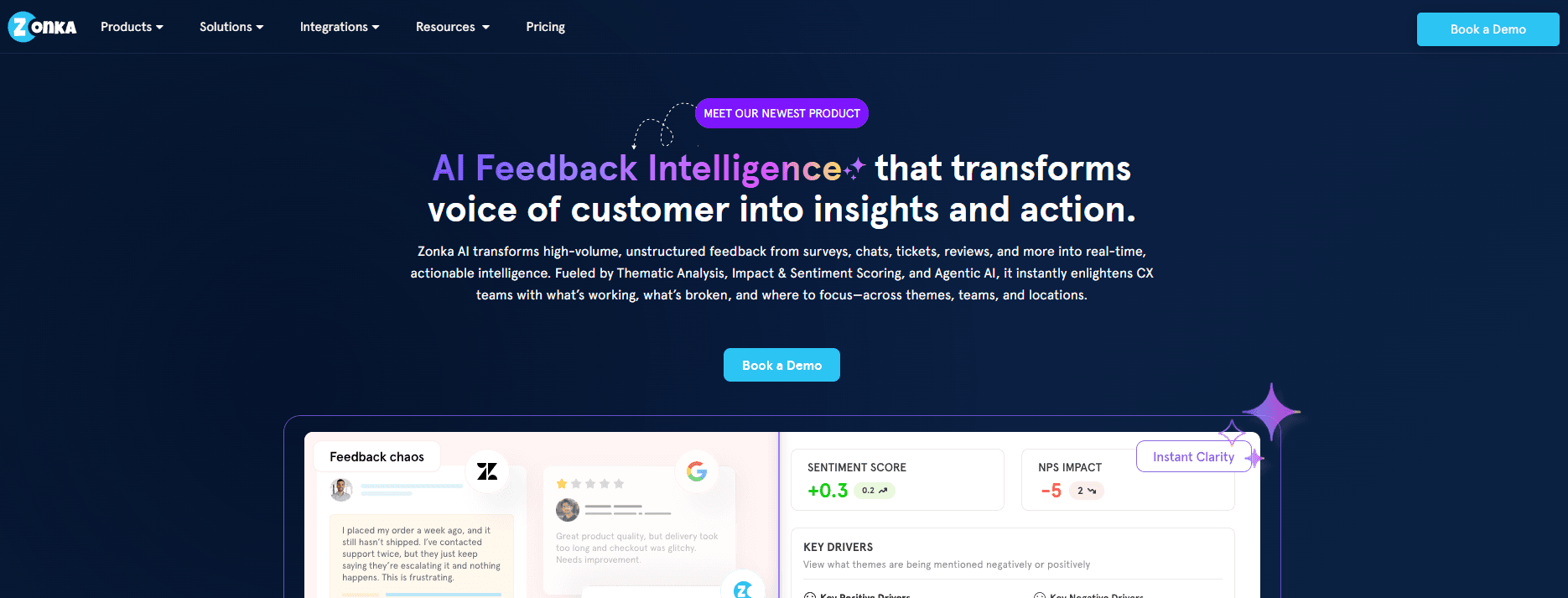
Zonka Feedback helps you collect valuable feedback across multiple channels. You can gather form data from web surveys, mobile apps, kiosks, SMS, and email. It's especially handy for businesses that want to track customer satisfaction in real time.
AI-powered analysis and trend spotting are baked in. The platform automatically tags and organizes feedback, making it easier to analyze survey data and act quickly.
Integrations with popular business tools pull all your data together.
Best for
Companies that collect feedback at physical locations or need offline survey capabilities. It's a strong pick for managing multiple sites with centralized reporting.
Key features
- NPS, CSAT, and CES customizable online surveys
- Offline data collection for kiosks and tablets
- Real-time feedback alerts and notifications
- AI-powered sentiment analysis and tagging
- Multi-channel distribution options
- Custom branding and white-label surveys
- Role-based access for collaboration
- Automated survey triggers based on customer actions
Pricing overview
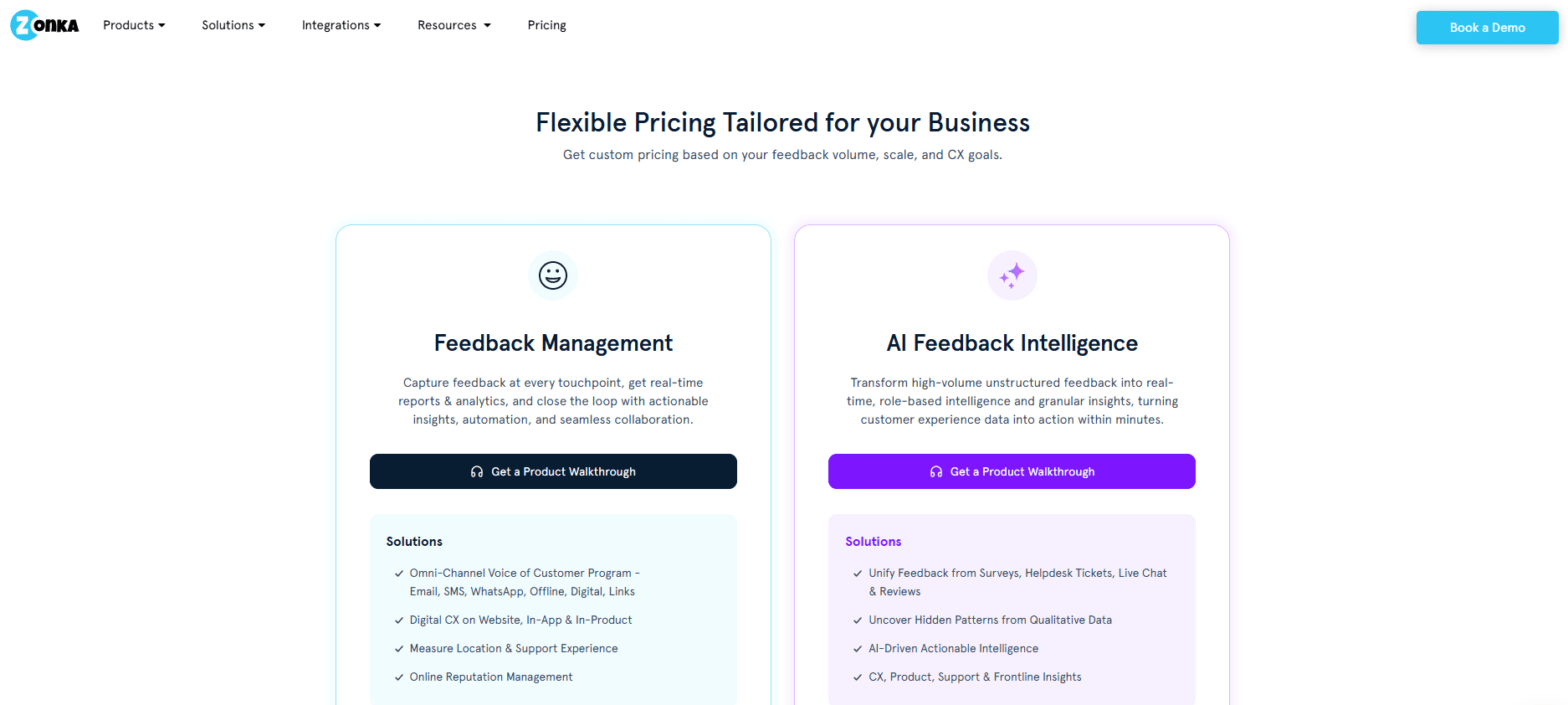
Zonka Feedback uses custom pricing based on feedback volume, business size, and CX needs.
Instead of fixed tiers, pricing is tailored to how teams collect feedback, run CX programs, and use analytics, automation, and integrations.
Some advanced features, like AI Feedback Intelligence, may also require add-ons, which can increase total costs.
QuestionPro
QuestionPro delivers a robust platform for organizations that need more than the basics. Security is a big priority here.
The AI survey builder speeds up the survey creation process. You can whip up a survey in about a minute using their conversational interface.
Need help? Their 24/7 customer support is always available, which is reassuring if you're new or just stuck.
Best for
Large companies needing enterprise-level features or handling sensitive data should take a look. With strong security certifications, you can trust that your data is safe.
Teams wanting to connect their survey data with other business systems will find plenty of integration options.
Key features
- AI-powered survey creation
- 24/7 customer support
- API and FTP sync for integration
- Advanced user roles and permissions
- Single sign-on (SSO)
- Real-time dashboards and reporting
- Export data in SPSS, Excel, and PDF
- Multiple global data centers
Pricing overview
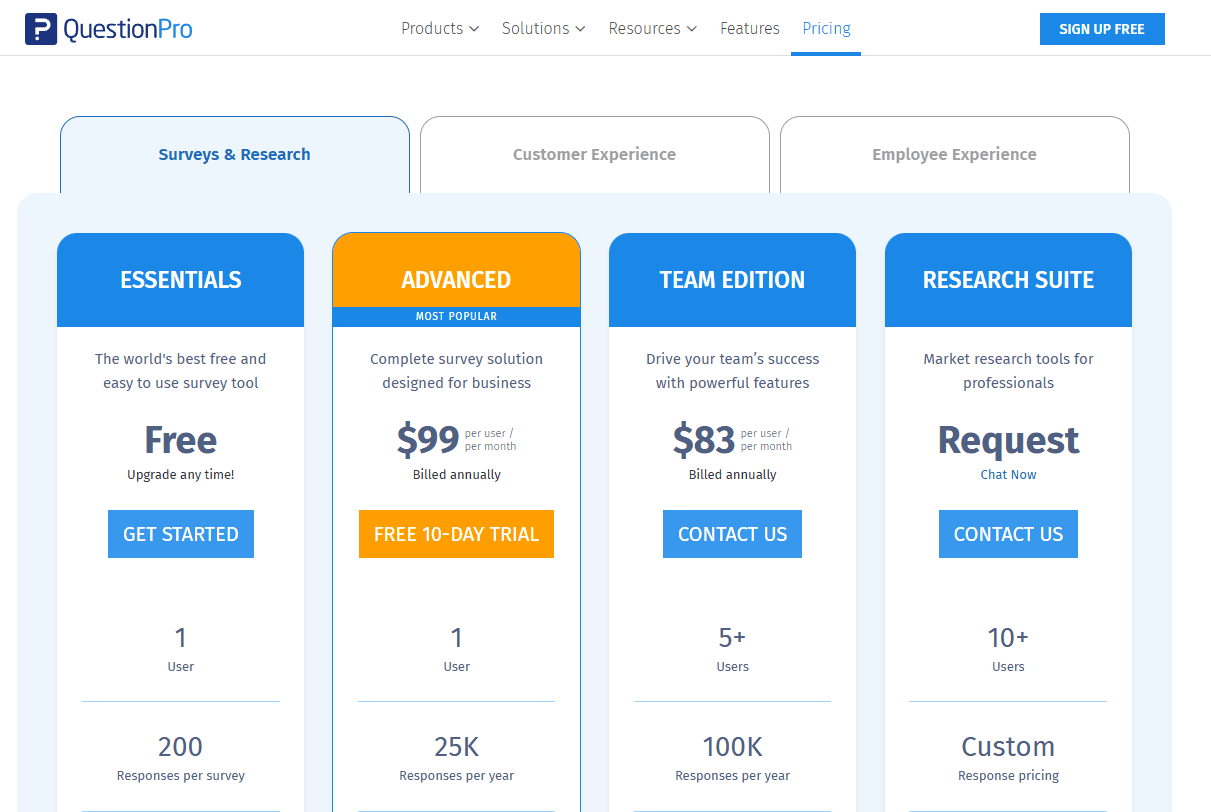
QuestionPro offers tiered pricing that scales from a free plan for individuals to advanced and enterprise-level research solutions.
Paid plans add higher response limits, more question types, collaboration tools, branding, integrations, and advanced analytics, with enterprise options offering custom pricing and specialized research tools.
Why Porsline Is The Best Survey Monkey Alternative

Porsline stands out as the best SurveyMonkey alternative for a few reasons. The platform ditches the per-response pricing, so you can collect unlimited valuable feedback without surprise costs. All your data exports in a single Excel file, not a bunch of weird chunks.
The advanced response quality controls are a game-changer. You can set up custom input formats with regex to make sure people give you exactly what you need. Restrict file uploads to certain formats, and you'll get cleaner form data from the start.
For creating online surveys that double as tests and quizzes, Porsline really shines. You can build anything from simple quizzes to complex assessments with custom grading. No extra tools needed.
Security and access controls are stronger than most. Encrypt URL parameters to protect sensitive info in your survey links. You can even require SMS or email authentication for respondents, adding another layer of security.
The scheduling features are actually useful. Set quotas for answer choices, which is perfect for appointment booking or event registration. Location detection helps with field research and order forms, too.
Real-time monitoring means you get notified instantly via SMS or Telegram when responses come in. No need to keep refreshing a dashboard.
Reporting tools let you analyze survey data with advanced filters. You can tweak chart colors, sort results, and choose between conversational or classic display modes depending on your audience
Start a free trial now to see how it works.
Conclusion About Survey Monkey Competitors
SurveyMonkey works well for basic surveys, but you might need more features, better pricing, or stronger support.
Your choice should match your project requirements. Consider what features you actually need versus what sounds nice to have. Think about your budget and how often you'll run surveys.
Most platforms offer free trials so you can test them before committing.
Porsline offers the best combination of features, pricing, and ease of use for professional surveys. You get advanced question types, custom branding, and real-time reporting without the high costs of enterprise platforms.
The platform includes skip logic, multiple question formats, and detailed analytics. You can customize surveys to match your brand and collect unlimited responses on most plans.
Key benefits of choosing Porsline:
- Advanced features at affordable prices
- User-friendly interface that saves time
- Strong customer support when you need help
- Custom branding options for professional surveys
- Detailed reporting and data analysis tools
Ready to upgrade your surveys? Start a free trial and see how much you can save while getting better features than SurveyMonkey.
FAQs About Survey Monkey Alternatives
What is the best alternative to SurveyMonkey?
It really depends on what you need. Porsline stands out as a balanced option, offering advanced features like conversational forms, strong customization, automation, and multi-language support while still being easy to use.
Is there a free option for Survey Monkey?
SurveyMonkey does have a free plan, but it's pretty limited. You can ask up to 10 questions and collect up to 25 responses per survey. Advanced logic, detailed exports, and custom branding aren't included on the free plan.
Is Google Survey or SurveyMonkey better?
Google Forms is better if you're after a basic, free tool that connects with Google Sheets. SurveyMonkey has more question types and features, but most of the good stuff is behind a paywall. Pick based on your budget and what features you actually need.
What is the best survey app for free?
Google Forms is probably the best free option. You get unlimited surveys and responses without cost, but with basic features.
Is there a free version of SurveyMonkey?
Yes, SurveyMonkey offers a free version, but with lots of restrictions. You get limited questions and responses. Many SurveyMonkey alternatives give you more on their free plans.
Is SurveyMonkey the best?
SurveyMonkey is popular, sure, but it's not always the best fit. Some platforms offer better reporting, simpler interfaces, or more affordable pricing. Your best choice comes down to your specific needs.
Which survey platform is best?
There’s no single winner, but Porsline stands out for teams that want a strong mix of advanced features and ease of use. It offers conversational forms, automation, customization, and multi-language support without being overly complex.
Is Qualtrics or SurveyMonkey better?
Qualtrics offers advanced research tools and AI-driven insights for deep survey data analysis, while SurveyMonkey focuses on simplicity for basic surveys and feedback collection.
Qualtrics is better suited for academic research, complex survey design, and statistical analysis. SurveyMonkey works well if you want an easy drag-and-drop builder, templates, and fast survey creation.
Both support customizable surveys, but Qualtrics provides stronger customization and data routing. SurveyMonkey prioritizes speed and ease of use.
SurveyMonkey is usually more affordable and includes AI-powered survey-building tools.