Event Sponsorship Application Form Template
Building an event sponsorship application form shouldn’t take a committee meeting. In a few focused steps, you’ll capture brand fit, package preferences, and budget—then automate follow-ups in Porsline so the right sponsor gets the right next step.
Sponsorship is won in the first five minutes—often inside your event sponsorship application form. If the form is vague, you’ll drown in “just exploring” enquiries. If it’s sharp, you’ll surface serious partners with clear budgets, objectives, and the rights they value most.
We’ll show you exactly what to ask (and what to avoid), how to route applicants by budget and package interest, and how to map answers to the right tier (Bronze/Silver/Gold or bespoke). You’ll also get a copy-paste blueprint you can implement in Porsline—complete with conditional logic, file uploads (brand kit/proposal), auto-emails, and clean data exports for your CRM.
By the end, you’ll have a lean form that:
Captures decision-ready details (company, goals, audience fit, budget, in-kind vs. cash).
Filters and routes applicants automatically to the right package owner.
Speeds up approvals and sets realistic expectations about deliverables and reporting.
Ready to turn generic sponsor interest into qualified opportunities? Let’s build the form that does the heavy lifting.
What is an Event Sponsorship Application Form in Events?
An event sponsorship application form is a structured intake tool used by organisers to collect the information they need to qualify potential sponsors, match them to the right package, and move serious opportunities toward contract. Unlike a loose “contact us” form, it asks for the details that predict fit—objectives, audience overlap, budget (cash or in-kind), preferred rights/assets, timelines, and decision authority—so your team can prioritise quickly.
What it captures (at a minimum)
Company profile & sector (to avoid category conflicts/exclusivity clashes)
Goals & target audience (why this event, who they want to reach, channels of interest)
Budget allocation and in-kind contributions (media, products, services)
Package interest (Bronze/Silver/Gold/bespoke; on-site vs. digital deliverables)
Brand/usage rules (logo guidelines, approvals, restricted categories)
Files (brand kit, sample creatives, proposal deck, certificates, tax/VAT info)
Contacts & authority (sign-off role, procurement/legal involvement, SLA expectations)
this form isn’t for collecting “interest”—it’s a qualification engine. It standardises the data you need, routes the right sponsors fast, and sets clear expectations about benefits and deliverables.
Start Your Free Survey Trial on Porsline
Why This Form Wins Sponsors Faster?
Speed and consistency decide sponsor revenue. A standardized event sponsorship application form upgrades data quality, qualification speed, and team coordination from day one.
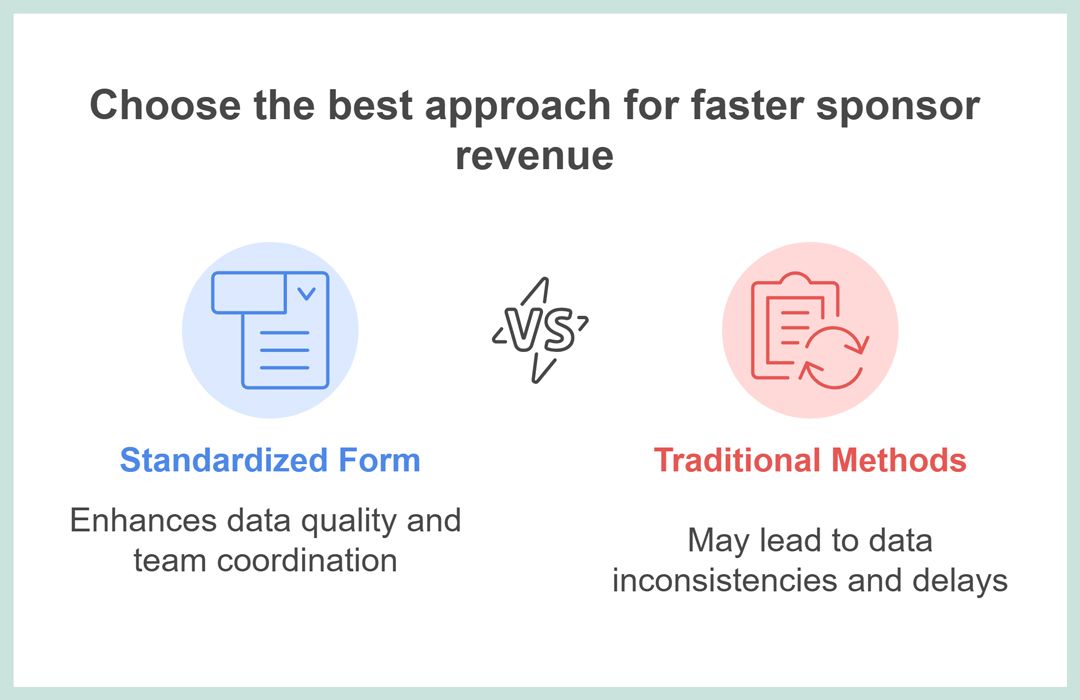
Cleaner intake, fewer emails: One structured flow captures company info, objectives, package interest, and budget—reducing miscommunication and manual copy-paste.
Qualification you can trust: Scoring fields (budget fit, audience alignment, activation readiness, timeline) create an objective “hot/warm/cold” view instead of gut feel.
Faster cycle time: Auto-routing + instant confirmations move hot prospects straight to discovery calls; others receive tailored nurture with media kit links.
Operational alignment: Collect brand assets, invoicing details, and legal constraints up front (category exclusivity, logo usage, cancellation terms) to avoid last-minute blockers.
Better forecasting: Standardized fields feed a live pipeline by tier (Title/Gold/Silver), giving earlier revenue visibility for stage branding and production orders.
Compliance & audit trail: Centralized submissions preserve agreements, consent, and change logs—useful for finance, legal, and post-event reporting.
Scalable across events: Duplicate the template for conferences, festivals, and sports; localize labels, currencies, and VAT notes without breaking structure.
Data quality by design: Required fields, validation (email/phone), and conditional logic prevent incomplete or off-spec submissions.
Behavioral clarity for sponsors: Clear expectations (benefits, deadlines, asset specs) reduce friction and increase completion rates.
Evidence base: Organized intake correlates with higher conversion from inquiry to proposal when paired with timely follow-ups
This template converts scattered interest into qualified, forecastable pipeline—minimizing friction and accelerating closes.
Different events need different fields. Your event sponsorship application form adapts with conditional logic, scoring tweaks, and tailored assets to qualify faster.
Conference & Expo Sponsorship Application
Best for: B2B conferences, trade shows.
Key fields: Audience match, tier/package, booth size, speaking interest, lead-retrieval needs.
Conditional logic: If “Speaking interest” → topic + speaker bio; If “Booth” → dimensions, power, rigging.
Scoring tweak: Heavier weight on audience alignment and budget fit.
Festival / Live Event Sponsorship Application
Best for: Music, culture, food festivals.
Key fields: On-site activation (sampling, stage branding), permits, safety/compliance, load-in/out logistics.
Conditional logic: If “Sampling” → permit type + storage; If “Alcohol” → age-restriction + licensing.
Scoring tweak: Activation readiness and safety compliance.
Sports Event / Club Sponsorship Application
Best for: Tournaments, clubs, leagues.
Key fields: Assets (LED boards, jerseys), exclusivity category, community engagement plan.
Conditional logic: If “Jersey branding” → design specs + approval deadlines.
Scoring tweak: Community fit + exclusivity budget.
Nonprofit / Charity Gala or Run Sponsorship Application
Best for: Galas, 5K/10K runs, CSR programs.
Key fields: Registration ID (charity/NPO), CSR objectives, in-kind vs. cash, receipt/invoicing needs.
Conditional logic: If “In-kind” → fair market value + logistics.
Scoring tweak: Mission alignment and reporting requirements.
Virtual Summit / Webinar Series Sponsorship Application
Best for: Online conferences, webinar tracks.
Key fields: Platform, session sponsorship, content rights, lead-sharing rules, attendee regions/time zones.
Conditional logic: If “Session sponsor” → abstract + speaker availability; If “Content rights” → usage term.
Scoring tweak: Content fit + lead-share mechanics.
University / Career Fair Sponsorship Application
Best for: Campus events, hiring fairs.
Key fields: Recruiting goals, departments hiring, interview room needs, data privacy.
Conditional logic: If “Interviews on-site” → schedule + room requirements.
Scoring tweak: Hiring readiness + student-fit criteria.
Pick a base, then tailor fields and scoring to your context—your form stays lean while qualifying sponsors with precision.
Key Questions to Qualify Sponsors
Keep it lean but complete. These fields qualify fit, surface logistics/legal needs, and speed up proposals. Use logic to reveal only what’s relevant.
Comparison of sponsor-related forms across purpose, timing, submitter, fields, and output.
| Question | Type | Purpose |
|---|---|---|
| Company legal name | Short text | Contracting entity. |
| Website | URL | Quick brand/fit check. |
| Industry / category | Dropdown | Exclusivity & audience match. |
| Primary contact | Short text | Single owner. |
| Work email | Confirmations & follow-ups. | |
| Phone/WhatsApp | Short text (Phone) | Time-critical coordination. |
| Sponsorship objectives | Multiple choice | Map benefits (awareness/leads/CSR). |
| Preferred package/tier | Multiple choice | Forecasting & routing. |
| Budget range (local currency) | Dropdown | Qualification. |
| Decision timeline | Dropdown | Sales velocity. |
| Activation needs | Multiple choice | Booth/speaking/branding/logistics. |
| Upload logo/brand guide | File upload | Speed artwork approvals. |
| Accept T&Cs & data consent | Consent | Compliance & policy acknowledgment. |
This set qualifies budget, fit, and logistics in one pass—ready for logic, scoring, and automation in the next step.
How To Build Event Sponsorship Application Form In Porsline (Step-By-Step)
With Porsline Form Builder, configure an event sponsorship application that standardizes intake, enforces data quality with validation and logic, scores fit (Hot/Warm/Cold), and automates confirmations, routing, and reporting for faster closes.
Step-by-step
Create the form & name it clearly
Go to your Porsline Dashboard and click "Create New Survey".
Choose to start from scratch or duplicate a ready-made template.
Title: Event Sponsorship Application
Description: one line on purpose + response time + who will contact them.
Add core fields (essentials first)
Company legal name, Website (URL), Industry/Category (Dropdown), Primary contact, Email, Phone/WhatsApp.
Package/Tier (Single choice), Budget range (Dropdown or Number), Decision timeline (Dropdown).
Objectives (Multi choice), Activation needs (Multi choice), Logo/Brand guide (File upload).
Consent (T&Cs + data processing).
Add useful optional (hide by default)
Speaking/panel topic, Category exclusivity, Competitors to avoid, In-kind details, Invoicing info, VAT/Tax ID, KPIs.
Localization & currencies
Duplicate the Budget field per market or use one field with currency label (SAR/AED/USD).
Localize date/time and phone validation to country format.
Conditional Logic (show only what matters & shorten the journey)
If Activation needs includes Speaking → show Speaking topic + speaker bio.
If In-kind = Yes → show FMV + logistics.
If Category exclusivity = Yes → show Category + competitor list.
If Package/Tier = Title/Gold → show Media kit download prompt.
If Budget < Bronze floor → skip to “Thanks + add to nurture” page.
If Budget ≥ chosen tier → jump to Calendar/next steps page.
Use a brief “Not a fit?” page that still collects permission for future packages.
How to define logic in multiple-choice (checkbox) questions?
- Piping for personalization
In confirmations: “Thanks, @Company name—we’ve noted your interest in @Package.”
In internal alerts: subject lines that include @Tier / @Budget / @Decision timeline.
Identity & access controls
If open to all prospects: keep public; enable email validation and rate-limit per email.
If invite-only: use unique links/Custom Variables (Source/Campaign/Owner) to auto-assign leads.
Notifications & routing
Internal alert to Sponsorship Manager when Qualification = Hot (include all key answers piped).
Auto-reply to applicant with media kit + next steps.
Optional: webhook/integration to CRM with Source/Campaign/Owner Custom Variables.
Dashboards & reporting
Create a view filtered by Tier and Qualification for pipeline forecasting.
Track submission trend by channel (from Custom Variables
Source/Campaign).Export with timestamps for revenue pacing.
Brand theming
Upload logo, set brand colors/background, and button style.
Use a clean success page with 2 CTAs: “Book a 15-min call” and “Download media kit.”
QA before publishing
Test all paths (Hot/Warm/Cold; each activation need).
Test verify file upload sizes; proof notifications; check placeholders render correctly.
You now have a lean, logic-driven form that personalizes, labels fit automatically, and routes next steps—so proposals land faster with fewer emails.
A standardized sponsorship application turns events into pipelines—predictable data, faster routing, and repeatable conversions across conference, virtual, nonprofit, sports, and festival formats.

Use this template across formats; adjust fields and end-pages for legal/permit-heavy cases (sports, festivals).
Standardize sponsor intake, qualify by budget and audience fit, and route next steps automatically. An event sponsorship application form turns scattered inquiries into a predictable, faster-closing pipeline.
Build this template in minutes and collect smarter data.
Start Your Free Survey Trial on Porsline
FAQ - Event Sponsorship Application Form Template
How do I create an event sponsorship form on Porsline?
Start with core fields (company, contact, website, objectives, tier, budget, timeline). Add conditional/skip logic, file upload, and consent. Publish and enable notifications.
What should be included in a sponsorship application?
Company and brand details, objectives, target audience match, preferred tier(s), budget range (local currency), decision timeline, activation needs, asset uploads, T&Cs/data consent.
How do I qualify event sponsors?
Score on budget–tier fit, audience alignment, decision timeline, and activation readiness. Label Hot/Warm/Cold and route Hot to discovery calls automatically.
How should I price sponsorship packages?
Define tier floors (Title/Gold/Silver) using deliverables and inventory value (stage branding, speaking, lead-share). Calibrate with past CPM/CPL benchmarks and demand forecasts.
Is a sponsorship commitment form legally binding?
Only if framed as an agreement with clear consideration, terms, and signatures. Otherwise treat the application as non-binding intent and move to a contract.
Can I accept in-kind sponsorships?
Yes. Include an In-kind option with fields for fair market value, logistics, and deliverables. Reflect FMV in tier equivalence and post-event reporting.
How do I automate follow-ups in a sponsorship application?
Send instant confirmations with media kit links, route Hot leads to calendar booking, and push all submissions to CRM via webhook for task assignment.
How do I measure ROI from sponsors?
Agree KPIs up front (leads, scans, trials, impressions). Track by Source/Campaign Custom Variables and export post-event reports with outcomes vs. package deliverables.

