


Whether you’re chasing feedback, registrations, survey responses, or customer data, picking the best software to create forms can save you hours and help you get genuinely better results.
But with so many online form builder apps out there, it can get overwhelming. How do you know which one to choose?
This guide walks you through the best software for creating forms in 2026. You’ll see what features matter, how different tools stack up, and which platform actually fits your needs.
What to Look For in the Best Software to Create Forms
Are you building contact forms, job applications, or big multi-step surveys? Are you interested in free options or paid ones?
Your answers shape which form builder software features you’ll need. Here are the most important ones to consider.
| Feature | What to Look For |
| Templates and Drag-and-Drop Editor | Ready-made templates you can tweak fast |
| Customization Options | Add your logo, colors, and design themes to match your brand |
| Question Types and Formatting | Multiple choice, text fields, ratings, file uploads, and more |
| Mobile-Friendly Design | Forms that look good on any device |
| Conditional Logic and Branching | Add conditional logic to show or hide questions based on responses |
| Autoresponders and Notifications | Automatic emails to confirm when website visitors submit |
| Approvals, Routing, and Assignments | Send submissions to the right team members |
| Integrations | Connections with your CRM, marketing, or Slack messages |
| Basic Dashboards and Summaries | Visual charts showing response trends |
| Filters and Segmentation | Sort and analyze responses by specific criteria |
| Export Formats | Download data as CSV or Excel files |
| Shareable Reports | Give team members access to results |
| Permissions and Team Roles | Set who can edit, view, or manage forms |
| Data Protection Options | Secure storage and encrypted connections |
| Compliance Needs | GDPR, SOC 2, or HIPAA requirements for regulated industries |
| Audit-Ready Workflows | Track changes and keep records for larger teams |
Think about how your needs might grow. Many tools have affordable starter plans, but costs can jump as you add new users or collect more partial submissions.
Your choice should balance what you need now with room to scale later.
Quick Summary of the Best Software to Create Forms
If you want to create surveys or new forms quickly, these five tools stand out for their user-friendly design and powerful features. Each one brings something different to the table.
- Porsline is the best form builder and a go-to choice for complete survey design, advanced analytics, and customization. It works for businesses of all sizes and lets you create unlimited surveys with unlimited responses. Start a free trial now.
- Jotform gives you thousands of templates and direct integrations with other tools. You can build complex forms without coding.
- Tally is a free online form builder that lets you create unlimited forms and responses. It’s great for simple feedback.
- Formstack focuses on advanced form building with industry-specific templates and strong compliance. It’s suitable when you need more customization or when you need to accept payments securely.
- Fillout is an all-in-one form builder that goes beyond basic surveys, with support for workflows, scheduling, payments, and PDF generation. It’s a good option if you want more automation as your forms grow.
You don’t need to be technical to get started, and you can share your forms with a link or embed them in your website builder.
The Best Software for Creating Forms at a Glance
Picking a go-to form builder can save you time and help you collect better data.
Each tool below serves different needs, whether you’re just collecting basic contact info or building advanced order forms with online payments.
Some platforms focus on ease of use, while others lean into advanced features or meta pixel tracking for marketing.
| Tool | Best for | Key Strengths | Free Plan | Starting Price |
| Porsline | Multilingual surveys + fast data collection | Quick setup, strong logic + authentication, automation support, built-in analytics | Yes | €23/month |
| Jotform | All-purpose business forms + payments | Huge template library, payments + e-signatures, database-style submissions, many integrations | Yes | $34/month (billed annually) |
| Tally | Free unlimited forms and submissions | Simple document-style builder, unlimited forms on free plan, logic + payments available | Yes | €29/month |
| Formstack | Secure forms + approval workflows | Enterprise workflows, Salesforce-friendly, strong compliance focus, document + signature tools | No | $99/month |
| Fillout | All-in-one forms + workflows + PDFs | Forms + scheduling + payments, PDF generation, automation, modern UX and integrations | Yes | $19/month |
Think about payments, number of responses, and customization before you decide.
The Best Software to Create Forms in 2026
Finding the best software for making forms is about collecting clean data, improving response rates, and saving your team time.
Below are the top form-building tools worth using this year, based on ease of use, features, and overall value for modern businesses.
Porsline
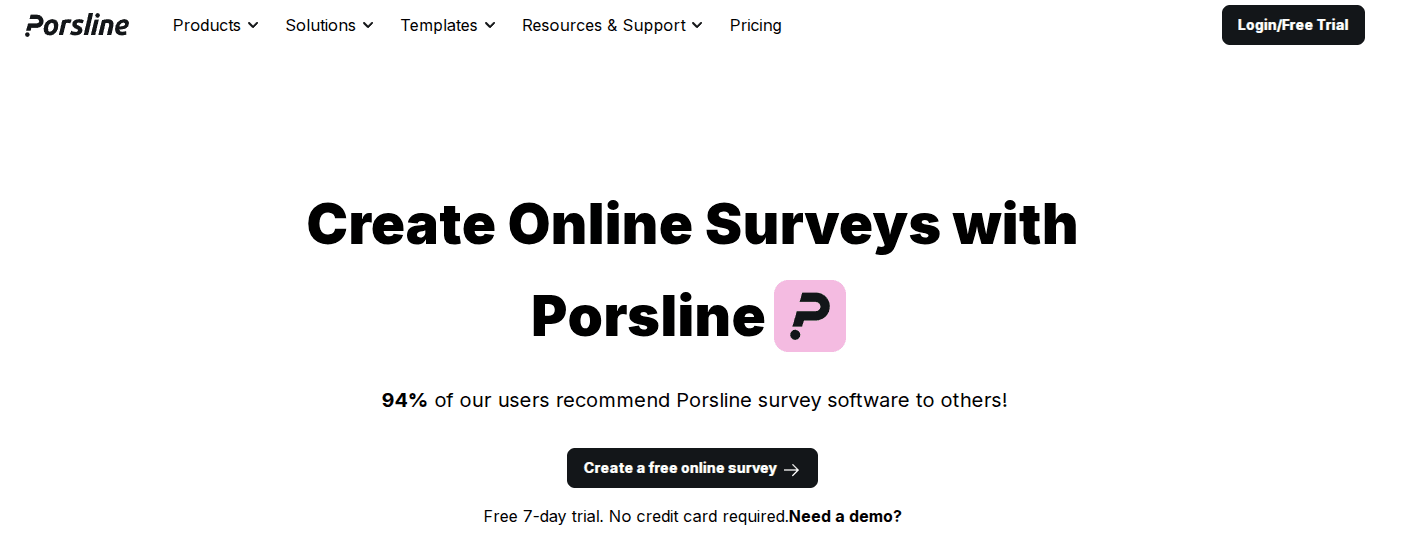
Porsline is an online form builder that helps you create mobile-friendly surveys, quizzes and forms without technical skills. With its drag-and-drop editor, you can make and publish a full survey in just a few minutes.
It’s a strong choice for teams that need multilingual forms, as it supports English, Turkish, Arabic, Spanish, and Russian.
Porsline also integrates with n8n, making it easier to automate workflows. If you need to score answers or process data during the survey, you can use formulas and calculations to do it instantly.
Best for
Porsline is a good match for small businesses, market research teams, HR departments, and customer support teams that need quick and flexible data collection.
It works exceptionally well in tourism and hospitality, healthcare, and the event industry, where fast feedback and straightforward reporting matter.
Key features
- Smart logic branching lets you show different questions based on previous answers.
- Authentication options include OTP, email verification, and imported codes.
- 40+ themes with full customization, including backgrounds and logos.
- RESTful API for passing data to and from your own servers.
- Advanced sharing options with custom URL slugs and subdomains.
- Built-in analytics for new submissions with search, filter, actionable insights, and export capabilities.
- Payment gateway integration for collecting online payments through forms.
- Advanced integrations with Google Sheets, Google Forms, and Google Analytics
- Timer controls with automatic start and close dates.
Pricing overview
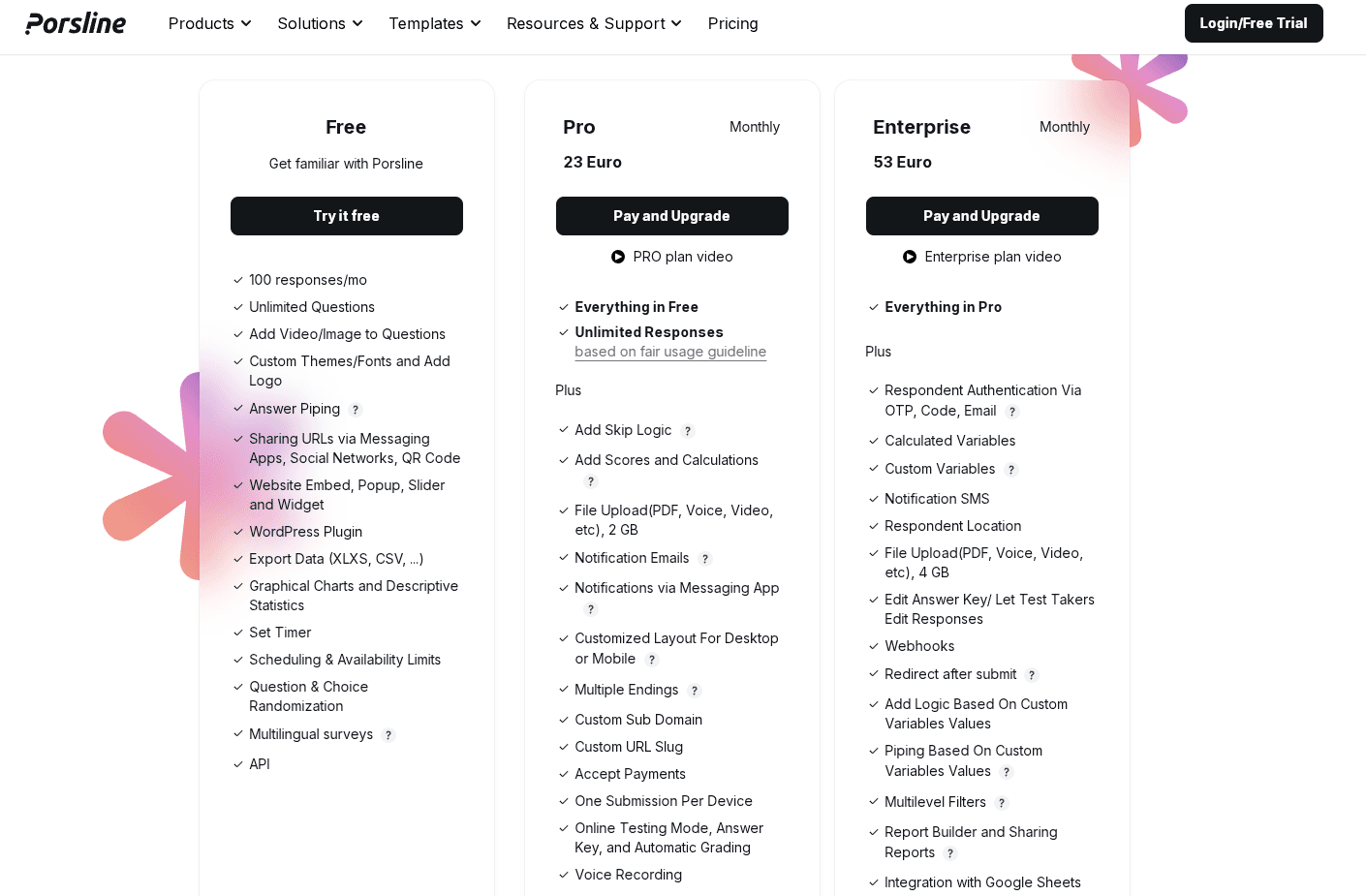
Porsline has three plans depending on how much you use it. You can try it completely free for running small surveys.
The Pro plan (€23/month) is a better fit for teams that run surveys regularly and need to collect more responses.
The Enterprise plan (€53/month) is designed for bigger teams that need more control, automation, and advanced reporting.
Start a free trial to test it before upgrading.
Jotform
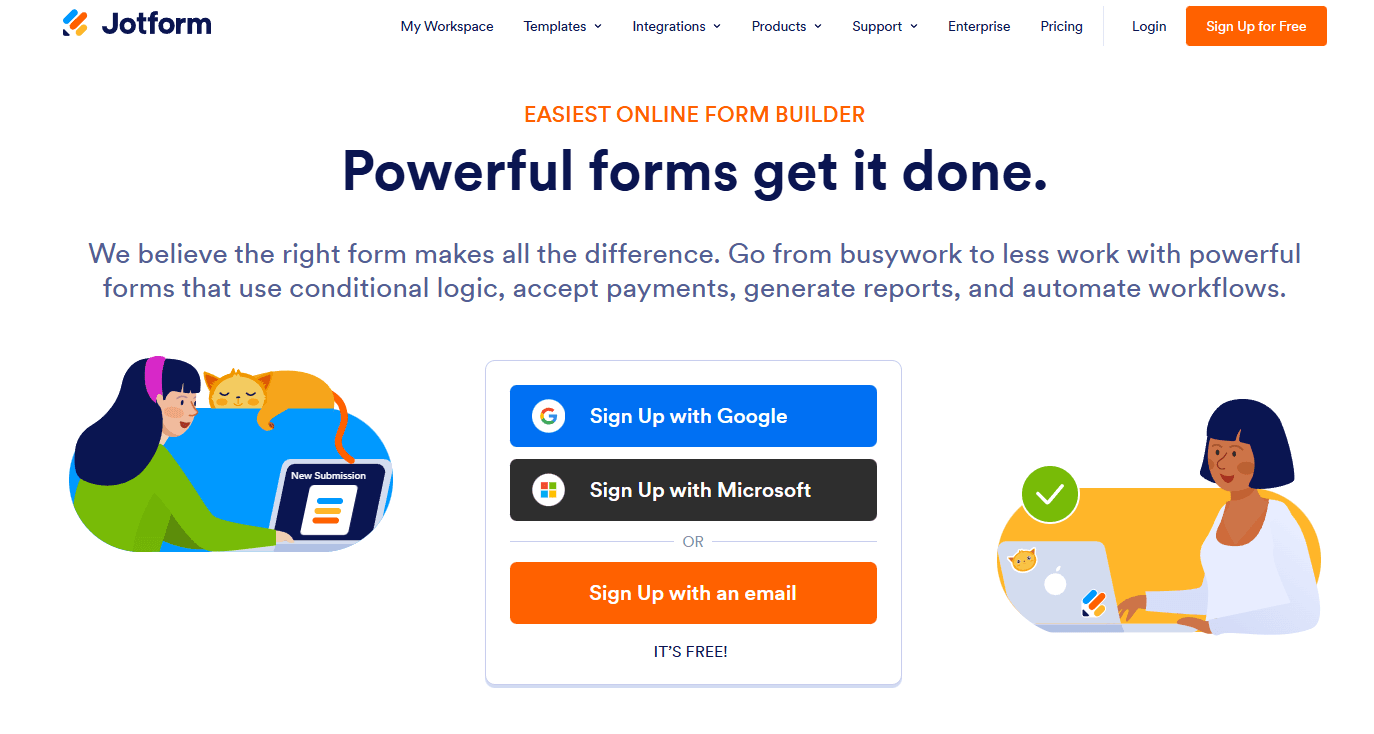
Jotform is a powerful form builder that has grown into a complete data-collection platform. You can create forms, accept payments, build mobile apps, and manage databases without writing any code.
Best for
Jotform is a good fit for small businesses, HR teams, healthcare providers, educators, and nonprofits. You’ll find it especially useful if you need payment collection, electronic signatures, or HIPAA-compliant forms. The platform also works for event registration and customer feedback collection.
Key features
- Drag-and-drop form builder with 10,000+ ready-made templates.
- AI form generator that creates forms from text prompts.
- Conditional logic to show or hide questions based on answers.
- Payment forms and integration with 30+ gateways, including PayPal and Stripe.
- Electronic signature collection with audit trails.
- Tables feature for managing submissions like a database.
- Report builder for turning data into visual charts.
- HIPAA compliance available on higher plans.
- 150+ direct integrations with apps like Slack and Google Workspace.
Pricing overview
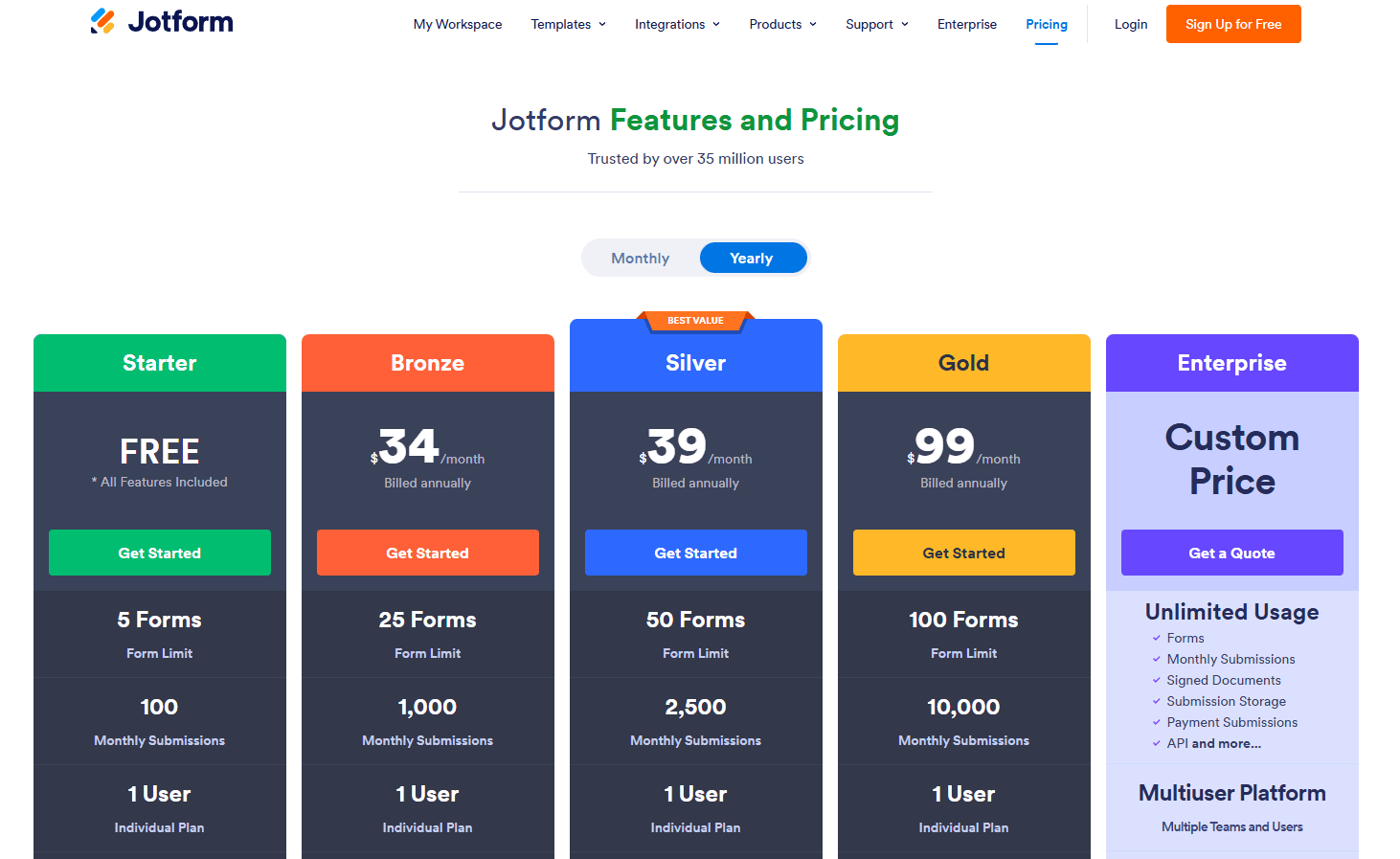
Jotform pricing starts with a free plan, then scales through Bronze ($34/month), Silver ($39/month), and Gold ($99/month), plus an Enterprise plan with custom pricing.
Each tier mainly increases your limits for forms, monthly submissions, storage, and form views, so you can upgrade as your data collection grows.
The free plan is very limited; pricing can rise quickly if you need more submissions or storage. The plans shown are annual billing; you need to sign up to see the monthly prices.
Tally

Tally offers a fresh take on form creation with its document-style interface. You type questions like you’re writing in a text editor, making the whole process feel natural and quick.
The platform works similar to tools like Notion. You add blocks for different question types by typing directly on the page. It removes the learning curve you often face with a traditional form builder plugin.
Best for
Tally makes form building easy. It suits anyone who needs unlimited forms without paying fees. It works well for small teams, content creators, and community organizers. You can build everything from simple contact forms to complex surveys with conditional logic.
Key features
- Unlimited forms and submissions on the free plan.
- Document-style editor that feels like writing in a text document.
- Conditional logic to create branching paths based on answers.
- Payment collection for order forms and checkout forms.
- File uploads to gather documents and images.
- E-signature collection for contracts and agreements.
- Custom branding with colors, fonts, and design themes.
- Multi-page forms for longer surveys.
- Embed options for websites and landing pages.
- GDPR compliance with European data hosting.
Pricing overview
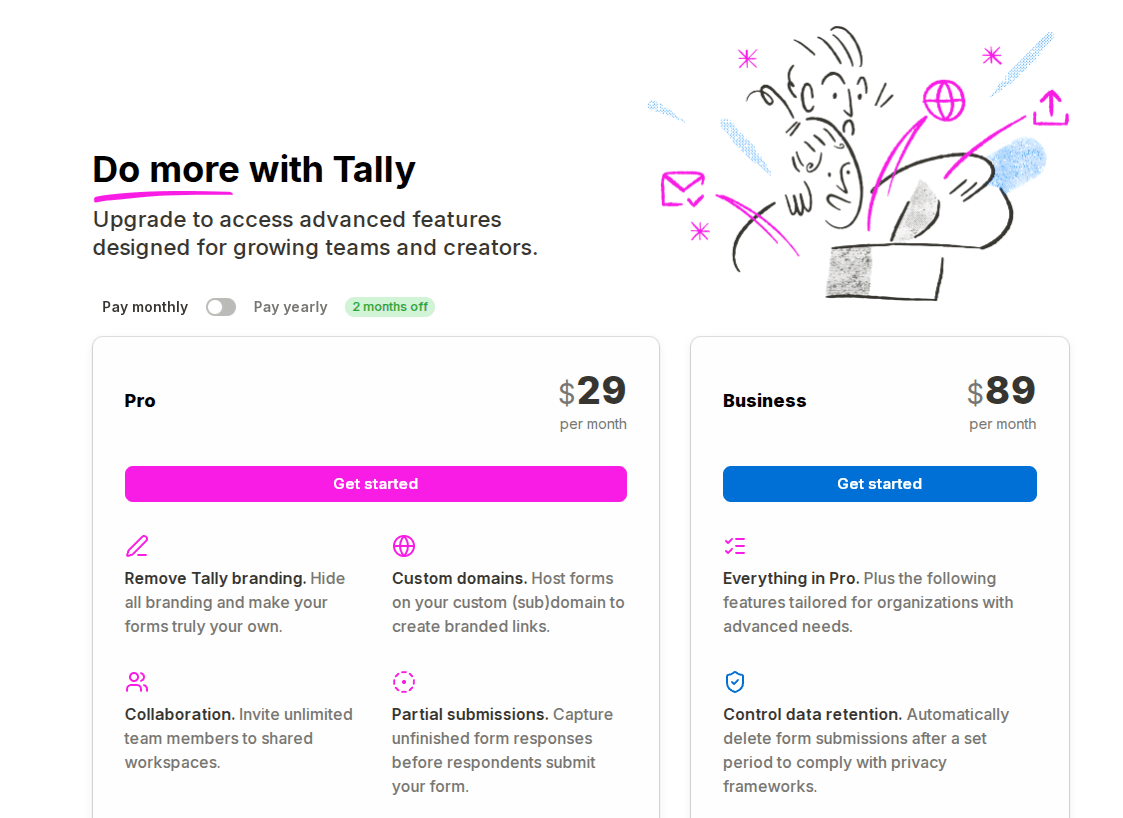
Tally has two paid plans: Pro ($29/month) and Business ($89/month). Pro is mainly for upgrades like removing Tally branding, using custom domains, collaboration, saving partial responses, and adding custom CSS.
Business adds more company-level controls, such as data retention settings, email verification, and version history.
Some important features are locked behind paid plans, especially branding removal and custom domains. Also, the price jump from Pro to Business is large if you only need one or two extra Business features.
Integrations are also limited, since direct connections are available with Google Analytics and Meta Pixel.
Formstack
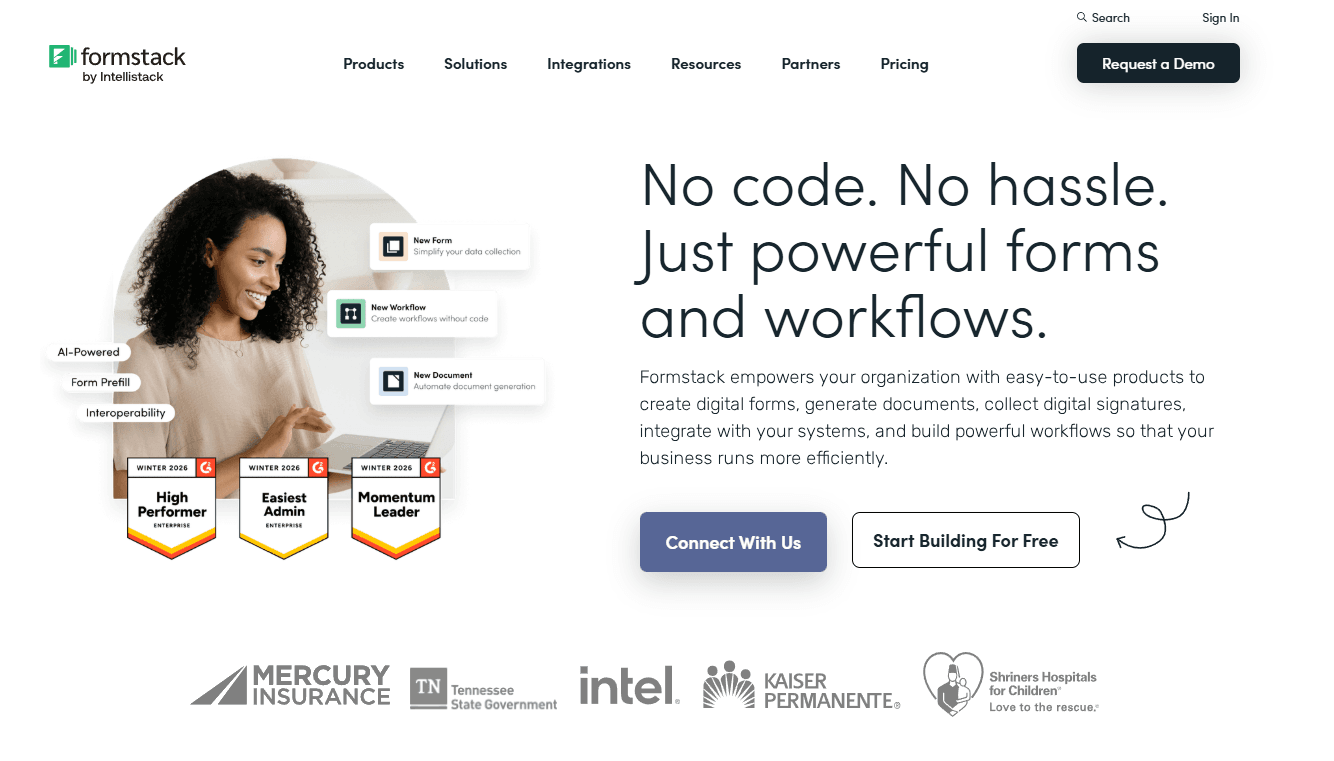
Formstack is a no-code form builder that helps teams collect data faster and run smoother workflows. It’s part of the Intellistack ecosystem, making it a good fit for admin-heavy tasks and internal processes.
You can create forms with conditional logic and more advanced features, such as approval workflows. It also makes it easy to generate documents and collect digital signatures, which is helpful when you deal with lots of paperwork.
Formstack connects well with Salesforce, so it can be a strong choice if your team works in Salesforce every day.
Best for
The software works well for businesses in healthcare, finance, and government sectors where data security matters most. You can create forms that meet industry regulations while keeping things simple for your team.
Key features
- Drag-and-drop form builder with no coding required.
- Industry-specific templates for quick setup.
- Advanced security with encryption and compliance tools.
- Direct Salesforce integration managed inside your org.
- Approval workflows and conditional logic to add to your forms.
- Digital signature collection.
- Automated document generation.
- Mobile-friendly forms that work on any device.
- Integration options with multiple business applications.
Pricing overview
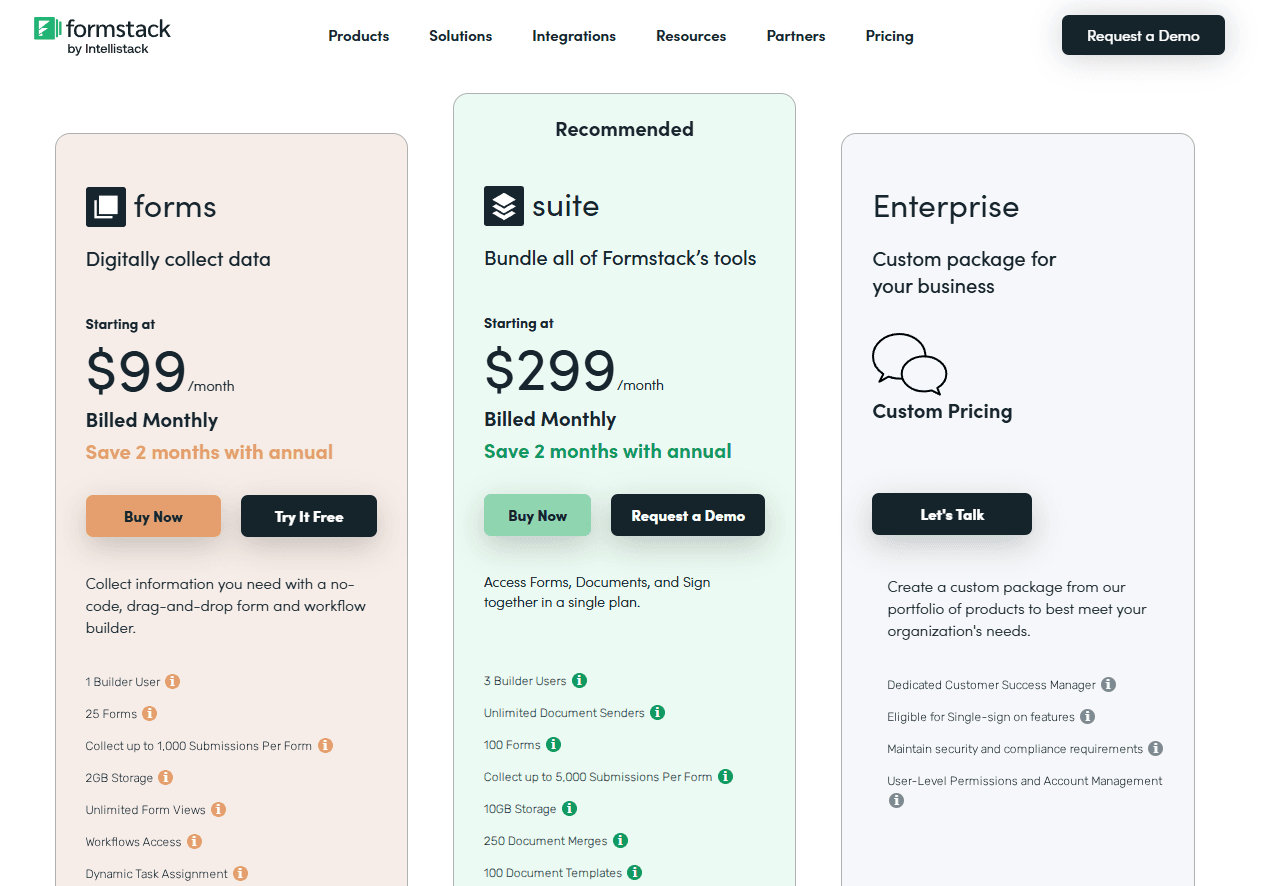
Formstack starts at $99/month for its Forms plan (billed monthly). The Suite plan starts at $299/month, and the Enterprise plan offers custom pricing.
The main downsides are the higher starting cost, usage limits (such as users, forms, submissions, and storage), and the lack of transparent pricing for Enterprise plans, which can make total costs harder to estimate.
Fillout
Fillout is an all-in-one form builder designed for teams that want more than basic surveys. Along with forms, it supports scheduling, payments, workflows, signatures, and even PDF generation.
It’s a strong choice for businesses that need structured data intake and automation in one place.
Best for
Fillout is best for startups, growing teams, and modern businesses that need fast form creation plus extra workflows like booking meetings, collecting payments, or generating documents.
It’s also a good fit for lead capture, customer onboarding, applications, and internal request forms where you want a clean user experience and strong integrations.
Key features
- Drag-and-drop form builder with 50+ field types
- Smart routing and automation for better data collection
- Fillable PDF forms and PDF generation from responses
- Built-in scheduling tools to book meetings
- Payments and checkout forms
- Workflow tools for approvals and step-by-step processes
- Team collaboration with flexible views and analytics
- Many integrations with popular tools (CRM, support, and automation platforms)
Pricing overview
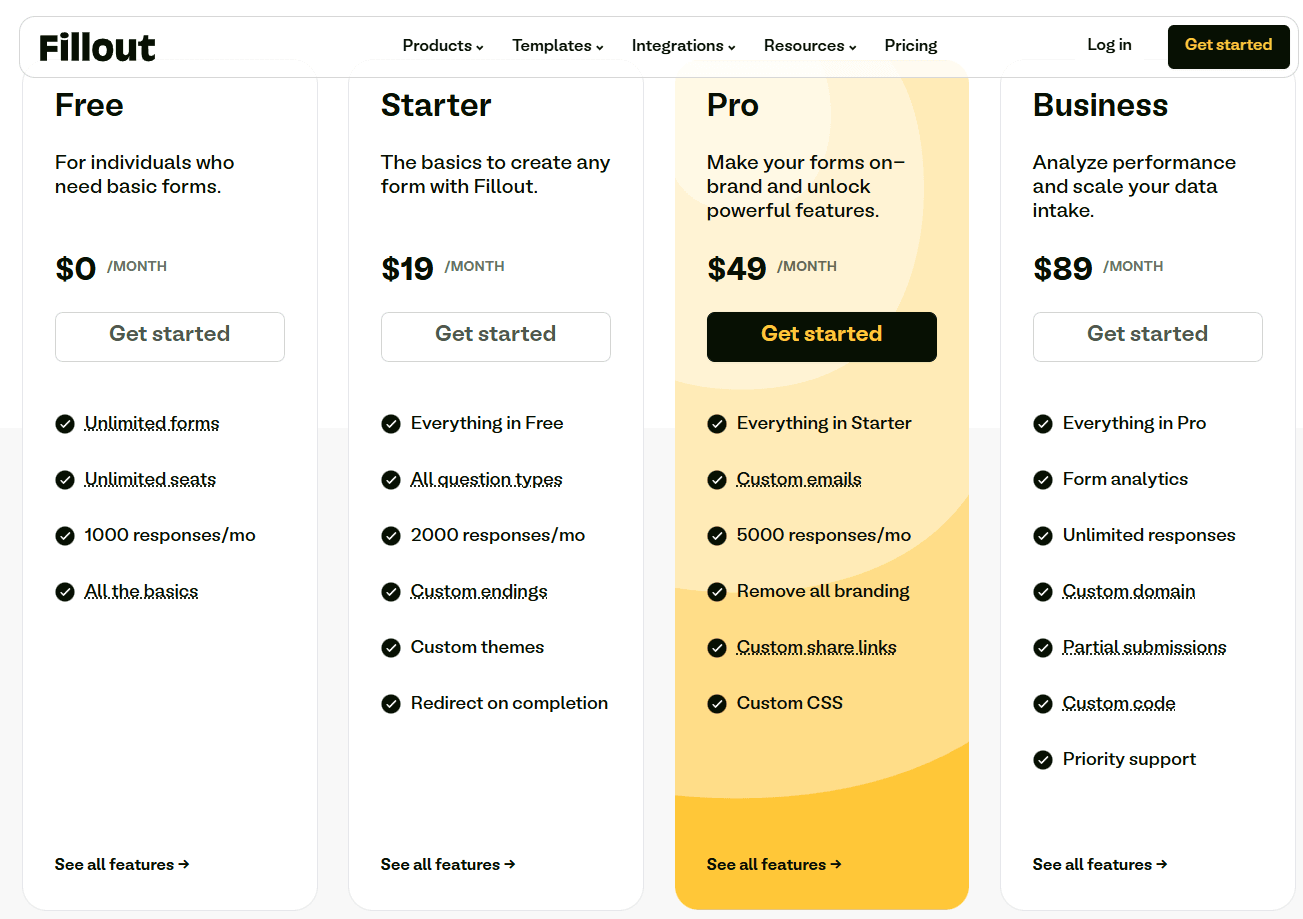
Fillout has a clear tier-based pricing model with four plans: Free ($0/month), Starter ($19/month), Pro ($49/month), and Business ($89/month).
The plans mostly scale based on monthly response limits, starting at 1,000 responses/month on Free and going up to unlimited responses on Business.
If you need branding removal, custom emails, or custom styling, you’ll need to upgrade to Pro. Features like analytics, custom domains, and priority support are only available on the Business plan.
Why Porsline Is the Best Software for Creating Forms
Porsline stands out because it removes common limits that most form builders put on users. You can collect unlimited responses without paying extra fees, and all your data shows up in real time.
When you export your results, everything comes in one Excel file instead of making you download multiple data chunks.
The platform gives you strong control over the quality of responses you collect. You can use regex to gather answers in any format you want, and you can limit which file types people can upload.
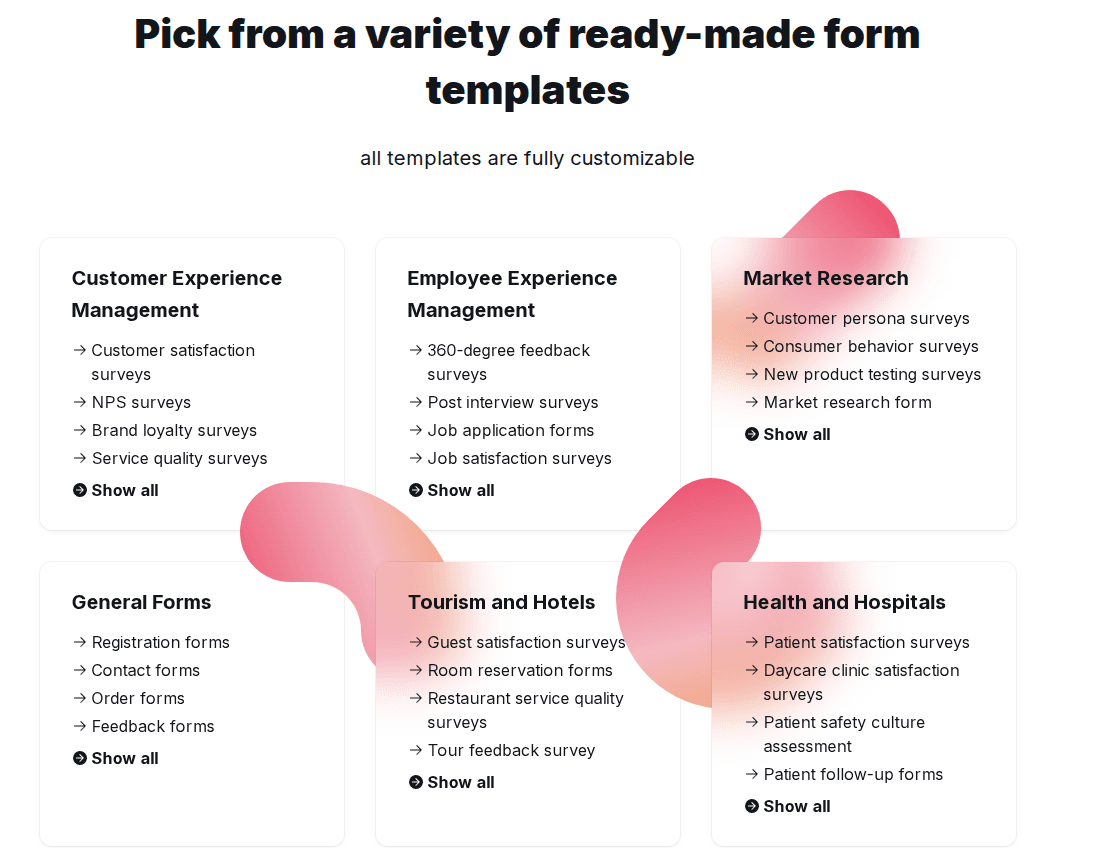
It helps you get clean, usable data from the start with:
- Encrypted URL parameters to pass data securely to your forms
- Respondent authentication through OTP, email codes, or uploaded lists
- Advanced calculations for grading tests and personality quizzes
- Choice-level quotas for scheduling and limited capacity events
- Location detection and editing for field research
You get two form display modes to choose from. The conversational mode shows one question at a time, and the classic mode displays all questions on a single page.
Porsline includes built-in integrations that save time. You can add a WhatsApp widget for live chat with respondents, or receive submission alerts through SMS or Telegram.
The platform also lets you customize form URLs to make links clearer when you share them.
For creating tests and quizzes, you get automatic grading, answer keys, scheduled grade releases, question banks, and randomization. Your respondents can even edit their responses for a set time period after submitting.
Start a free trial to test the platform.
Final Words About Best Software to Create Forms
Choosing the right form software depends on your specific needs. If you need simple data collection without costs, Google Forms works well. Microsoft Forms fits teams already using Microsoft 365.
Jotform offers the most features for growing businesses that need payment processing and advanced workflows. It handles everything from basic surveys to complex data collection with over 10,000 templates.
However, Porsline deserves your attention as the best overall solution.
It combines powerful features with an easy-to-use interface that makes form creation quick and simple. You get advanced conditional logic, beautiful templates, and strong analytics without the complexity.
Porsline gives you:
- Drag-and-drop form builder that anyone can use
- Smart logic to create dynamic surveys
- Engaging conversational experiences
- Real-time analytics and detailed reports
- Multiple question types for any use case
- Mobile-friendly forms that work everywhere
- Affordable pricing with no limit/charge for response collected
The platform works great for customer feedback, employee surveys, market research, and lead generation. You can brand your forms to match your style and collect responses through multiple channels.
Ready to see how Porsline can improve your data collection? Start your free trial today and build your first form in minutes.
You’ll get access to all features without needing a credit card. Create professional surveys that get more responses and better insights for your business.
FAQs about the best software for creating forms
What is the best program for creating forms?
Porsline is one of the best programs for creating forms because it combines fast form-building with strong customization and reporting. It’s a great choice if you want professional forms that look good, collect clean data, and scale without confusion.
What is the best program to use to create a form?
Porsline is a smart option if you want an easy form builder that still gives you powerful features when you need them. It works well for everything from quick feedback forms to more advanced surveys with logic, automation, and multilingual support.
What is the best program to make fillable forms?
Porsline is one of the best online form builders because you can build mobile-friendly forms quickly and guide users through a smooth experience. It’s especially useful when you want structured answers, better response quality, and forms that are easy to share anywhere.
Is Jotform or Google Forms better?
Jotform has more advanced features than Google Forms. You get things like online payments, conditional logic, and even e-signatures built right in.
Google Forms does shine as a simple form builder if you just want a free tool that works well with Google Workspace. It’s a go-to form builder for quick polls or when you need to create surveys fast.
If you need to accept payments, add conditional logic, or use a form builder plugin that offers direct integrations, Jotform makes sense for business.
But for basic order forms, job applications, or tally forms, Google Forms covers the essentials absolutely free.
Can ChatGPT create forms?
ChatGPT can’t actually create working forms for you. It does a decent job helping you plan questions or the structure, though.
You’ll still need a simple form builder or one of those online form builder apps to make the form itself.