5 Top Survey Apps, Tools and Platforms for Modern Businesses
Gathering feedback from customers and employees is now key to business growth. The right survey tool helps you collect insights fast and make smarter decisions with real data.
The top survey apps combine easy-to-use design, advanced features, and flexible pricing.
Whether you’re running a small startup or managing a big team, picking the right platform can mean the difference between useful responses and wasted time.
This guide walks you through the top five survey software platforms on the market. You’ll see what features matter, how these tools stack up, and which one fits your business goals best.
Why You Need Top Survey Apps in 2026

You need quick, reliable ways to understand your customers and employees. Survey apps let you do this without blowing your budget on research firms.
Modern survey tools let you:
- Collect customer experience feedback: Measure CSAT, NPS, and CES scores in real time, not weeks.
- Run product feedback loops: Test new ideas and validate features before you invest in full development.
- Measure employee experience: HR pulse surveys help you spot problems before people quit.
- Do market research yourself: Skip the expensive agencies when you have the right data-collection tool.
- Improve conversion rates: Interactive surveys on your website show you why visitors leave without buying.
- Centralize feedback: All your data stays in one place, so every team can access what they need.
Most platforms now come with AI features. These help you design effective surveys that boost response rates. They also analyze surveys and open-ended responses automatically, so you don’t have to read every single comment.
What to Look For in Top Survey Tools (Quick Overview)
Picking the right online survey tool can change how fast you gather feedback and what you learn from it. You want survey software that’s easy but still powerful enough to dig into your data.
The best survey software balances simplicity with flexibility. You should create unlimited surveys quickly, reach people wherever they are, and analyze responses without a steep learning curve.
Here are the key features you should look for when comparing survey platforms.
| Feature Category | What to Look For |
| Ease of Use | Simple interface with ready-made survey templates for quick launches |
| Question Variety | Multiple choice, rating scales, NPS, matrix, and open-text fields |
| Smart Logic | Skip logic, branching, answer piping, and hidden fields for personalization |
| Design Options | Custom themes and branding to match your company’s style |
| Distribution Methods | Share links, QR codes, email invites, website embeds, popups, and multi-channel (web, in-app, SMS) |
| Response Settings | Choose anonymous or identified responses depending on your goals |
| Analytics Tools | Real-time dashboards, data filtering, segment comparisons, and summary reports |
| Data Export | Download in CSV, Excel, or Google Sheets |
| Integrations | Connect with Zapier, Slack, CRMs, and analytics tools |
| Automation | Alerts, response routing, and workflow triggers |
| Accessibility | Mobile-friendly layouts and GDPR-compliant data handling |
Many platforms offer a free tool so you can try basic features before paying for advanced tools. It’s a good way to test the learning curve and see what fits.
Quick Picks for the Top Survey Platforms
Picking the right survey platform can feel overwhelming. We narrowed it down to the top five survey apps that actually deliver value for modern businesses and key stakeholders.
- Porsline: A go-to choice for comprehensive survey design, analytics, and customization. It works for businesses of all sizes and lets you create unlimited surveys with unlimited responses. Start a free trial now.
- Typeform: Fits if you want beautiful, engaging surveys. The one-question-at-a-time format keeps survey respondents focused and boosts completion rates.
- SurveyMonkey: The trusted industry standard. It offers enterprise-grade features, industry-specific templates, and solid integrations for teams that need reliability.
- Qualtrics: Built for advanced research and big projects. You get sophisticated analytics, data filtering, and academic research tools for large-scale research.
- SurveySparrow: Great for conversational surveys that feel more like a chat. This approach helps you collect responses more naturally and improves response quality.
Most of these top survey tools offer free trials. Start with what you absolutely need, then build from there.
At-a-Glance Comparison of Top Survey Apps
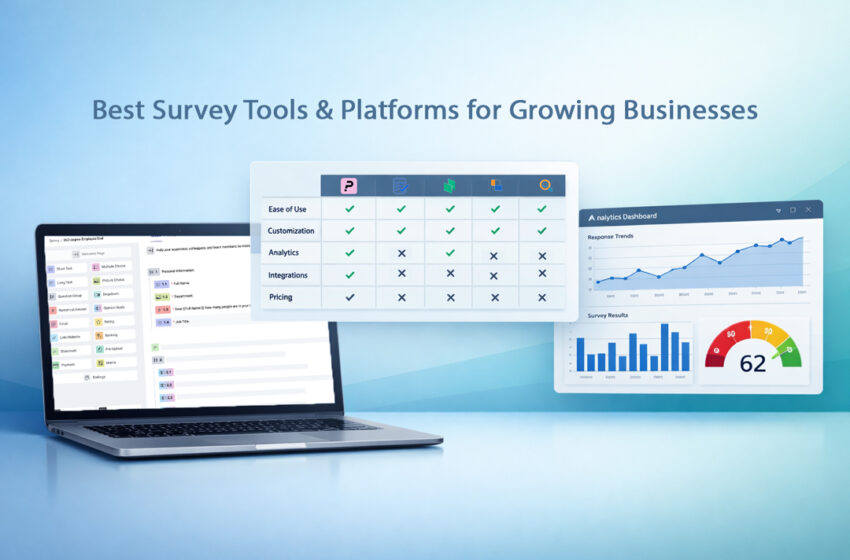
The best survey tool for your business depends on your needs and budget. This table shows how these five popular survey software platforms compare. Use it to get a quick sense of which tool might fit your team.
| Tool | Best for | Key strengths | Free plan | Starting price |
| Porsline | Fast feedback + flexible business surveys | Predictable pricing as surveys scale, strong response quality controls, advanced logic + reporting | Yes | €23/month |
| Typeform | Interactive surveys + high completion rates | Good UX, one-question-at-a-time experience, strong branding for customer-facing surveys | Yes | $39/month |
| SurveyMonkey | Market research + team collaboration | Reliable survey builder, strong reporting, audience/panel options, team workflows | Yes | €30/user/month (billed annually) |
| Qualtrics | Enterprise research + advanced analytics | Enterprise-grade insights, complex research tools, strong governance and control | Pricing not public | Custom pricing |
| SurveySparrow | Recurring surveys + multi-channel feedback | Conversational surveys, automation, recurring feedback loops, multi-channel reach | Yes | Pricing not shown upfront (varies by plan) |
Deep Dive: Top Survey Apps Compared
Choosing the right survey tool can make the difference between collecting random feedback and finding insights you can actually act on.
In this deep dive, we compare the top survey apps so you can quickly find the best fit for your goals, team, and budget.
Porsline
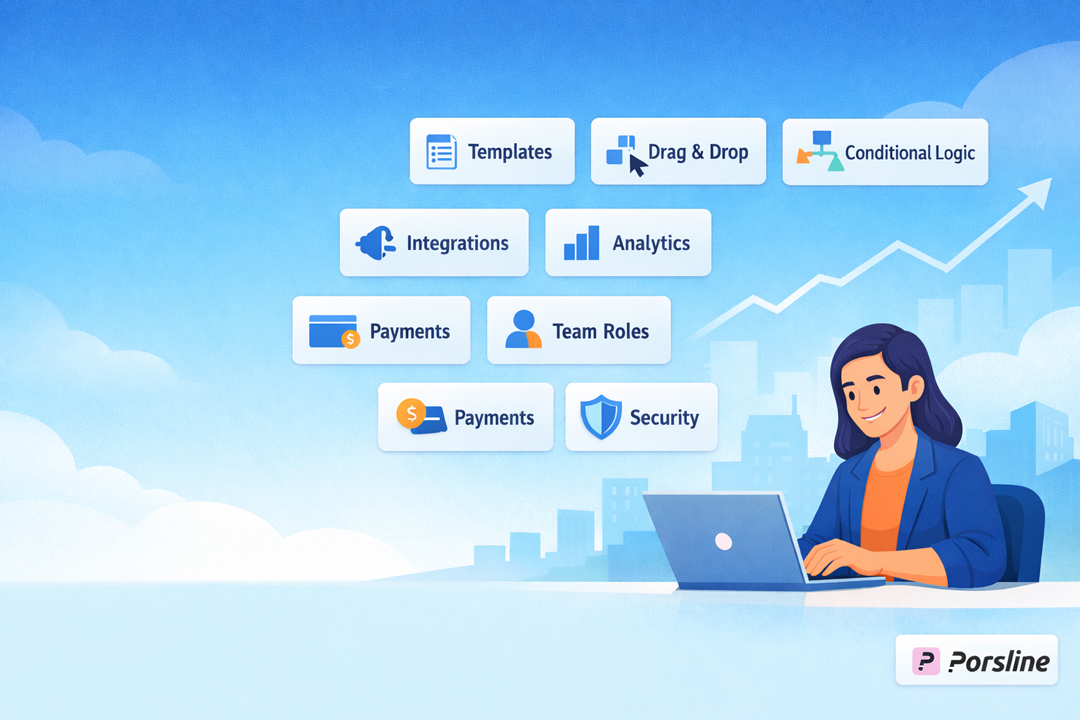
Porsline is a survey platform that lets you create mobile-friendly surveys without technical headaches. You can build a complete survey in under 5 minutes with its drag-and-drop survey building process.
The platform works for teams that need multilingual surveys. It supports English, Turkish, Arabic, Spanish, Russian, and more.
Thanks to its integration with n8n, you can also completely automate your survey workflows. You can even add formulas and calculations to process data in your surveys instantly.
Best for
Porsline is a great fit for small businesses, market research teams, HR departments, and customer support teams that need fast, flexible feedback collection.
It’s quite effective in industries such as tourism and hospitality, healthcare, and event management, where timing, customer experience, and quick reporting matter most.
It’s also a good fit if you work with international audiences or need surveys beyond English.
Academic institutions and government agencies also use it for large-scale research.
Key features
- Skip logic and branching to show different questions based on answers
- Custom branding and custom themes with your logo and colors
- Multiple sharing options: email, SMS, QR codes, social media, or your own website
- Respondent authentication with one-time passwords and email verification
- Real-time reporting with customizable charts and basic analytics
- Integration with CRM software, Google Sheets, and email providers
- Unlimited surveys and unlimited questions on paid plans
- Survey templates for customer satisfaction, NPS, employee feedback, and more
Pricing overview
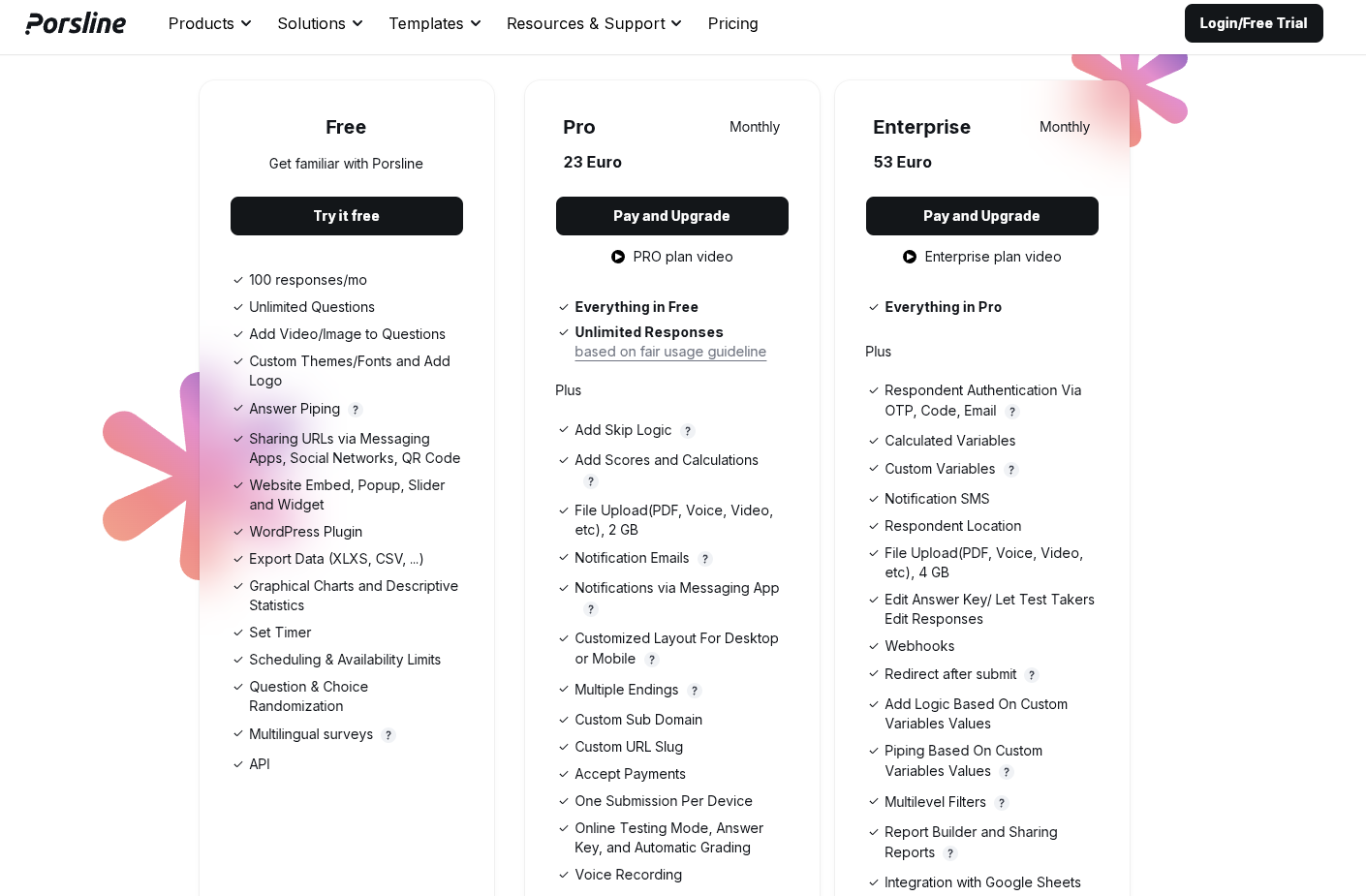
Porsline offers three pricing tiers to match different business stages, from testing ideas to running surveys at scale.
The free plan is best for individuals and small teams who want to try Porsline with minimal risk, validate a survey workflow, and run small feedback campaigns before committing to a paid tool.
Pro plan (€23/month) is ideal for growing businesses that need to collect more responses consistently, improve survey performance, and run surveys as part of day-to-day operations (marketing, CX, HR, and product feedback).
Enterprise plan (€53/month) is built for teams that need stronger control, automation, and reliability, especially when surveys are tied to sensitive data, internal processes, or high-volume customer feedback programs.
Start a free trial to see how it works.
Typeform

Typeform stands out as a survey platform that turns data collection into a visual experience. Instead of showing all questions at once, it presents one question at a time in a clean, engaging format.
This approach makes surveys feel more like a conversation than a form. Survey respondents often find it less overwhelming than traditional surveys, which can boost the quality of survey responses.
Best for
Typeform works well for marketers, designers, and creative teams who want their surveys to match their brand identity.
It’s a solid choice if you need to gather customer feedback, conduct market research, or create professional-looking product surveys.
Key features
- Interactive surveys with a one-question-at-a-time display
- Drag-and-drop builder that requires no coding skills
- 28 different question types for varied data collection
- Conditional logic to show relevant questions based on responses
- Full branding customization, including logos, colors, and fonts
- 3,000+ pre-built templates for quick setup
- Mobile-friendly design that works on any device
- Integration with Zapier, Google Sheets, Slack, and HubSpot
- Auto-generated reports and data visualization
- GDPR and HIPAA-compliant security features
- Team collaboration tools for real-time editing
Pricing overview
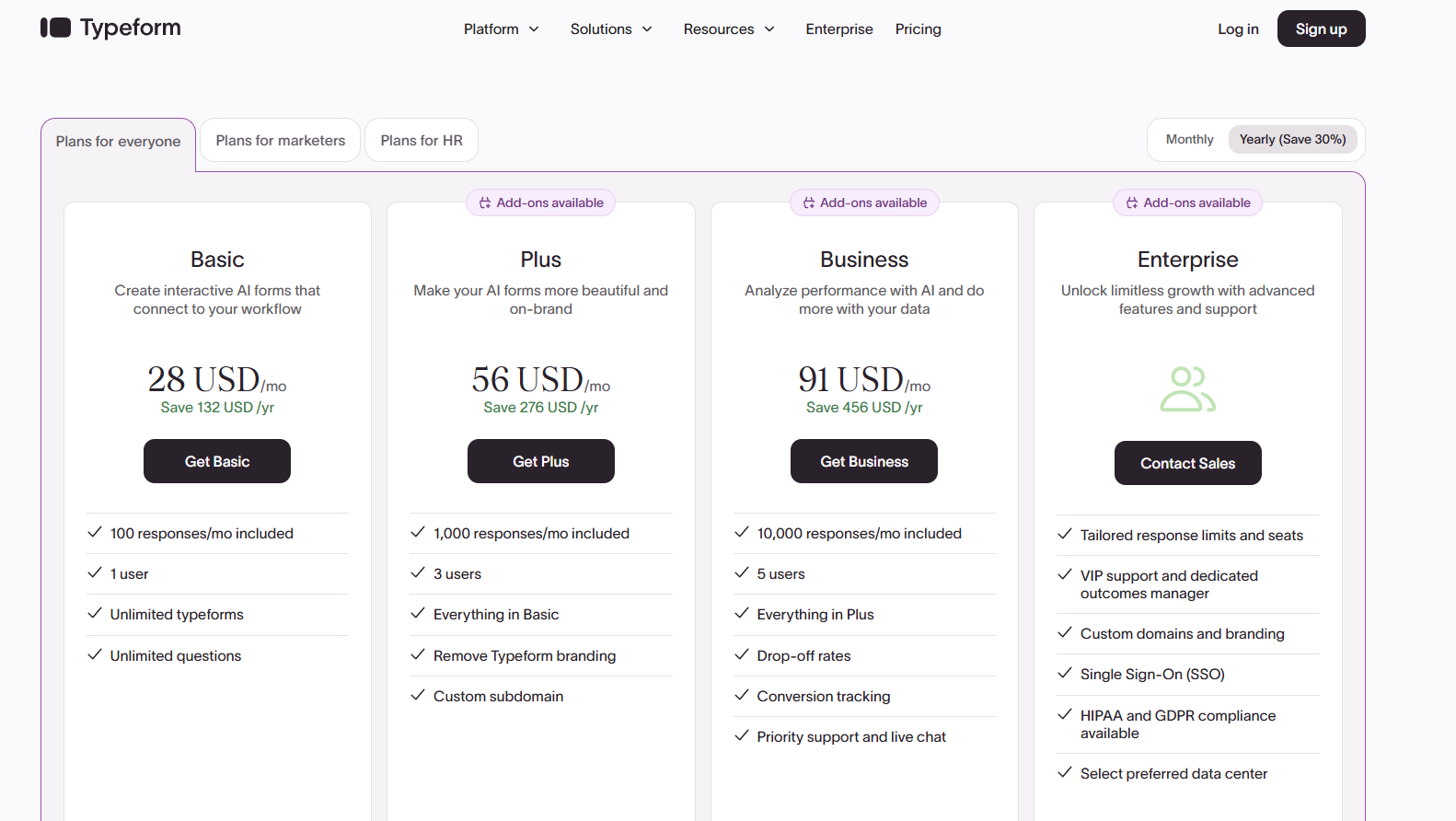
Typeform has four pricing tiers: Basic ($39/month) for simple interactive surveys, Plus ($79/month) for more branding and a higher response limit, Business ($129/month) for teams that need deeper performance tracking, and Enterprise (custom pricing) for large companies that want advanced security and support.
The main drawbacks are that pricing increases quickly as response volume grows, lower plans come with strict limits (like responses and users), and many advanced features are locked behind higher tiers, which can make it expensive for fast-growing teams.
SurveyMonkey
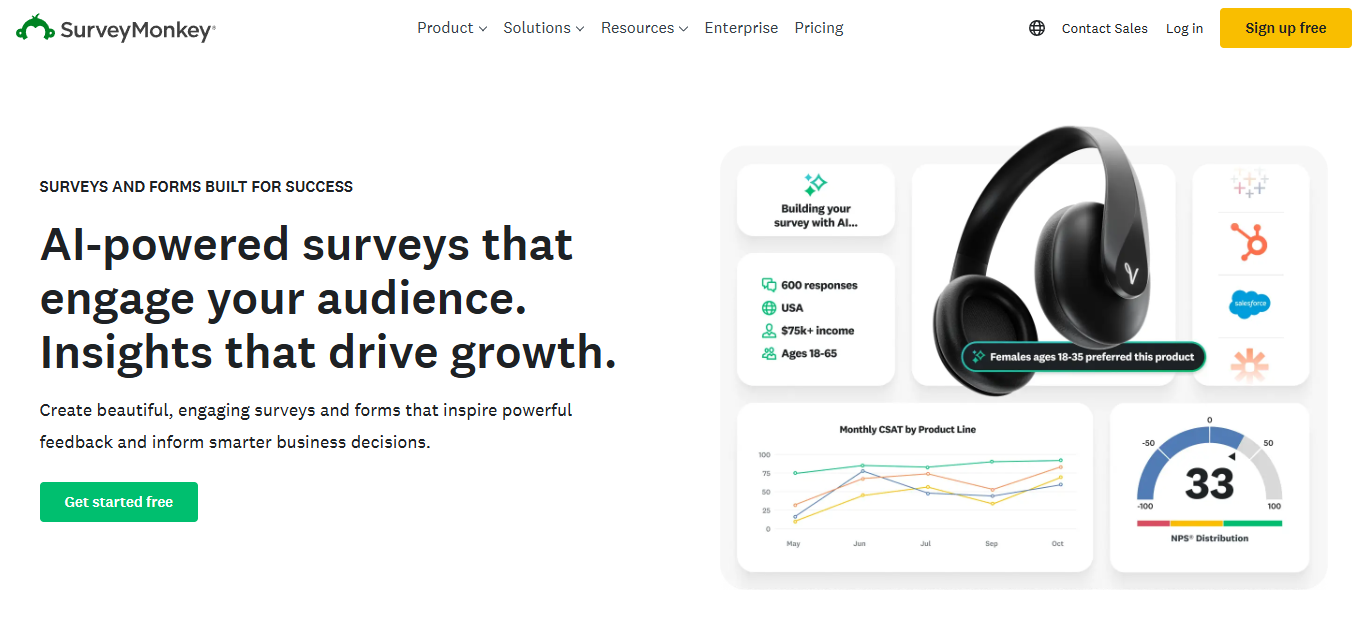
SurveyMonkey offers AI-powered survey creation that helps you build professional surveys quickly. You can choose from hundreds of expert templates or create custom surveys from scratch.
SurveyMonkey lets you reach people through multiple channels. You can send surveys by email, web links, social media, SMS, QR codes, or embed them on your own website.
Best for
SurveyMonkey works well for businesses that need a reliable, all-purpose data collection tool with advanced data security.
If you want access to a large respondent panel or need enterprise-grade security, it’s a solid pick.
The platform suits teams of all sizes, from small businesses to Fortune 500 companies, and even government agencies and academic institutions.
Key features
- AI-powered survey builder for faster survey building
- 335 million+ global survey respondents across 130+ countries with 200+ targeting options
- Advanced survey logic, including branching, skip logic, and personalized question paths
- Automated surveys with scheduling and reminders
- AI Analysis Suite for quick insights and sentiment analysis
- Custom dashboards with charts, word clouds, and presentation-ready reports
- 200+ app integrations, including Mailchimp, Google Sheets, Microsoft Teams, Salesforce, and HubSpot
- Enterprise security with HIPAA and GDPR compliance options
- Statistical analysis tools to identify key insights and patterns in your data
Pricing overview
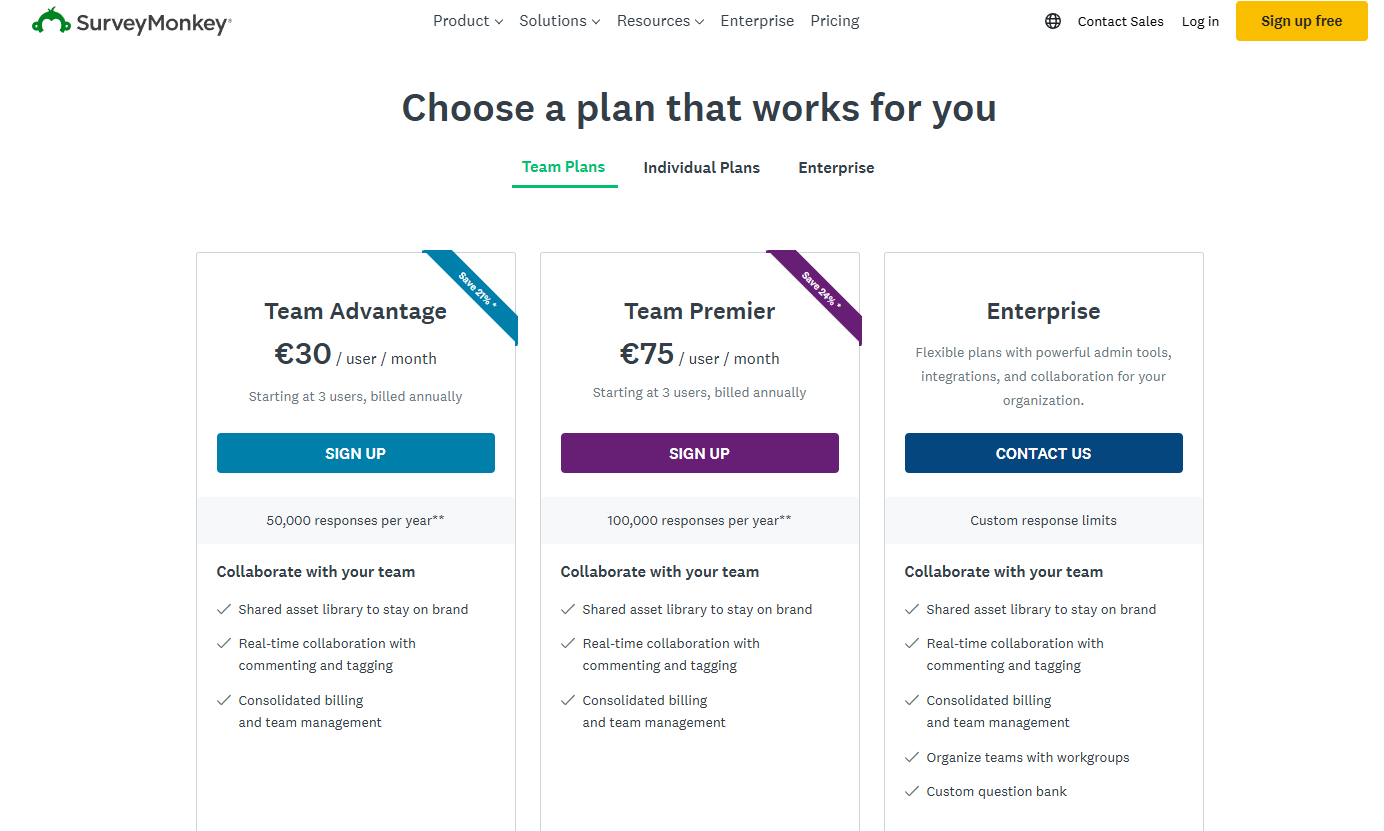
SurveyMonkey pricing is mainly built for teams, with two main plans: Team Advantage (€30/user/month) and Team Premier (€75/user/month), both billed annually, plus an Enterprise plan with custom pricing for larger organizations.
The key difference is the number of responses you can collect per year, with Team Premier offering a higher limit and more advanced features for larger survey programs.
It can get expensive fast because pricing is per user, the plans require a minimum number of users, and you may still need to upgrade if you hit annual response limits or want more advanced options.
Qualtrics
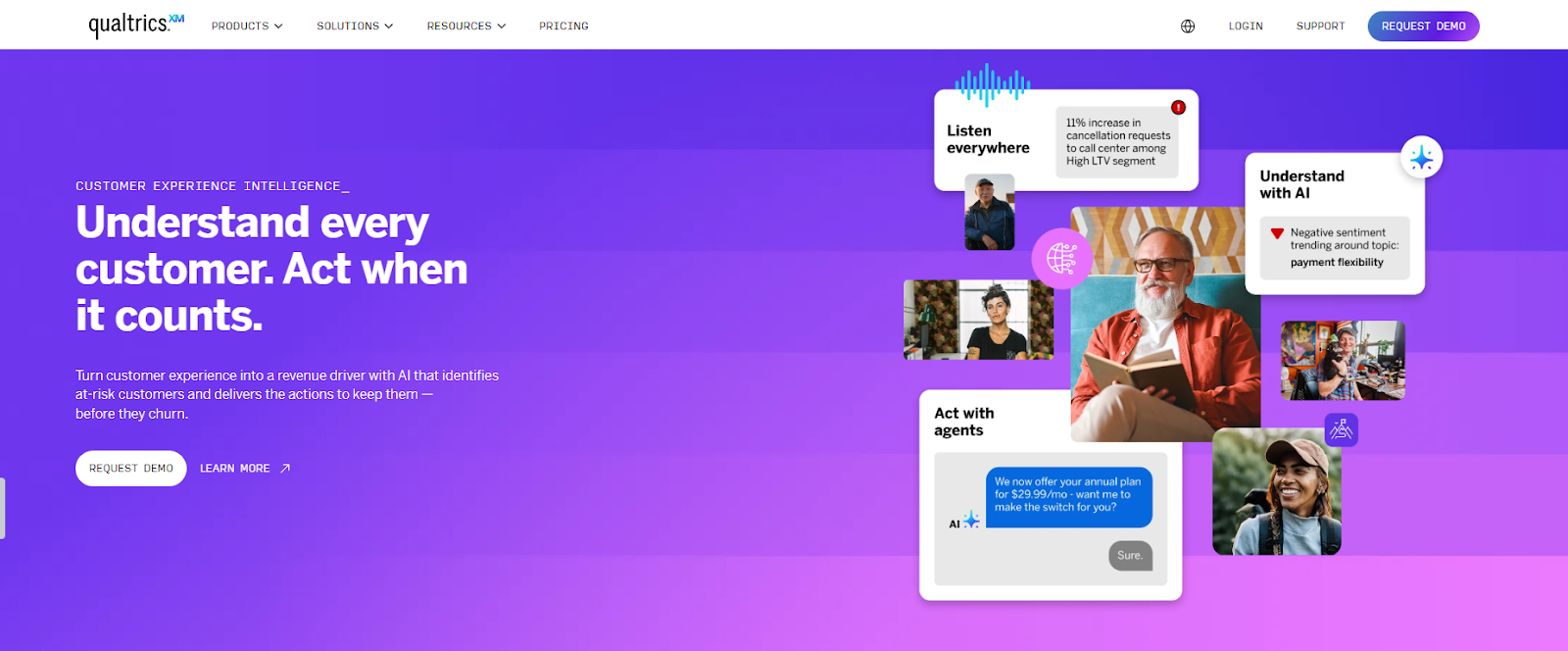
Qualtrics lets you create everything from simple feedback forms to complex research projects without writing any code.
Qualtrics works well whether you’re collecting customer opinions, testing products, or running detailed market studies.
The survey building process is strong, though there’s a bit of a steep learning curve if you’re new to advanced survey design.
The platform stands out for its strong analytical capabilities. You get real-time insights that help you make quick decisions based on data.
Best for
Enterprise-level research and organizations that need deep analytics with custom dashboards. Academic institutions and government agencies also rely on it for large-scale research and sentiment analysis.
Key features
- Over 50 expert-designed survey templates for common survey types
- Multiple distribution channels, including websites, mobile apps, email, and chatbots
- Advanced analytics with predictive insights and data filtering
- Custom dashboards for tracking net promoter score and other key metrics
- Anonymous response options for honest feedback
- Integration with business systems and CRM platforms
- Cloud-based technology for automated survey distribution
- Mobile-friendly surveys that work on any device
Pricing overview
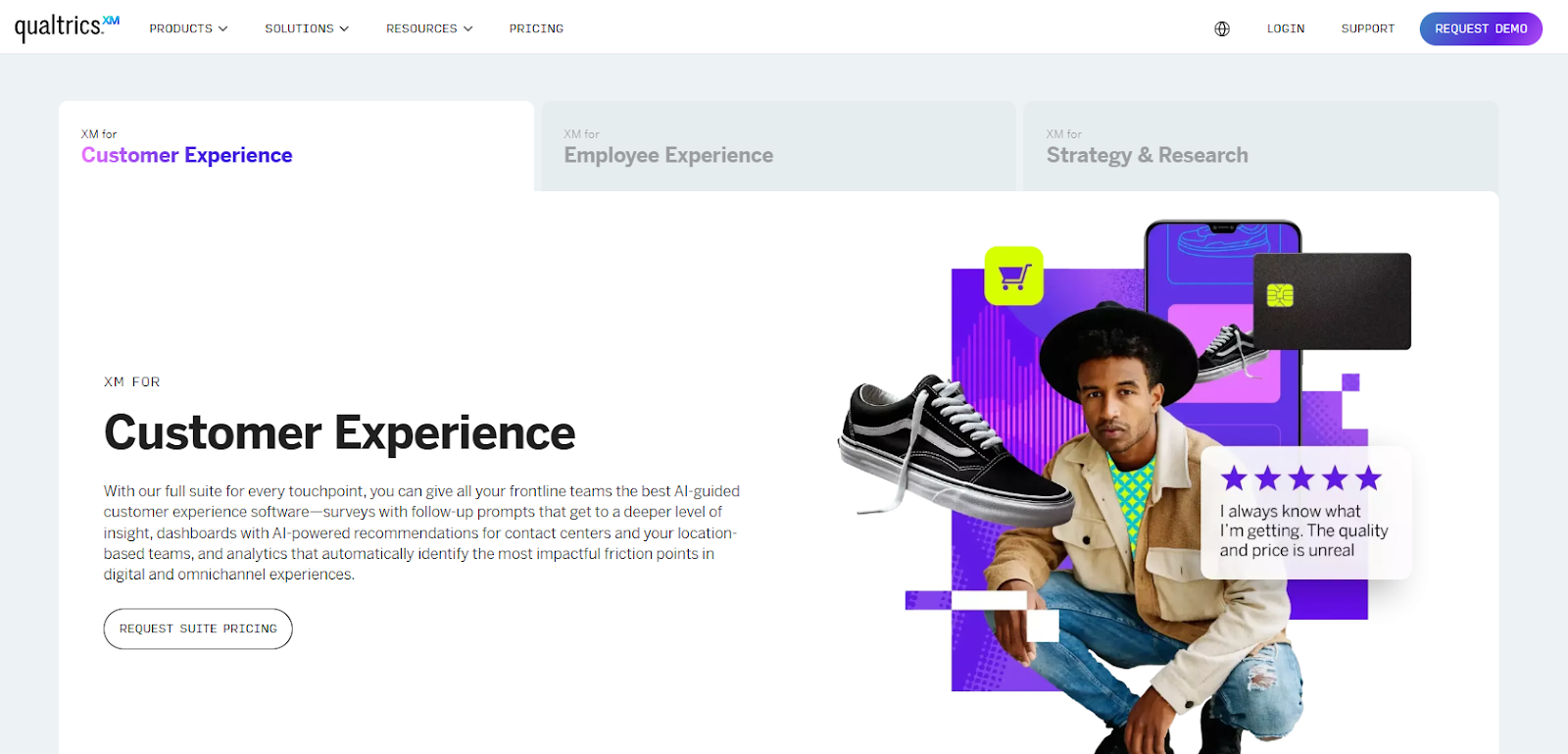
Qualtrics uses a custom (quote-based) pricing model, where costs depend on your planned usage, the product suite you need, and how widely the platform will be used across your organization.
Instead of showing fixed monthly tiers, Qualtrics positions pricing around three main solution areas: Customer Experience, Employee Experience, and Strategy & Research.
At the moment, Qualtrics does not display public pricing details on the page, so you have to request pricing or a demo to get an exact quote.
SurveySparrow
SurveySparrow is a survey platform that helps you collect feedback through chat-style surveys. It makes feedback collection feel more natural and conversational for survey respondents.
The platform works well for businesses that want to gather customer, employee, or product insights in a more engaging way.
SurveySparrow covers everything from event feedback to recurring employee pulse checks.
Best for
SurveySparrow is best for teams that run recurring surveys like NPS, CSAT, and employee pulse surveys to track feedback over time.
It also works well for multi-channel feedback collection, helping you reach users across different touchpoints rather than relying on a single survey link.
Key features
- Chat-like surveys that boost response rates with a conversational design
- Recurring surveys that automate regular feedback cycles for customers or employees
- Multi-channel distribution via email, SMS, QR codes, WhatsApp, Slack, and Microsoft Teams
- Offline surveys for collecting data without an internet connection
- Custom branding with CSS styling, custom themes, and white-label options
- Smart logic, including skip logic, display logic, and conditional branching
- NPS surveys to measure customer satisfaction over time
- API and webhooks for integrating with your existing tools
- Mobile-first design that works across all devices
- Advanced reporting with filters, cross-tabulation, and SPSS export
Pricing overview
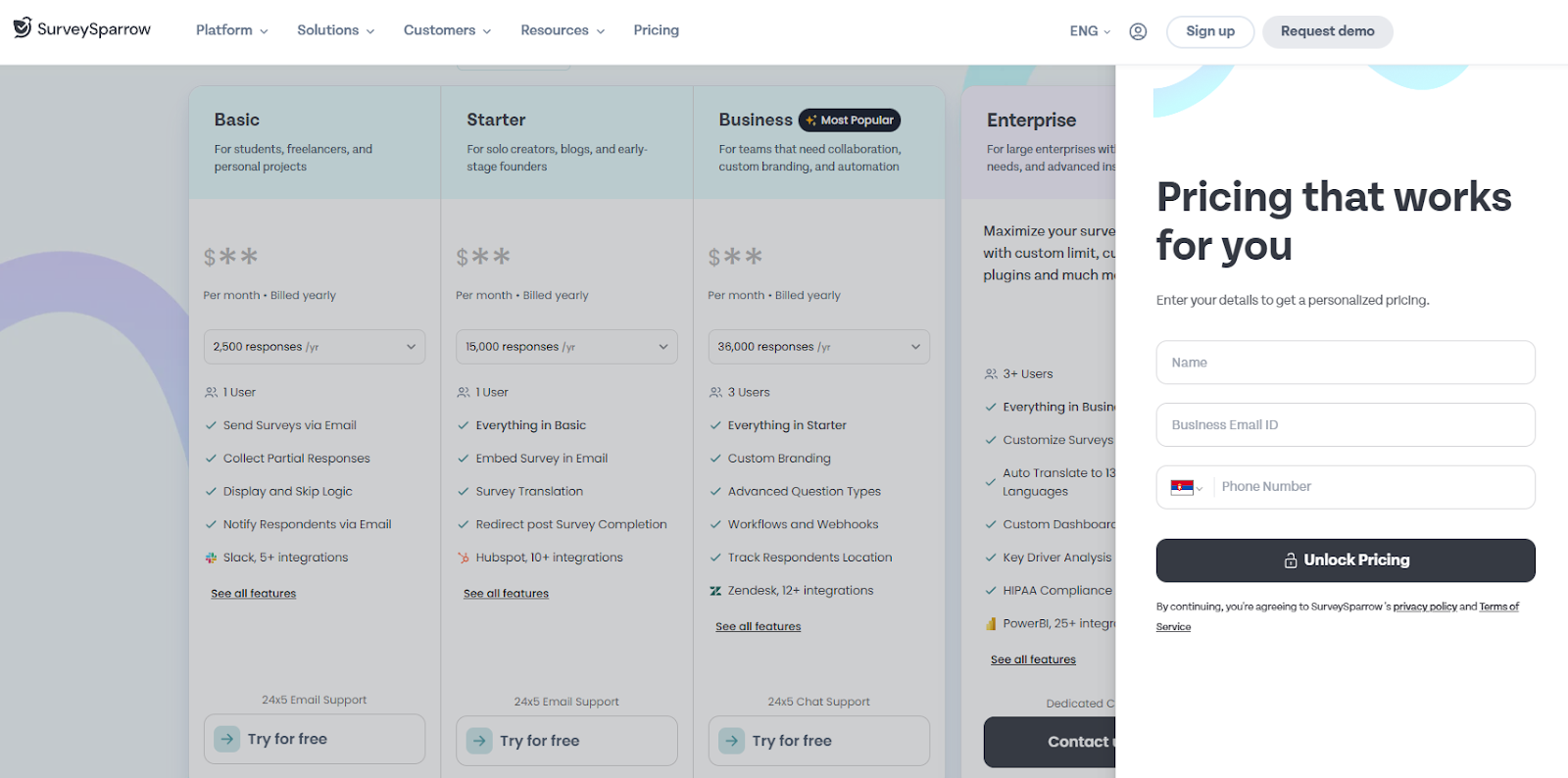
SurveySparrow uses a tiered pricing model with plans for different user types: Basic, Starter, Business (most popular), and Enterprise.
Pricing is mainly based on how many responses you need per year and how many users are on your team, so costs increase as your survey program grows.
A downside is that the exact monthly price isn’t clearly shown upfront, and you may need to enter personal details to unlock personalized pricing, especially for higher tiers like Enterprise.
Why Porsline Is a Top Survey App on the List
Porsline stands out because it removes common frustrations that other survey software platforms create. You won’t pay extra based on how many responses you collect, which means your costs stay predictable as your surveys grow.
If you want to create unlimited surveys and collect unlimited responses without worrying about hidden costs, Porsline is worth a try. The learning curve isn’t too steep, and you get unlimited access to all the core features. Not every data collection tool can say that.
The platform gives you complete control over response quality. You can use custom validation rules to ensure responses match the exact format you need.
When someone uploads a file, you can restrict which file types they can submit. It is especially helpful for academic research or industry-specific templates where data integrity matters.
It also gives you advanced features for complex needs:
- Custom calculations for sophisticated test grading
- Encrypted URL parameters to protect sensitive data passed through survey links
- Respondent authentication through mobile OTP or email verification
- Choice-level quotas for scheduling and limited-capacity registrations
If you’re running timed assessments, you can set timers for the entire form or individual questions. Porsline integrates directly with WhatsApp so you can chat with survey respondents in real time.
You’ll also receive notifications through SMS or Telegram when someone submits a completed response. The reporting tools let you filter and segment your data however you want, making it easier to analyze responses and uncover key insights.
You can customize charts with colors and sorting options to focus on specific segments. When you create surveys, you can choose between conversational mode and classic mode, where all questions appear on one page.
You can track respondent locations and edit them when needed. It works well for field research or tracking where orders come from.
The platform includes a complete testing suite with automatic grading, answer keys, scheduled grade releases, and question banks. You can even let respondents edit their answers for a limited time after submission.
Start a free trial to test the platform.
Final Words About Top Survey Tools
Picking the right survey tool can make a big difference in how you collect feedback and understand your audience. The best survey software depends on your specific needs, budget, and team size.
Porsline stands out as a complete solution that balances power with simplicity. It combines a user-friendly design with advanced features that growing businesses need, such as data filtering, custom validation, and unlimited questions.
You get professional survey templates, smart logic, detailed analytics, and integrations with your existing tools. The platform makes it easy to create surveys that people actually want to complete, so your response rates go up.
Your team can start creating professional surveys in minutes and get the key insights you need to make smarter business decisions.
Try Porsline free and see how it transforms your survey process. Access to premium features without requiring a credit card.
FAQs about top survey platforms
What is the most legit survey app?
Porsline is one of the most legit survey apps because it gives you stable, business-ready tools without forcing you into confusing limits or complicated setup. It’s a strong option when you want predictable pricing, clean data collection, and professional survey results you can trust.
What is the best survey app?
Porsline is a great all-around choice because it balances ease of use with powerful features, so you can launch surveys fast without feeling stuck later. It works especially well if you want a survey tool that can handle simple feedback forms today and more advanced workflows as your needs grow.
What is the most popular survey tool?
Porsline is becoming a popular pick for teams that want to create surveys quickly and collect responses without worrying about growing costs. It’s a go-to choice for businesses that care about speed, flexibility, and getting results without overcomplicated tools.
What is the best platform for surveys?
Porsline is one of the best survey platforms when you need more control over how responses are collected and reported. It’s a smart option for customer feedback, HR surveys, and market research where you want structured data, better filtering, and smoother reporting.
What is the best website for surveys?
Porsline is a strong survey website because it lets you build professional surveys, share them easily, and analyze the results in one place. It’s a great fit if you want a clean survey experience for respondents and an easy dashboard for your team to review insights.