

Jotform Alternatives: 7 Best Form Builders Compared in 2026

Jotform has been a popular choice for creating online forms for years. But in 2026, more users are searching for alternatives that fit their needs better.
Some people find Jotform’s pricing too high as their form usage grows. Others want more advanced features, such as better automation or AI-powered analytics. Teams often look elsewhere for simpler interfaces, stronger integrations, or more flexibility in form customization, design, and distribution.
If you’re looking for Jotform alternatives that offer better value, more features, or just a different approach, you’ll find five top-rated options in this guide.
Each builder brings something unique: conversational design, workflow automation, payment forms, or budget-friendly plans. We’ll help you spot what makes each platform stand out and which one might actually fit your specific needs.
Why People Look For Jotform Alternatives In 2026
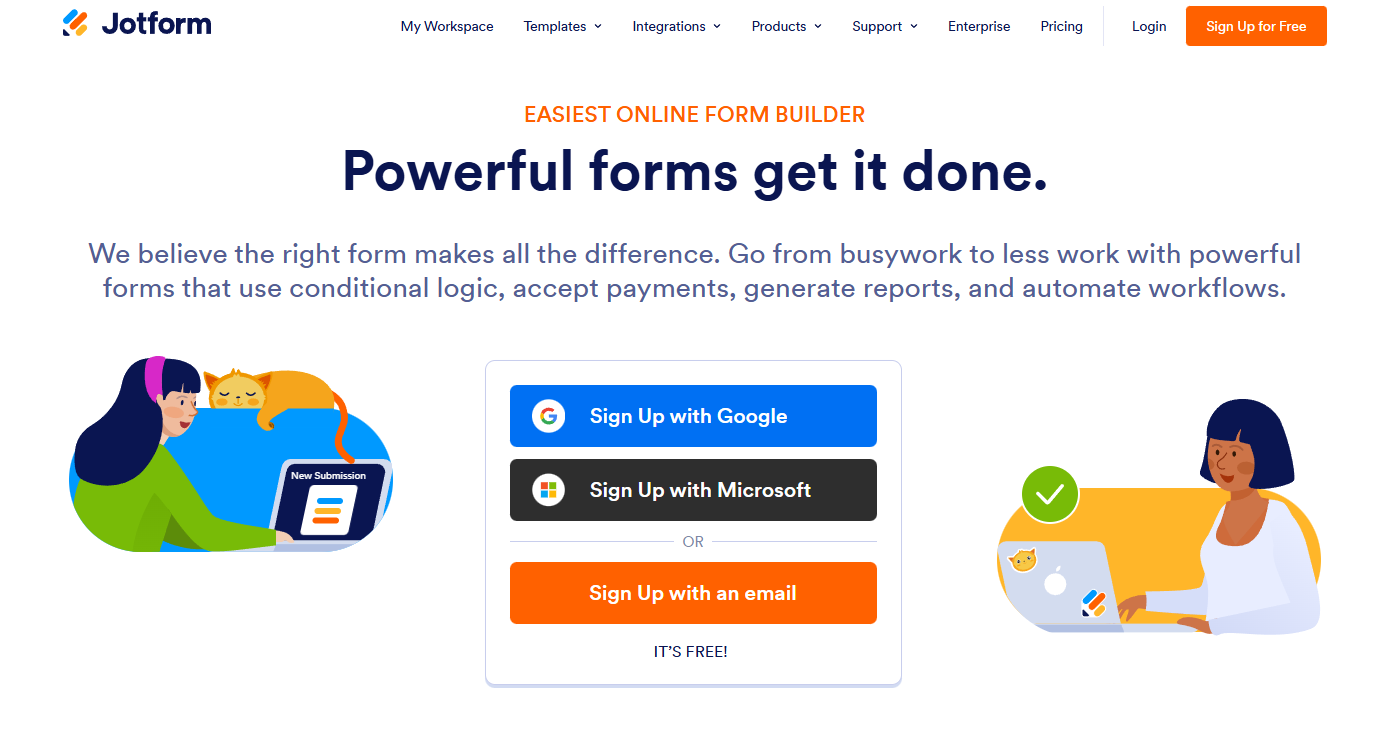
Jotform covers a lot of use cases. It supports payments, file uploads, approvals, e-signatures, and tons of integrations. For teams that want one tool to do it all, it usually works well. But that range comes with tradeoffs.
Many users start looking for Jotform competitors when they hit limits that affect their workflow or budget. Pricing grows with usage. Jotform’s free plan only lets you collect 100 submissions per month.
Once you need more responses, team features, or extra storage, you move into paid tiers quickly. A free Jotform alternative, like Google Forms, lets you collect unlimited responses.
Response and storage limits can sneak up on you. If you collect files or run high-volume forms, you hit caps fast. That pushes you toward higher plans even if you just need one or two extra features.
Design control feels limited. Jotform gives you simple form fields, templates and basic styling, but most forms end up looking similar. Teams that want custom layouts or brand-specific designs often switch to tools built for more visual flexibility.
Setup takes time. With so many options and settings, building and editing forms can get slow. If you want faster builds or simpler workflows, lighter tools just feel better.
Integration needs vary. Some users need tighter connections to specific platforms. Zoho Forms is better if you live in the Zoho ecosystem. Microsoft Forms makes sense for teams already using Microsoft 365. Unlike Jotform, these tools integrate directly without extra setup.
Workflow and compliance gaps also drive people to switch. Teams that need HIPAA compliance, advanced approval routing, or database-driven workflows often outgrow what Jotform offers at its price point.
What To Look For In A Form Builder (Quick Overview)
Picking the right form generator can make or break your data collection process. You want a tool that fits your workflow, not one that creates more work.
Most form builders handle the basics, but the best ones give you advanced options without making things complicated. Look for a drag-and-drop interface to build forms quickly.
You should be able to add fields, move sections around, and customize everything without coding.
Key features to check before you choose
| Feature | Description |
| Ease of use and templates | A simple interface and ready-made templates save you hours |
| Form logic and conditional workflows | Smart forms that show or hide fields based on answers keep things relevant |
| Payments and checkout support | Payment processing through Stripe or PayPal lets you collect money right from your forms |
| Integrations | Connect to Zapier, Slack, CRMs, Google Sheets, Google Analytics, and more to automate your workflow |
| File uploads and data storage | Secure storage for files, images, and form data |
| Embeds, popups, and share links | Flexible ways to display or share your forms |
| Design customization and branding | Control over colors, fonts, and layouts to match your brand. No boring forms. |
| Spam protection | CAPTCHA, honeypot, and rate-limiting features keep fake submissions out |
| Reporting and form analytics | Dashboards and analytics that turn your form data into real insights |
| Security and compliance | GDPR, SOC 2, and HIPAA compliance for sensitive information |
| Team features | User roles, approvals, and audit logs for collaboration |
| Pricing that scales | Plans that grow with your submissions |
The best form builder gives you multiple tools, a broad range of fields, simple user interface, native integrations, and advanced features like digital signatures. You want a survey platform with powerful forms created in minutes.
Best Jotform Alternatives At A Glance (Quick Comparison Table)
Here’s how the top Jotform competitors stack up on pricing, features, and what they’re best at.
| Tool | Best For | Key Features | Starting Price |
| Porsline | Professionals and organizations needing multilingual forms with strong analytics | Multi-language support, conditional logic, payment integration, no limit/charge for response collected | €23 per month |
| forms.app | Businesses and teams looking for an all-around form builder with AI features and affordable pricing | AI form generator, conditional logic, 5,000+ templates, PDF generation, step & list view layouts, native integrations | $29 per month |
| Formstack | Businesses requiring workflow automation and compliance | Smart routing, document generation, advanced workflows, file uploads | $99 per month |
| Wufoo | Small teams and non-tech users wanting simple setup with quick deployment | Drag-and-drop builder, basic reporting, easy sharing, pre-built templates | $16.25 per month |
| Tally | Users seeking unlimited forms and submissions on free tier | Unlimited forms, no branding on free plan, conditional logic, accepts payments | $29 per month |
| Typeform | Marketing teams focused on engagement and conversion rates | Conversational design, drop-off analytics, advanced logic, payment collection | $39 per month |
| Moosend | Businesses that want lead-gen tools connected to email automation. | Built-in landing page and subscription form builder, visual automation builder, and real-time reporting. | $9/month |
When you compare these Jotform alternatives, you’ll spot different strengths. Most tools give you a basic plan to try features before you pay. Your choice really depends on your needs. Now, let’s take a closer look at each tool and break down what they offer in more detail.
7 Top Jotform Competitors In 2026 (Ranked List)
We’ve tested and ranked the top Jotform alternatives to help you find the right fit.
- Porsline: Gives you a full solution with advanced features for building an unlimited number of forms, quizzes, and surveys. The analytics are strong, too. Start a free trial now.
- forms.app: Combines ease of use with powerful features like an AI form generator, drag-and-drop interface, conditional logic, and 5,000+ ready-made templates. It’s a great fit for businesses of all sizes that need professional forms with a smooth filling experience.
- Formstack: Focuses on professional forms that turn into documents or approval workflows. It’s suitable for payment and order forms requiring enterprise-level security.
- Wufoo: Keeps it simple with basic branching logic. It’s a good fit for event registrations and contact forms without the extra complexity.
- Tally: Lets you make forms using just your keyboard. If you like typing more than clicking, this speeds up registration forms and surveys.
- Typeform: Creates engaging, one-question-at-a-time forms. They’re suitable for customer feedback, event registrations, or any form where user experience matters.
- Moosend: Connects forms to built-in email automation. Ideal for teams that combine lead generation and email marketing automation.
Your choice depends on what you need. Want simple contact forms or complex order forms with file uploads? Are you collecting feedback or handling payments?
Pick the one that matches your workflow and budget.
Porsline
Porsline is an online form builder that focuses on conversational forms instead of static questionnaires. The platform works on all devices without separate apps or downloads needed.
You can build forms with a drag-and-drop editor and various question types. Multiple choice, Likert scale, matrix, rating scales, file uploads, and payment gateways are all options.
Porsline supports multiple languages beyond English. You can create forms in Turkish, Arabic, Spanish, and Russian, too.
91% of users have not churned to other online form builders after using Porsline!
Start a free trial now.
Key features
Form creation and customization:
- Unlimited forms, no question limits
- 40+ themes with full customization
- Add images and videos to questions
- Custom subdomain and URL slug editing
- Logo placement and personalized background
Smart features:
- Complex workflows and skip logic with “if-then” rules
- Built-in calculations and formulas
- Respondent authentication via OTP, email, or imported codes
- Timer settings and automatic start/close
Response management:
- No limits on submissions
- Accepts partial submissions
- Evaluate form views
- Search and filter response data
- Export results for external analysis
- Add captions to charts for easier interpretation
Integration options:
- RESTful API for data transfer
- CRM software connections
- SMS panels and email service providers
- Google Sheets integration
Pricing overview
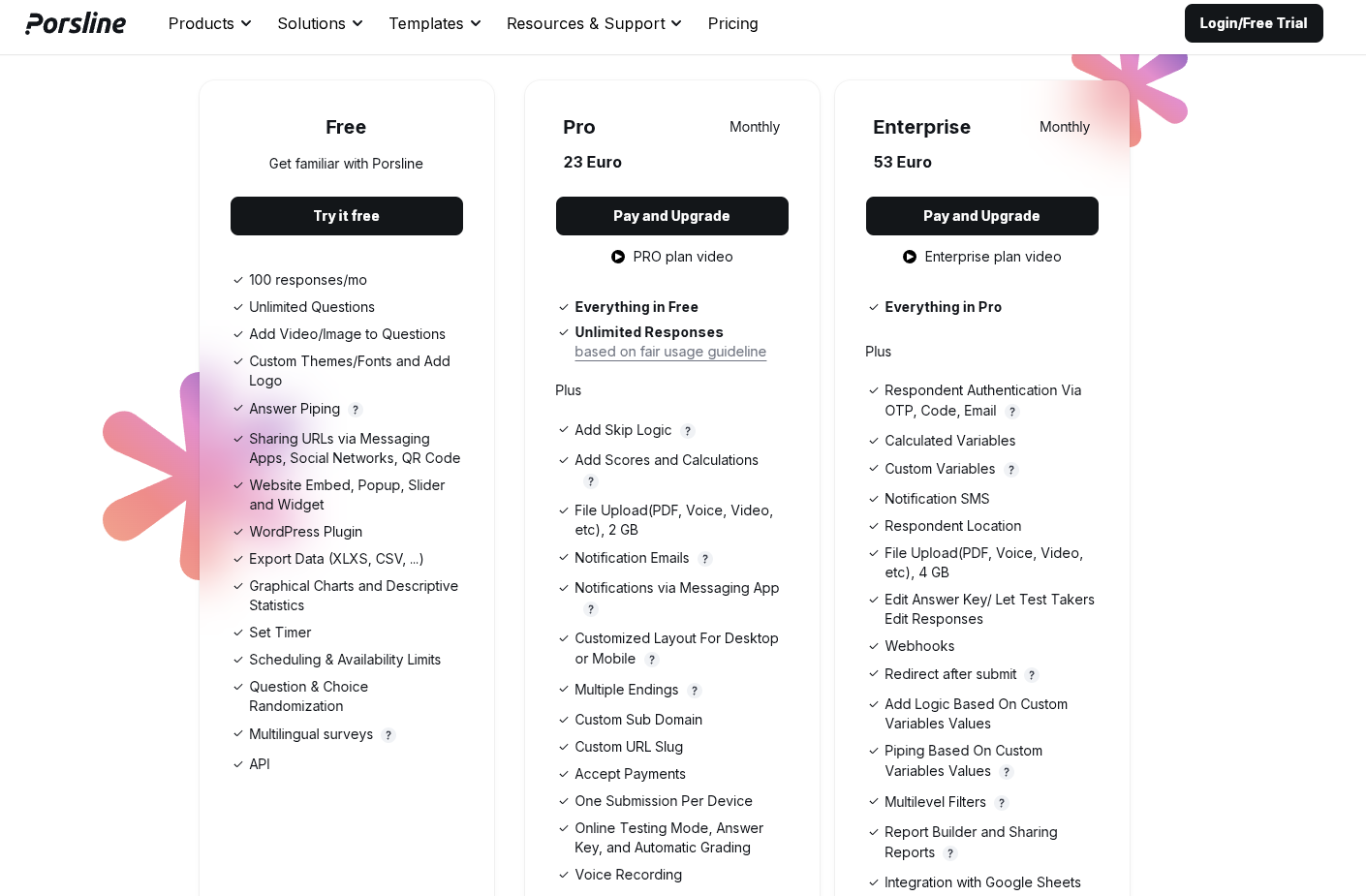
Porsline’s pricing gives you a clear upgrade path: the Free plan covers essential survey features, while Pro starts at €23 and adds unlimited responses, advanced logic, file uploads, and notifications.
The Enterprise plan builds on Pro with extra security and control, like respondent authentication, webhooks, and SMS alerts, for larger teams.
Start a free trial now.
forms.app
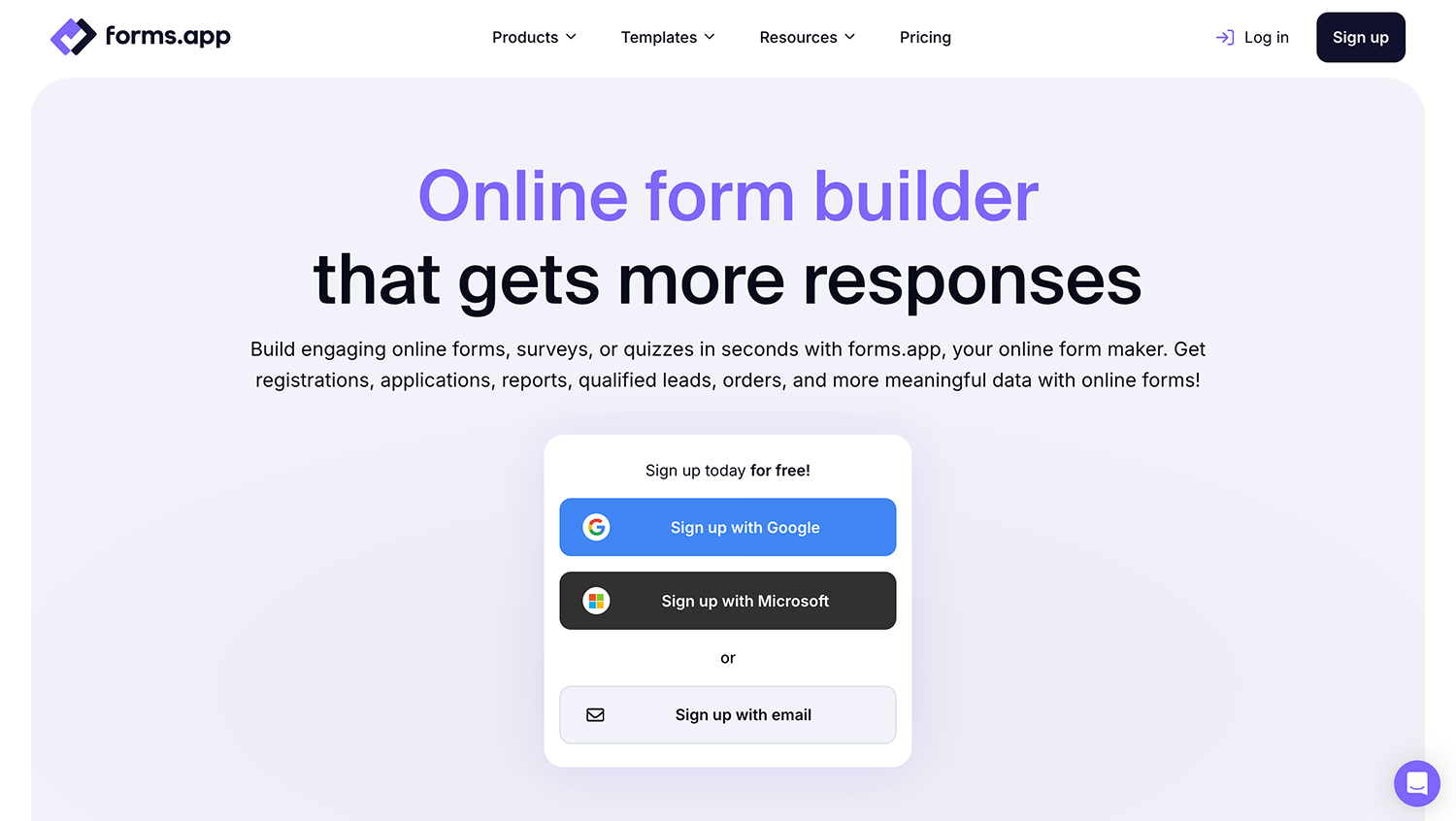
forms.app is an all-around form builder that lets you create forms, surveys, and quizzes without any coding. It’s a good fit for small businesses and large teams alike; as it offers a straightforward way to create forms and collect data.
The drag-and-drop builder, AI form generator, free form templates, and import options make it easy to get started. You can later customize the look of your forms with your own branding, colors, and images. Conditional logic helps you show questions only when it is necessary. Plus, you have access to many other form features, such as multi-lingual forms, PDF generation from responses, save&continue later, hidden fields, and so much more.
forms.app covers a wide range of use cases, from lead generation and contact forms to event registrations and payment collection. It’s a capable tool if you need something flexible without a steep learning curve.
Key features
- Drag-and-drop form builder
- AI form generation
- Conditional logic
- 5,000+ templates to get started quickly
- Auto-scoring & multiple endings
- Payment collection via Stripe, PayPal, and others
- Product listing for order forms
- Native integrations and Zapier integrations
- Embeddable forms and customizable links
Pricing overview
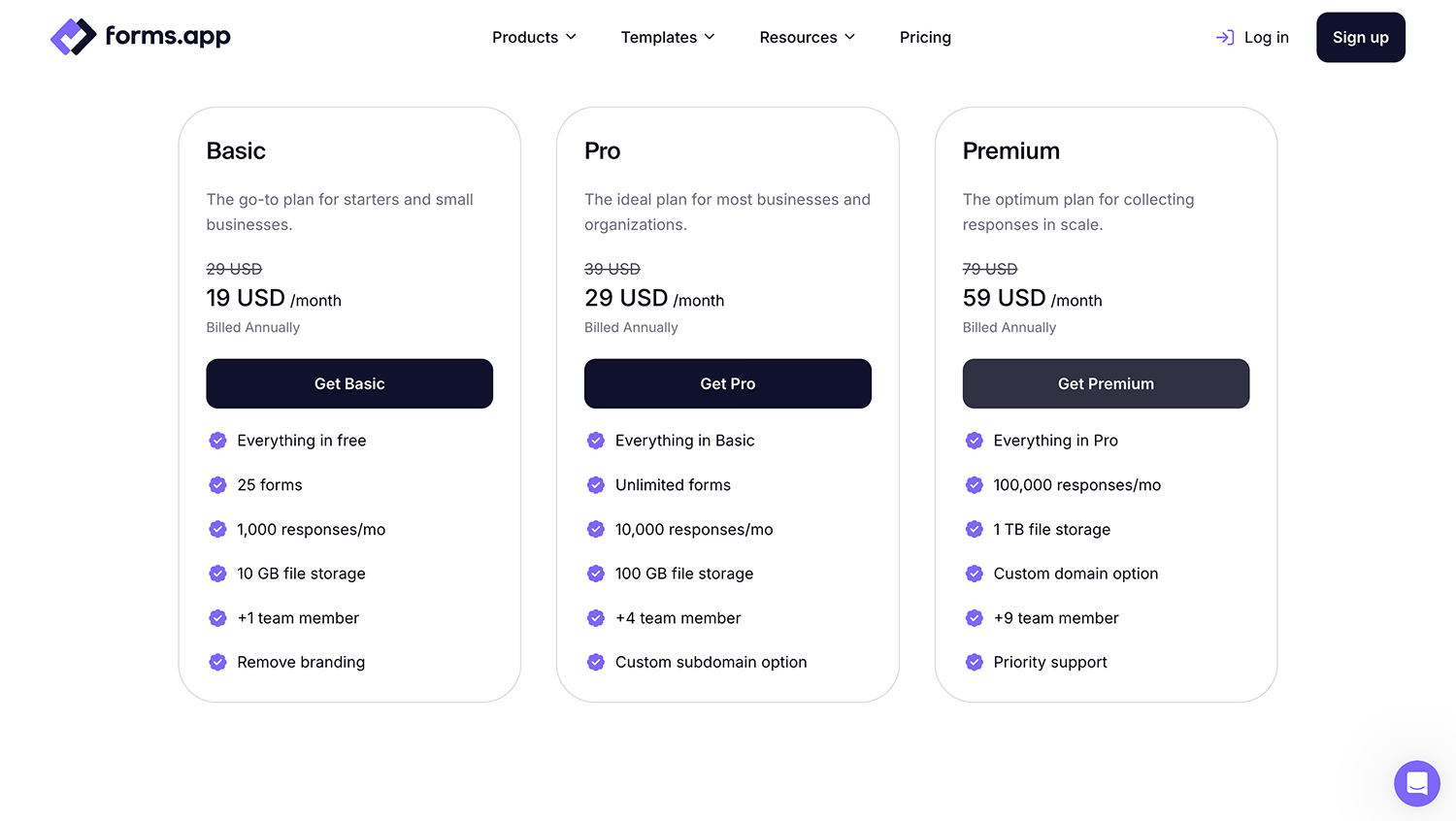
forms.app offers a Free plan with essential features and paid plans starting at $29/month (Basic), with higher tiers at $39/month (Pro) and $79/month (Business), when billed monthly.
The free plan is generous for light use, but submission limits and some advanced features are gated behind paid tiers.
Formstack
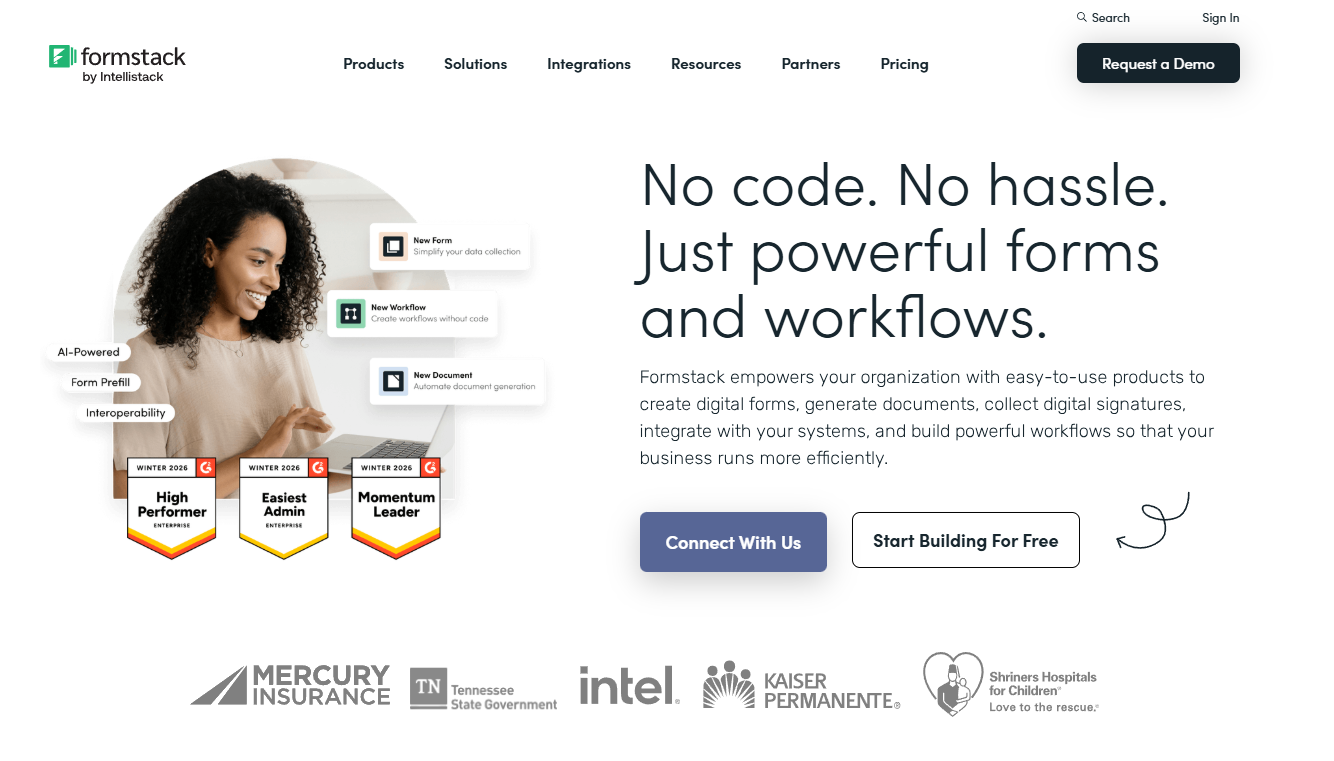
Formstack is a no-code form builder that helps you collect data efficiently. It’s part of the Intellistack ecosystem and fits well with administrative workflows.
You can build forms with conditional logic and advanced functionality, such as automated approval flows. Creating documents and collecting digital signatures is easy, which is handy for paperwork-heavy tasks.
Formstack integrates closely with Salesforce. If your team uses Salesforce every day, this could be a solid fit.
Key features
- Custom forms with conditional logic
- Automated approval workflows
- Document generation tools
- Digital signature collection
- Extensive template library for quick starts
- Payment submissions and collection capabilities
- Salesforce integration
- Zapier integration to push data to other tools
Pricing overview
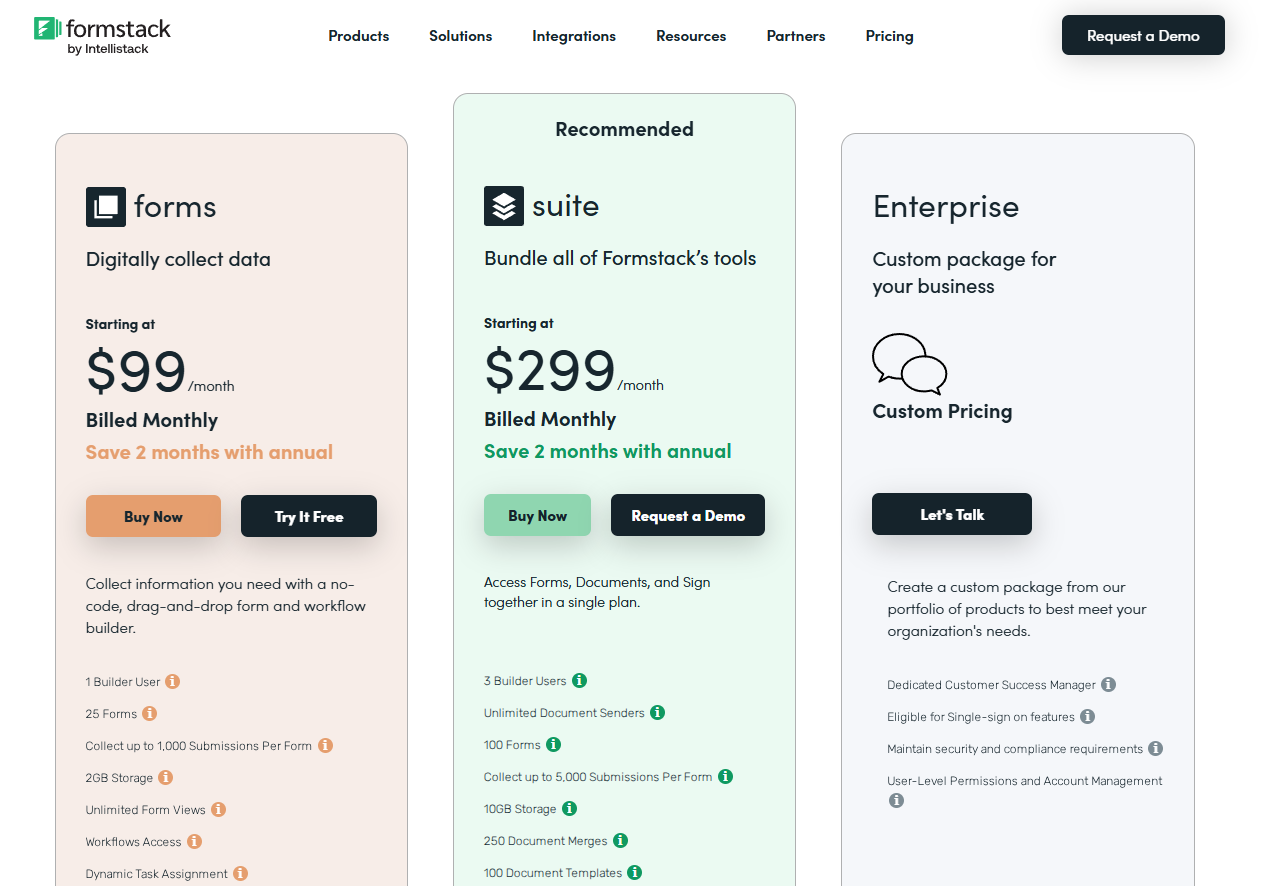
Formstack’s pricing starts at $99/month for Forms (billed monthly), with a higher-tier plan, Suite, at $299/month, and an Enterprise tier with custom pricing.
A few downsides are the higher starting cost, feature limits (such as user counts, forms, submissions, and storage), and the lack of transparency in Enterprise pricing, which makes it harder to predict total cost.
Wufoo
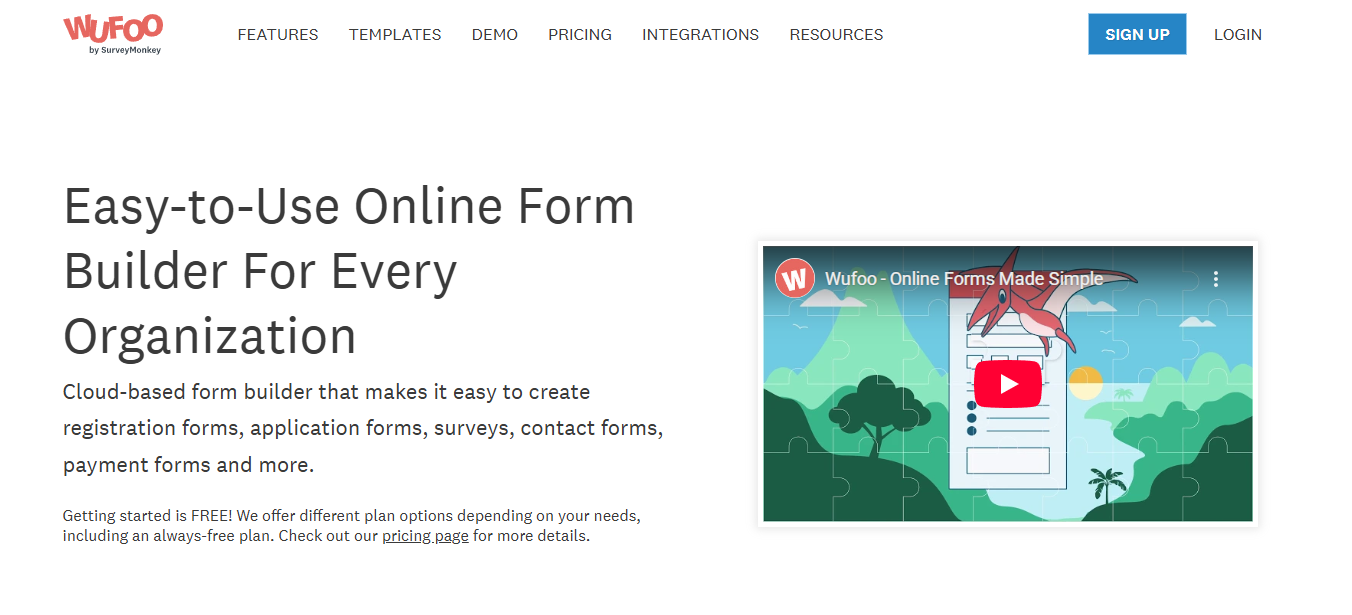
Wufoo is a cloud-based form builder owned by SurveyMonkey. It helps you create forms like registrations, payments, or surveys without coding.
The drag-and-drop editor makes building forms easy. You can add your own branding, logos, and colors, or just pick a theme and go.
Wufoo works for basic form needs. You can embed forms on your website or send out a link.
Key features
- Drag-and-drop form builder
- Custom branding options
- Payment processing through several providers
- File upload collection
- Email and text notifications
- 256-bit SSL encryption
- CAPTCHA spam protection
- Built-in reporting tools
- Data export to spreadsheets
- Form templates
Pricing overview
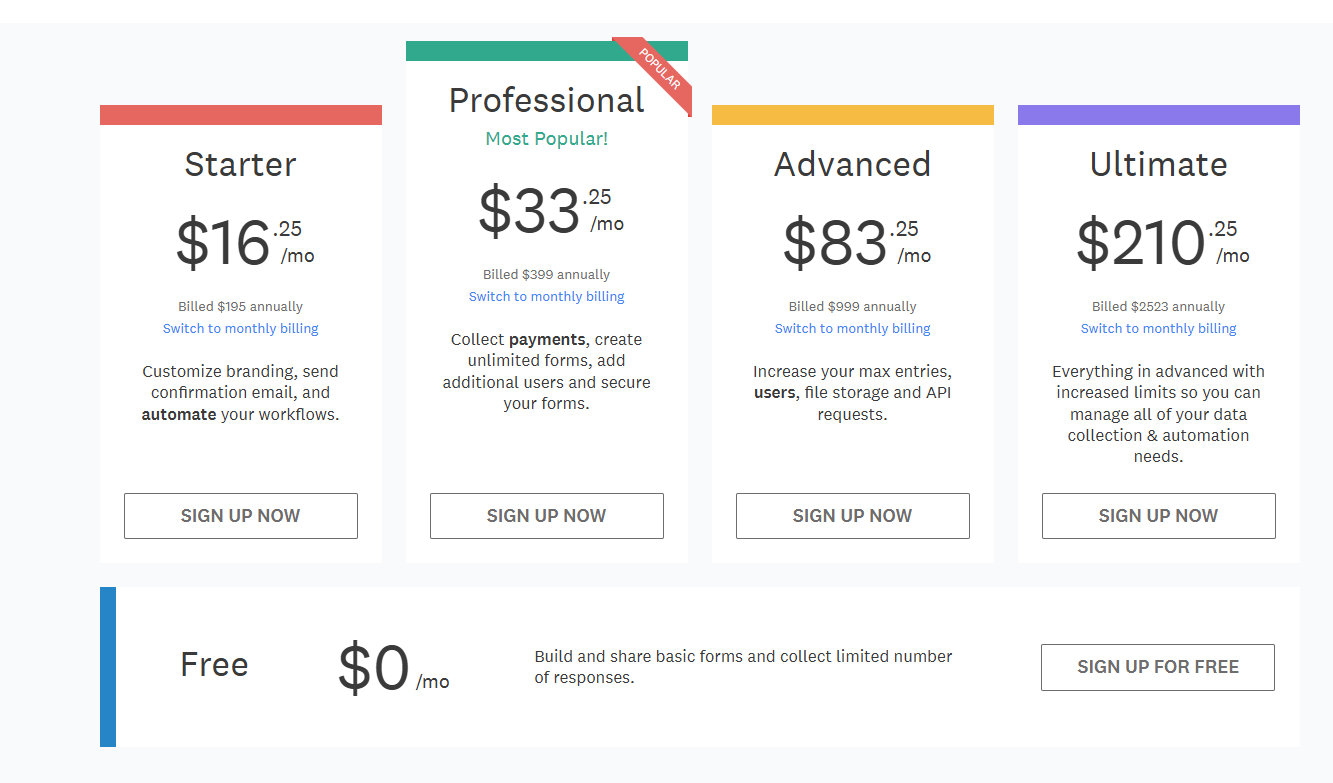
Wufoo offers a Free plan and paid plans ranging from Starter ($16.25/mo) to Professional ($33.25/mo), Advanced ($83.25/mo), and Ultimate ($210.25/mo) (shown with annual billing).
The key capabilities and higher limits are locked behind pricier tiers. Pricing can scale quickly as your needs grow, and the lower plans may feel restrictive for teams that need higher volume, storage, or API usage.
Tally

Tally is a free form builder that’s gotten popular for its simple, no-nonsense approach. You can make unlimited forms and get unlimited responses.
The interface feels clean and document-like, so creating forms is straightforward. You don’t need any technical skills. Forms look modern and professional right away.
Key features
- Unlimited forms and submissions on the free plan
- Conditional logic to show or hide questions
- Payment collection through Stripe
- File uploads from respondents
- Calculations within forms
- Custom branding options
- Embed forms anywhere
Pricing overview
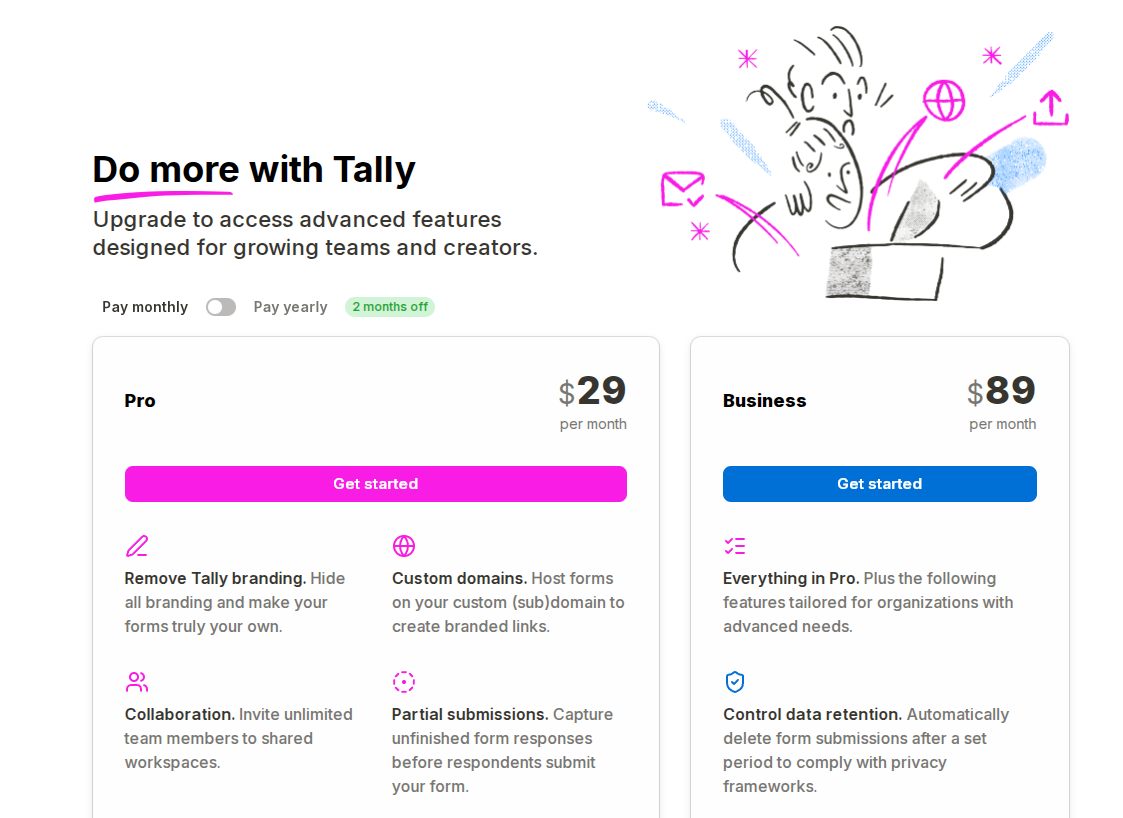
Tally has two paid plans: Pro ($29/month) for core upgrades like removing branding, custom domains, collaboration, partial submissions, and custom CSS.
The Business plan ($89/month) adds organization-focused features like data retention controls, email verification, and version history.
Important features are paywalled (especially branding removal and custom domains), and the jump from Pro to Business is a big price increase if you only need one or two of the extra business capabilities.
Direct integration with other apps are limited, as Tally connects only with Google Analytics and Meta Pixel.
Typeform
Typeform stands out for creating forms that ask one question at a time. Instead of dumping a long list on people, it flows more like a conversation. That keeps people focused and usually gets you better answers.
The design is sleek but smart. You can match forms to your brand while keeping the user experience smooth and modern.
Key features
- Conversational forms
- Conditional logic to show or hide questions
- Integrations with tools like Slack, Google Sheets, and HubSpot
- Mobile-friendly design for any device
- Custom branding for a polished look
- Logic jumps to personalize the form flow
Pricing overview
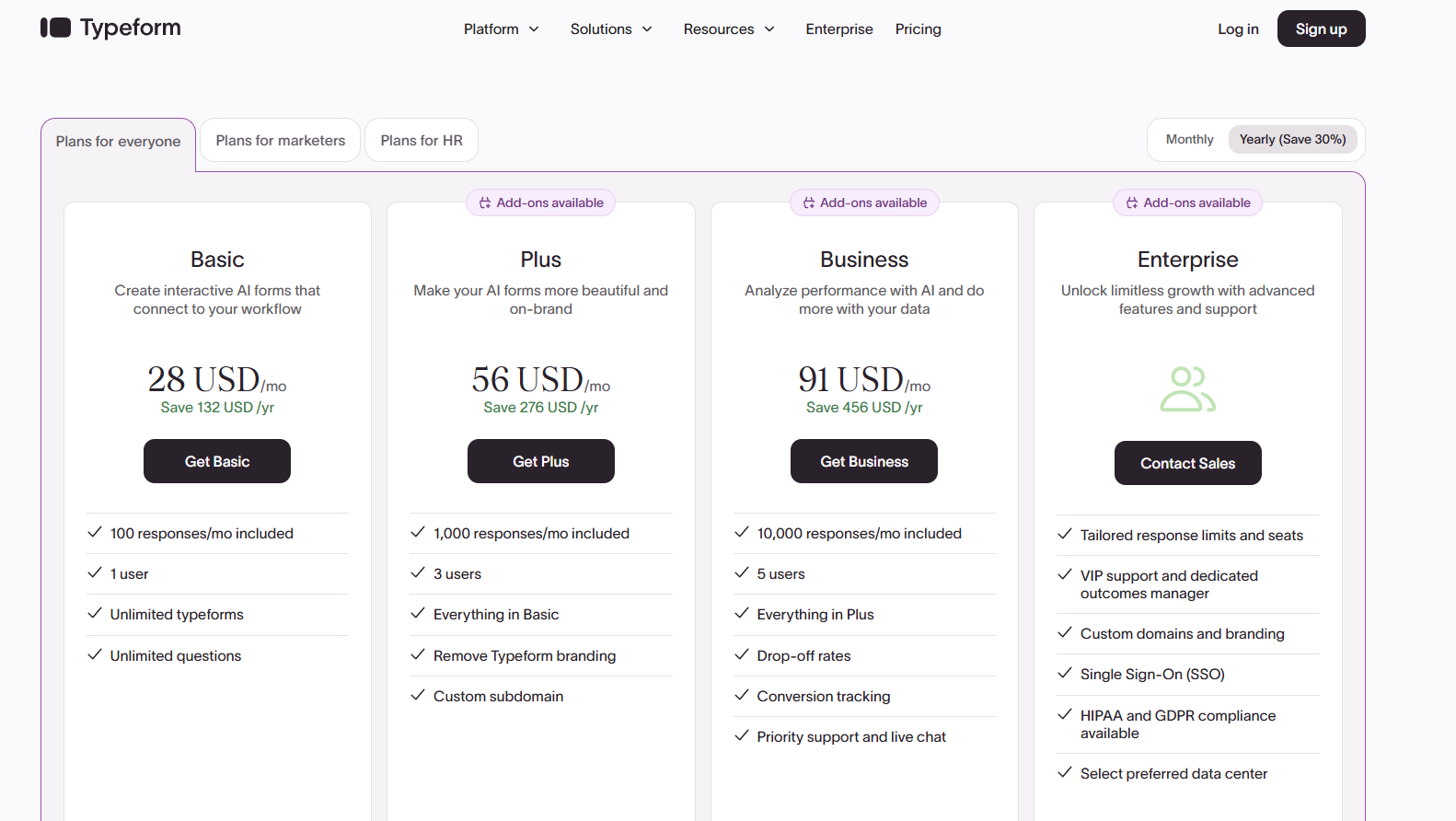
Typeform’s pricing starts at $39/month (Basic) and scales up to $79/month (Plus) and $129/month (Business), with an Enterprise plan that requires contacting sales for custom pricing.
Response limits are tier-based; branding removal and custom domains require upgrading, and the Enterprise tier’s pricing isn’t transparent, which can make budgeting harder as needs grow.
Moosend
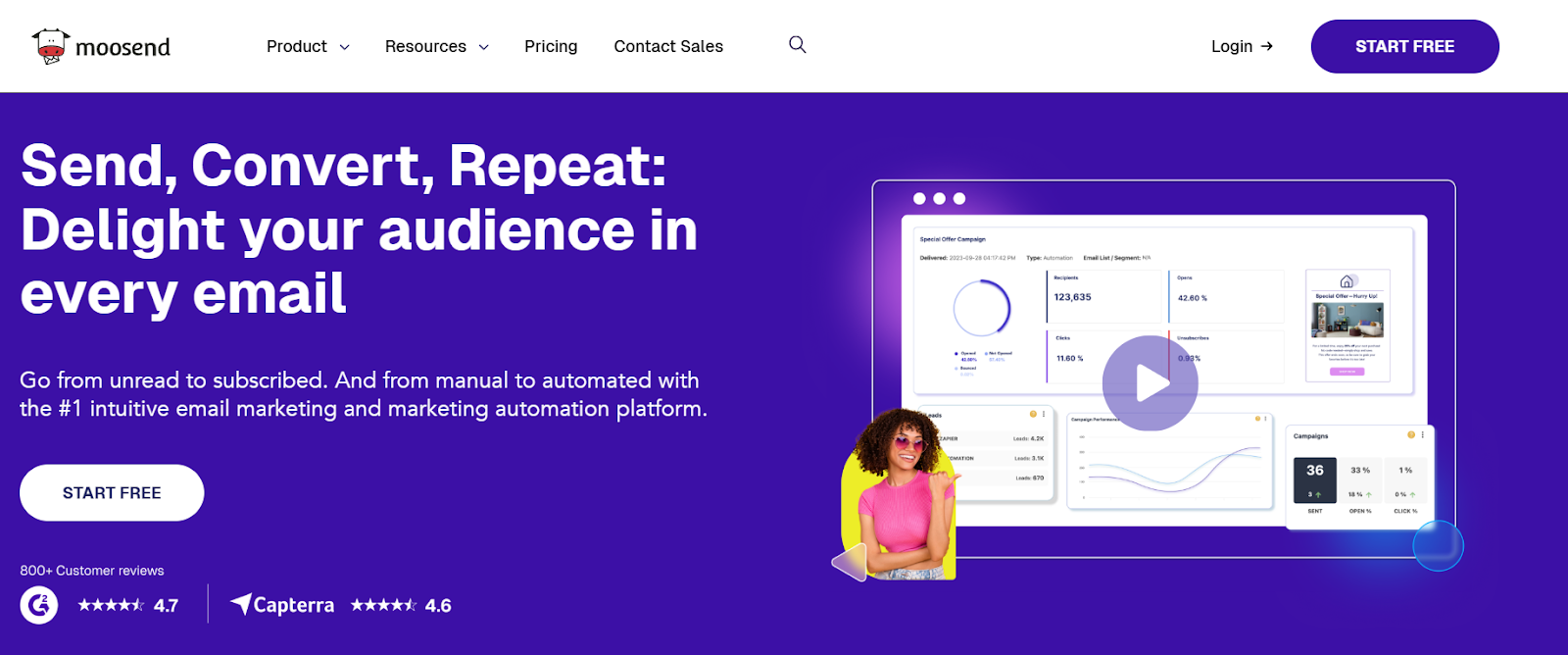
Moosend is an email marketing and automation platform that also includes landing pages and subscription forms. While it’s not a traditional form-first builder like Jotform, it works well for teams that want to collect leads and move them into automated workflows immediately.
If your forms are closely tied to email campaigns, customer journeys, or sales funnels, Moosend gives you that connection in one place.
Key Features
- Drag-and-drop landing page and subscription forms builder
- Custom fields and team member collaboration through comments
- Designer-made landing page and form templates for fast setup
- Real-time reporting and analytics
- Native integrations (limited)
- App connections through Zapier
Pricing overview
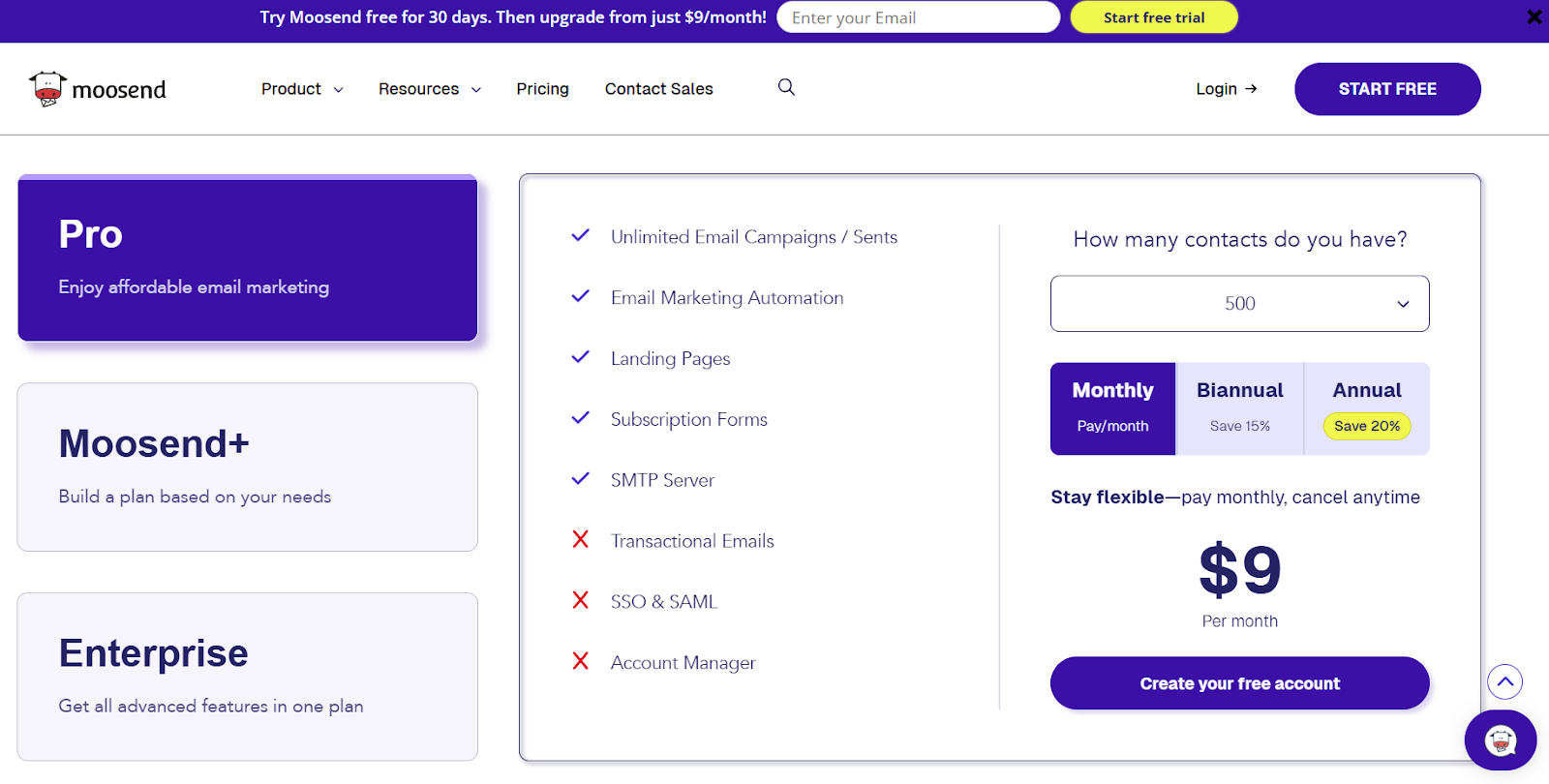
Moosend offers a 30-day free trial with access to Pro features, no credit card required. Paid plans start at $9/month and scale based on the number of unique subscribers. Higher-tier plans include advanced support options and dedicated infrastructure for larger senders.
Pricing is based on contacts rather than form submissions, which can work better for businesses focused on email list growth rather than high-volume standalone form collection.
Why Porsline Is The Best Jotform Alternative

Porsline stands out by removing common headaches that Jotform users complain about. You get unlimited responses without extra fees. Data exports into a single, clean Excel file, without piecing together separate downloads.
Response quality controls really set Porsline apart. You can use regex for custom response formats. File uploads let you restrict which formats people can submit, so your data stays clean from the start.
Advanced testing features go way beyond basic forms. Porsline includes built-in calculations for quizzes and custom grading systems. You can build anything from simple online forms to complex tests. Features like question banks, automatic grading, and scheduled grade releases make it solid for professional testing.
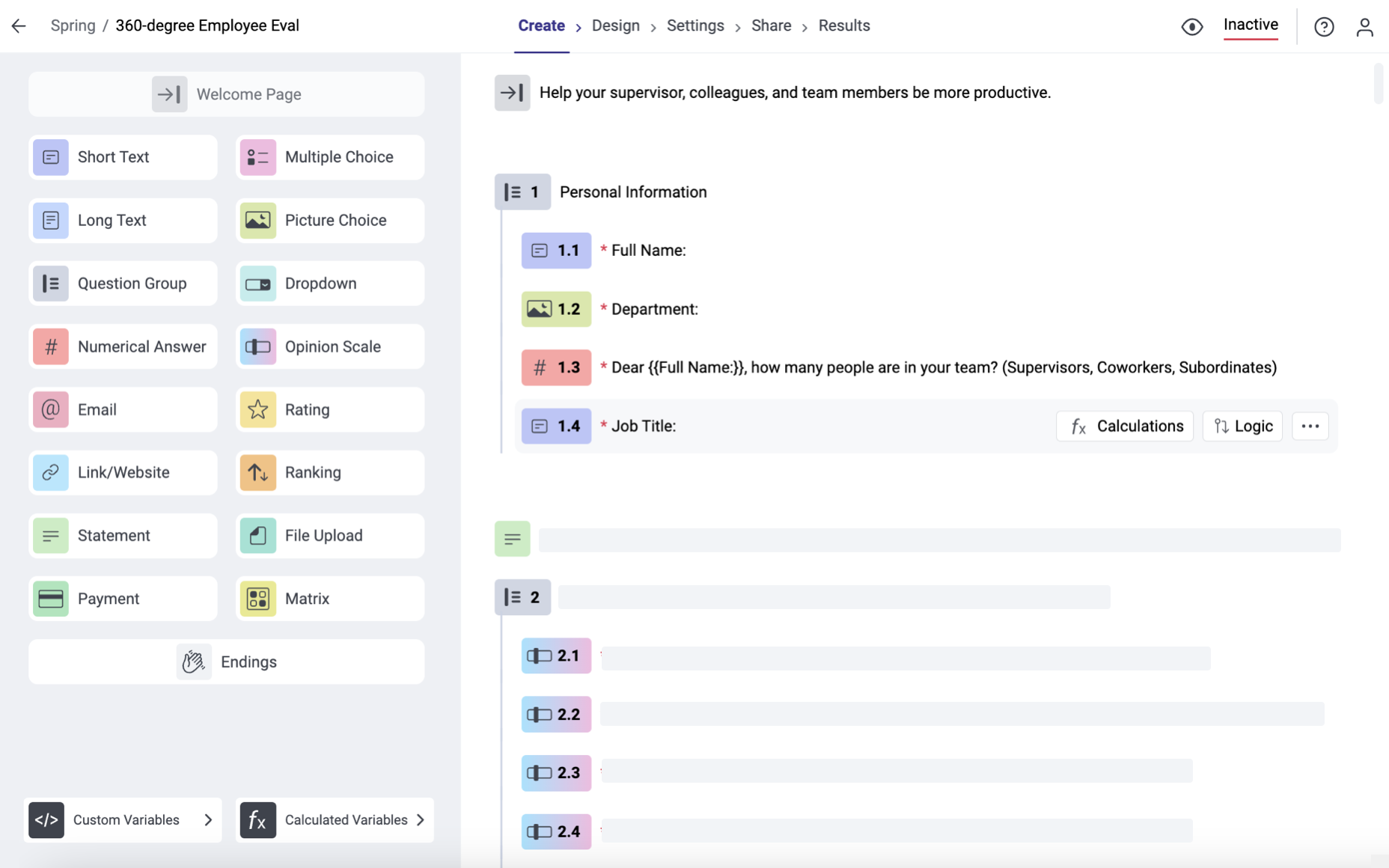
Respondent authentication adds security that most form builders skip. You can verify users via SMS code or email, or even upload your own list of access codes. It is huge for registrations, gated content, or anywhere you want to control who responds.
Real-time notifications keep you in the loop. Set up email notifications, SMS or Telegram alerts to get submissions right on your phone, so you don’t have to check dashboards all the time.
Porsline gives you two display modes: conversational (one question at a time) and classic (all questions on one page). You pick what fits your audience best.
Location detection helps with field research or delivery forms. The system can spot where people are and let them adjust if needed.
Quota management works at the choice level, not just the whole form, so scheduling with limited spots gets way easier.
Ready to build smarter forms with unlimited responses and better data quality?
Start your free Porsline trial today and see the difference in minutes.
Final Words About Jotform Alternatives
Picking the right form builder depends on what you need and how you plan to use it. Each tool we covered has different strengths.
Most of these platforms don’t require advanced tech skills. You can make forms with visual editors. The learning curve varies by tool.
Think about these factors before you choose:
- How many responses do you expect each month
- Whether you need advanced analytics or just basic data collection
- If you want automation and integrations with other tools
- Your budget and team size
- Whether you need mobile or offline capabilities
Porsline offers unlimited forms and responses, so you can scale your surveys without worrying about hitting caps or paying extra as your audience grows.
You also get advanced question types, custom branding, and detailed analytics, making it easy to create professional-looking forms and actually understand your results.
Whether you’re running a quick customer feedback survey or managing a complex research workflow with logic, scoring, and multiple sections, Porsline stays flexible and easy to use from start to finish.
Start your Porsline free trial today and build your first form in minutes.
FAQs About Jotform Alternatives
What is better than Jotform?
If you want a more scalable Jotform alternative with stronger control over data quality, Porsline is an excellent option.
It offers unlimited responses, powerful logic and testing features, clean data exports, and built-in tools like authentication and notifications, making it a strong choice for everything from simple forms to advanced surveys.
Is Google Forms or Jotform better?
Google Forms is simpler and totally free with unlimited responses. It’s great for basic forms and links straight to Google Sheets. Jotform offers more features, such as payments and logic, and better branding. Go with Google Forms for quick internal stuff, Jotform if you need more power.
What are the cons of Jotform?
Jotform can get pricey if you need more responses or team features. The interface feels heavy, with lots of settings to sift through. It takes longer to set up than some of the simpler tools. Lower-tier plans have pretty tight response limits.
What is the best platform to create a form?
For most people, the best form builder is the one that stays simple to use while still giving you room to grow, and Porsline fits that balance really well.
You can launch a basic form fast, then add more advanced features like logic, branding, authentication, and analytics whenever you need them.
Is Google Forms as good as Jotform?
Google Forms is simpler, but you get fewer options and a traditional form. Unlimited responses are free, but customization and logic are basic. Jotform offers more features, but you’ll pay more and hit stricter limits if you stick to the free plan.
Is Typeform or Jotform better?
Typeform gives you more engaging, conversation-style forms that often boost completion rates. Jotform packs more features into one place. Typeform costs more and limits responses more strictly. Go with Typeform for brand experience, Jotform for all-in-one functionality.
What is the Microsoft equivalent of Jotform?
Microsoft Forms is probably the closest match. It connects smoothly with Microsoft 365. It feels a lot like Google Forms, just made for people who live in the Microsoft ecosystem.
